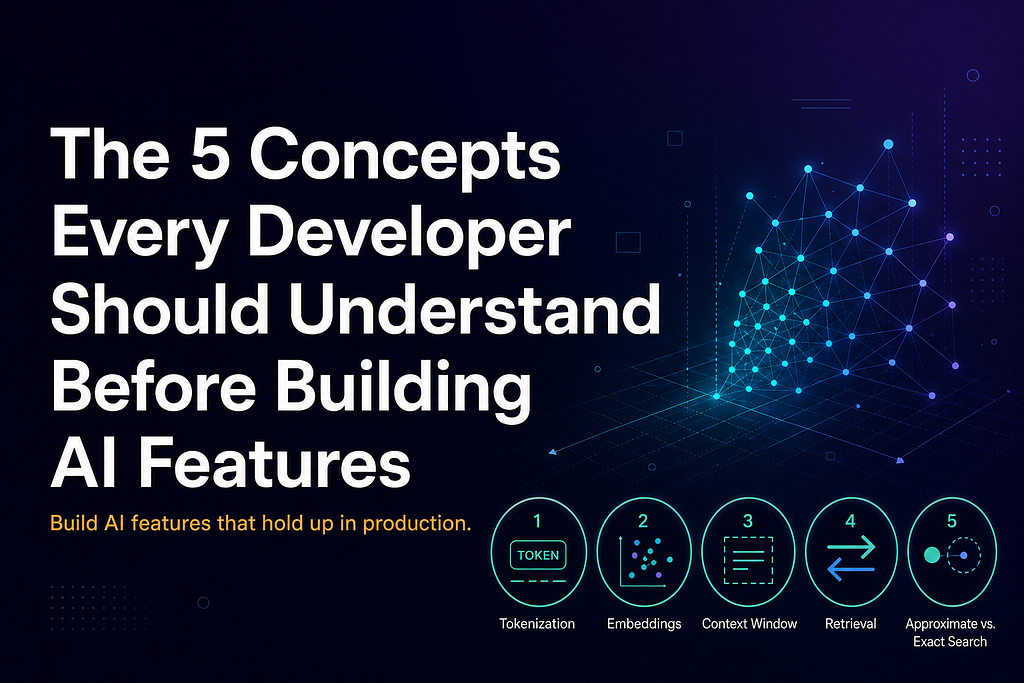
The 5 Concepts Every Developer Should Understand Before Building AI Features

Build AI features that hold up in production.
These days, adding an AI feature to your application is easier than ever — a few API calls, a model endpoint, some glue code, and you have semantic search, summarization, or a chatbot working. The hard part is not building it but understanding what is actually happening underneath — because that is what determines whether your feature holds up when real users arrive.
Here are five foundational concepts that show up in nearly every AI feature you will build. If you get these right, the rest of your architectural decisions become considerably easier.
1. Tokens
A token is the unit of text an AI model operates on — sometimes a whole word, sometimes a fragment, sometimes punctuation. The sentence “I love building things” is roughly four tokens. A less common word like “reindexing” might be split into two or three tokens because that word does not appear frequently enough in the model’s training data to be assigned its own token.
Tokens matter because every AI model has a token limit per request. Send too much, and the model truncates, refuses, or returns lower-quality output.
Note: Before integrating any AI model, check its token limit and design your data pipeline around it. If you are summarizing documents or building a knowledge base, plan your chunking strategy upfront — not after a user submits a 50-page PDF.
2. Embeddings
An embedding is a piece of text converted into a fixed-size list of numbers that represents its meaning. Similar content produces similar numbers. Different content produces very different numbers.
This is what powers semantic search, recommendation engines, duplicate detection, and most AI-driven retrieval features. It is also what makes a search for “comfortable running shoes” return athletic footwear results without sharing a single word. In production, these embeddings live in dedicated vector field types — like OpenSearch’s knn_vector — that are designed for similarity search at scale.
Two things developers consistently miss:
- Embeddings are model-specific, and numbers produced by one model are not compatible with another. If you switch models, then every stored embedding becomes meaningless, and you will be reindexing.
- Dimensions matter and different models produce different-length embeddings — 384, 768, 1536. Length affects storage cost, query latency, and how much meaning the model can encode.
Note: Remember to treat your embedding model choice like a database schema decision. Document the model and version and plan reindexing workflows before you need them.
3. Context Windows
Large language models process input as a single block of text — the context window. The model can only reason about what is in the window, and anything outside it does not exist as far as the model is concerned.
This catches developers off guard in two common scenarios:
- Long chatbot conversations — when the conversation exceeds the context window, your application has to drop earlier messages before sending them to the model. From the user’s perspective, the chatbot “forgets” what they said.
- Long documents — feed in a document larger than the context window, and depending on the model, the request might be rejected with an error; the input gets silently truncated, or the output quality degrades. For self-hosted models running on GPUs, oversized inputs can also trigger out-of-memory crashes.
The patterns for handling this are well-established:
- Chunking — break content into smaller pieces and process them individually
- Retrieval-augmented generation (RAG) — retrieve only the most relevant content and include only that in the context
- Summarization pipelines — compress earlier content before adding new content
Note: Design your data pipeline with the context window as a first-class constraint. Discovering the limit only when a user submits a real-world input is one of the most common production failures.
4. Semantic vs. Keyword Search
Keyword search finds documents that contain the typed words. It is exact, fast, and predictable.
Semantic search finds documents that mean what was typed, using embeddings to match conceptual similarity. It handles vocabulary variation gracefully — different words for the same concept.
The common mistake is assuming semantic search is simply better and should replace keyword search. It should not.
Semantic search dilutes precise terms. A developer searching for an exact function name. A user looking up a specific product code. A medical professional searching for a diagnostic code. These queries depend on exact terminology, and semantic search can return conceptually similar — but terminologically wrong — results.
Most production search systems use both. Search platforms like OpenSearch make this straightforward through hybrid search — combining semantic and keyword retrieval in a single pipeline. Semantic search handles conceptual queries and keyword search anchors specific terms. This combination serves a wider range of real user behavior than either approach alone. And when term-level precision is non-negotiable — exact product codes, technical terminology, medical codes — OpenSearch also offers sparse_vector, a field type that preserves the importance of specific terms inside the vector representation itself.
Note: Define what a failed search looks like for your users. That answer tells you which approach to weight — or whether you need both.
5. Approximate vs. Exact Search
A traditional database query returns exact, deterministic results — every matching row appears, and no matches are missed.
Vector search does not work this way. Computing the mathematically exact nearest neighbors across millions of embeddings is too expensive at scale. Most vector systems use approximate nearest neighbor (ANN) search instead — clever algorithms that find results that are very likely to be the closest matches without scanning every document.
The trade-off is small recall loss for major speed gain. You might miss one or two highly relevant documents in some queries, and in most production systems, users do not notice.
But it matters in:
- Safety-critical applications where a missed result has consequences
- Legal or compliance search where completeness is required
- Small datasets where exact search is fast enough that approximation is unnecessary
Note: Most vector search tools (including OpenSearch) expose a setting that controls the trade-off between speed and recall. Check the default in your tool and decide whether it matches your application’s tolerance for missed results.
Why These Five
Tokens, embeddings, context windows, semantic vs. keyword search, and approximate vs. exact search are not the only concepts worth knowing. But they shape the most consequential decisions you make in the first weeks of building an AI feature — decisions about data pipelines, model selection, search architecture, and production behavior.
Every AI feature touches at least three of these. Most touch all five.
The mental model these concepts give you is what turns “it works in the demo” into “it still works six months later when real users do unexpected things.”
Which of these have caught you off guard in production? Drop your story below — always curious how other developers learn these the hard way.
The 5 Concepts Every Developer Should Understand Before Building AI Features was originally published in Towards AI on Medium, where people are continuing the conversation by highlighting and responding to this story.
