From “Zero to Five” AI Agents: What I Actually Learned Building My First Multi-Agent System

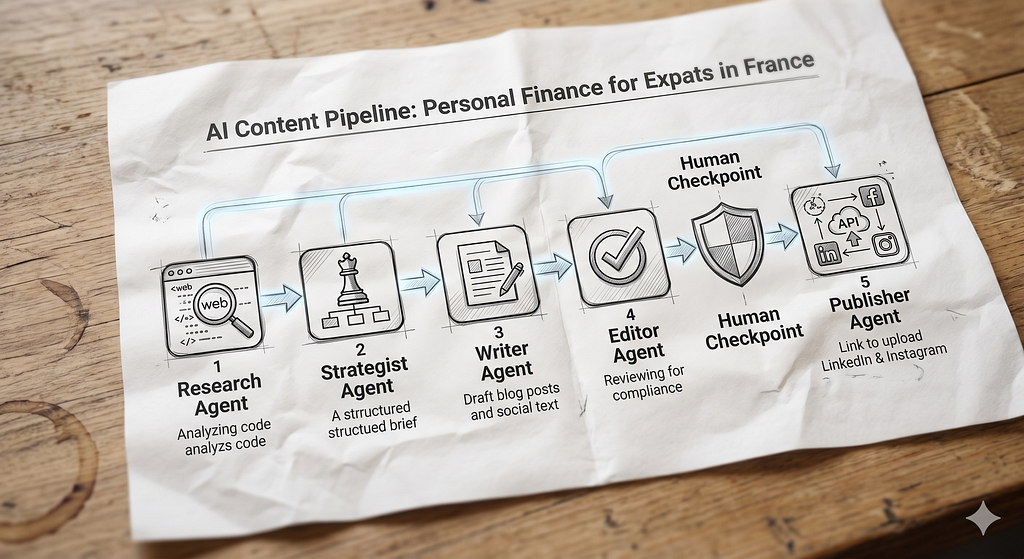
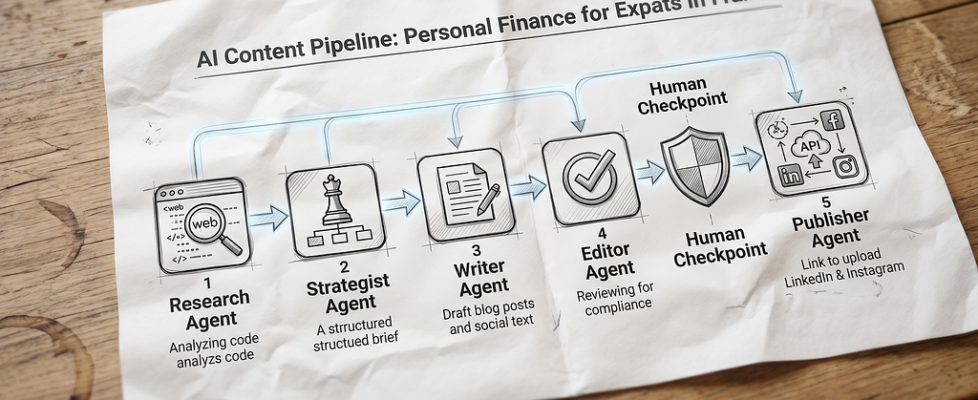
A few weeks ago, I decided to build my first multi-agent AI system — an automated content pipeline that researches, strategizes, drafts, and edits financial articles. Here is the full GitHub project:
GitHub – ingsanchezgarzon/agente-contenido
As someone diving deep into tools like Claude Code, I read the tutorials. But the real magic (and the real struggles) happens when you actually start doing, testing, and failing in your own code editor.
If you are a beginner looking to build your first AI agent system, here are the 5 non-obvious things I learned that you won’t always find in standard tutorials:
1. 📂 Give Your AI a Brain Map (The power of CLAUDE.md)
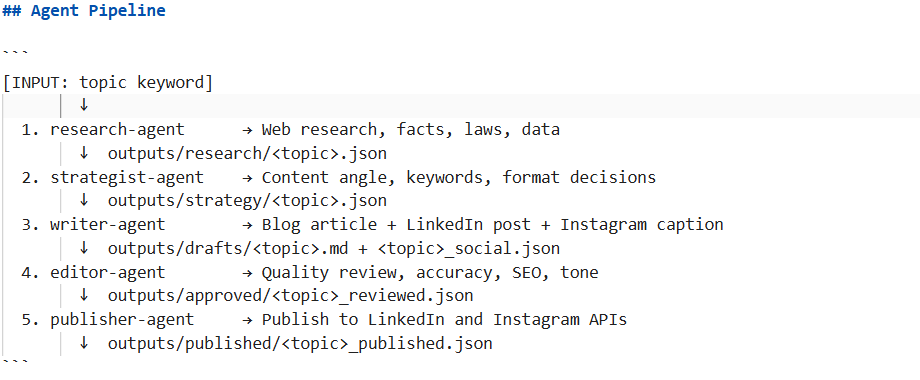
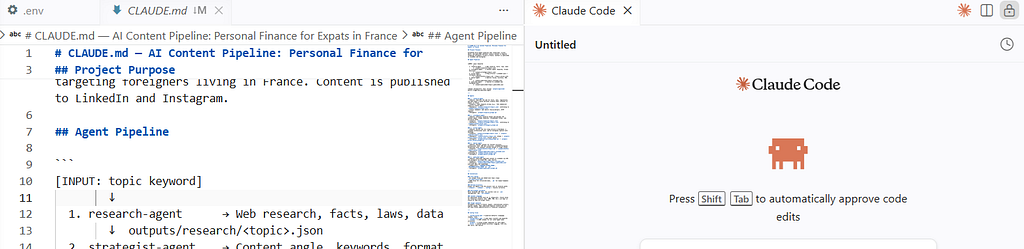
Before writing code, you need a single source of truth. I learned that creating a CLAUDE.md file in your project folder acts like a constant “brain map” for Claude Code. It explicitly tells the AI your file structure, your project rules, and how data moves from Agent A to Agent B. If you don’t map out the playground, your AI will get lost.
2. 🔌 Git is the Secret Engine (Pair it with VS Code!)
Nobody told me this upfront: to make advanced CLI tools like Claude Code truly work its magic, you need your project connected to Git. Claude Code relies heavily on tracking file changes. Pairing this workflow directly inside VS Code made managing files, terminal commands, and edits infinitely easier. If you are stuck on Windows environment paths, absolute pathing inside the VS Code terminal is your best friend!
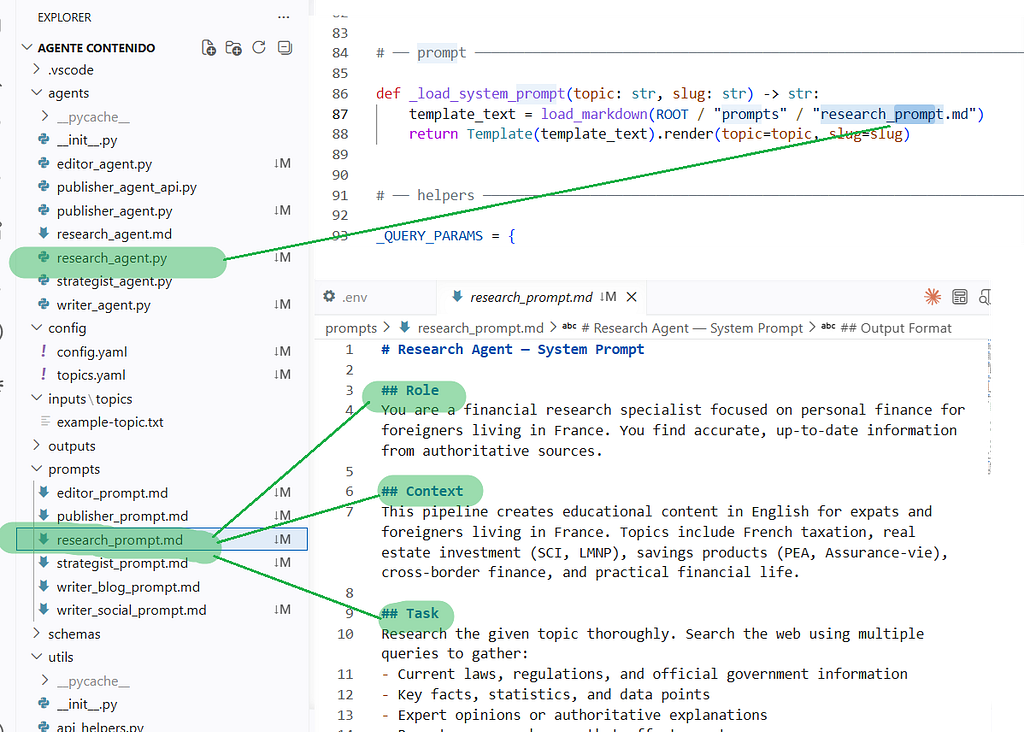
3. 🗺️ Prompts are the Map, Python is the Motor
When building agents, you wear two hats: Writer and Mechanic. You need to understand how Markdown files (.md) act as prompt templates—giving the AI its personality, goals, and checklists. Then, you use Python files (.py) as the mechanical instructions—handling the “boring” stuff like saving files, loading API keys, and triggering the next step. You need both to move forward.
4. 🧪 Test One by One (Don’t run the whole engine at once)
When I started, I wanted to see the whole pipeline run immediately. Huge mistake. If something breaks, you won’t know which agent failed. I learned to run “smoke tests” on individual scripts. First, make sure the Research Agent can successfully save a file. Only when Node 1 works perfectly do you feed its output into Node 2 (the Strategist Agent). Build brick by brick.
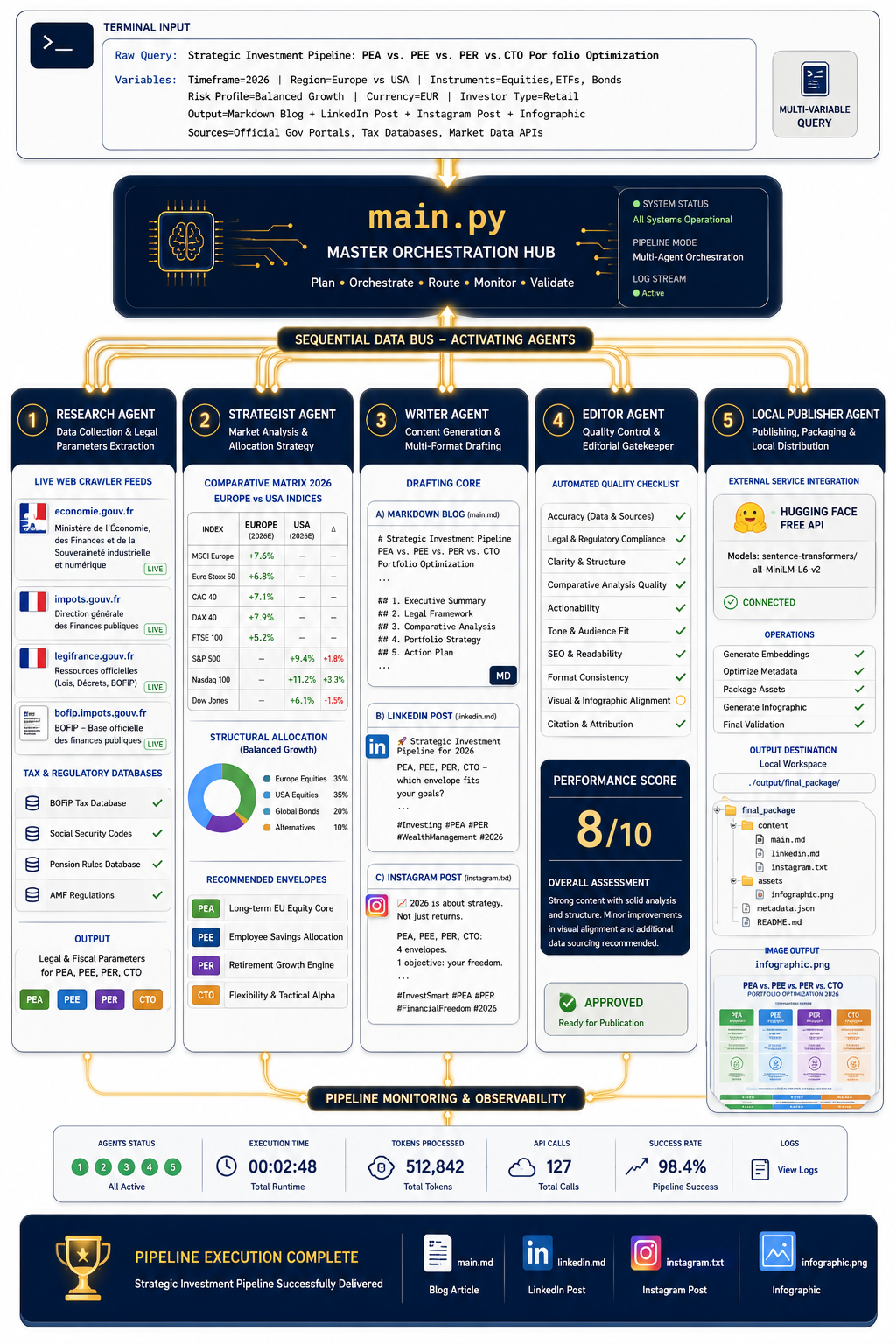
5. 🎛️ The main.py Master Controller is a Game-Changer
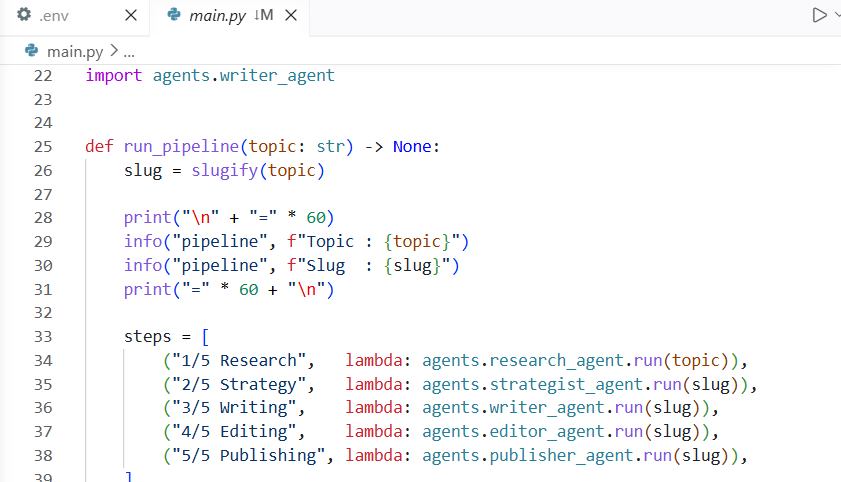
In the beginning, typing five different terminal commands to run five separate agents gets old very quickly. The breakthrough moment was creating a simple main.py file. This script acts as a master orchestration switch. Now, I just type one single command with a topic keyword, and it automatically chains all 5 agents together back-to-back while I watch the logs fly by.
The biggest takeaway? Don’t wait until you know everything to start building. The errors you hit — like missing environment variables or API version mismatches — are exactly where the real learning happens.
Have you started experimenting with building AI agents or workflows yet? What was your biggest “Aha!” moment? Let me know in the comments! 👇
🚀 From “Zero to Five” AI Agents: What I Actually Learned Building My First Multi-Agent System was originally published in Towards AI on Medium, where people are continuing the conversation by highlighting and responding to this story.
