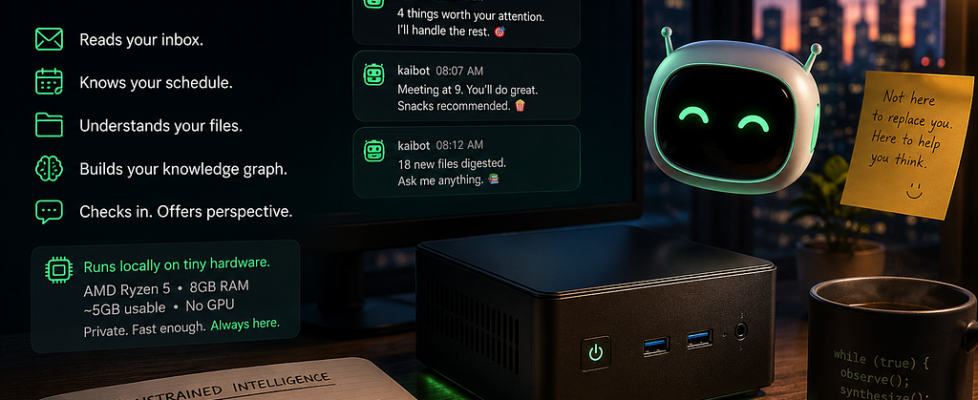
What If a Tiny Always-On Local AI Became Ambient Infrastructure?

Raising a capable AI agent on a limited local compute budget
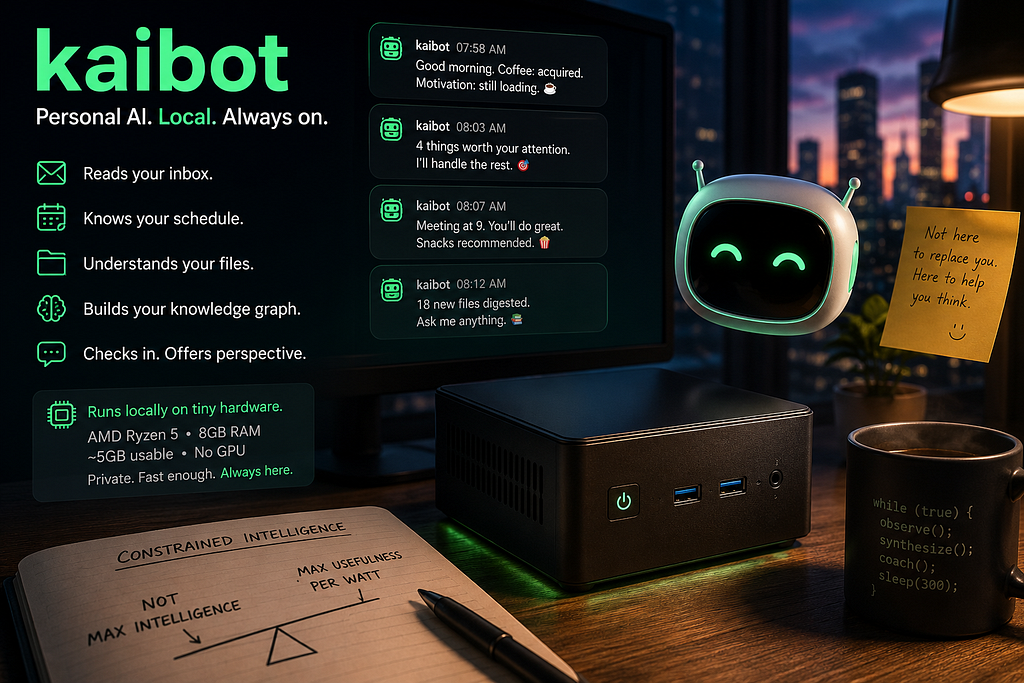
Two years ago I made a deliberate choice to go small on local compute. I swapped out my workstation for a $300 Windows mini PC — AMD Ryzen 5, 8GB RAM (about 5GB actually usable by the time the OS takes its cut), no discrete GPU.
The philosophy was simple: everything compute-intensive lives in the cloud. LLMs run on Claude, OpenAI, Gemini, OpenRouter. Anything GPU-heavy goes to a Lambda instance. The mini PC is just a window — keyboard, monitor, machine — and when any of those break, I replace only the piece that broke.
It worked. For two years, running a local LLM agent was simply not on the table. Not on that hardware.
Until now.
What Changed
Two model families changed the calculus entirely.
Qwen3.5 (4B) from Alibaba and Gemma 4 (2B) from Google DeepMind are both small enough to run on constrained hardware and capable enough to actually be useful. Not “useful if you squint” — useful in the way that matters for a real agent: they call tools reliably, reason about context, and generate coherent responses.
Quantized versions run locally with no API keys, no data leaving the machine, no monthly bill.
That combination — size, capability, and local execution — opened a door I’d considered permanently closed.
kaibot Is an Exercise in Constrained Intelligence
Most AI systems today optimize for maximal capability: larger models, larger context windows, more GPUs, more orchestration.
kaibot forced the opposite question: What is the minimum viable intelligence required to become useful?
That changes the engineering mindset completely.
Under constrained local compute: latency matters more; verbosity becomes expensive; tool-calling overhead becomes architectural; responsiveness matters more than raw IQ.
You stop designing for brilliance. You start designing for survival.
kaibot
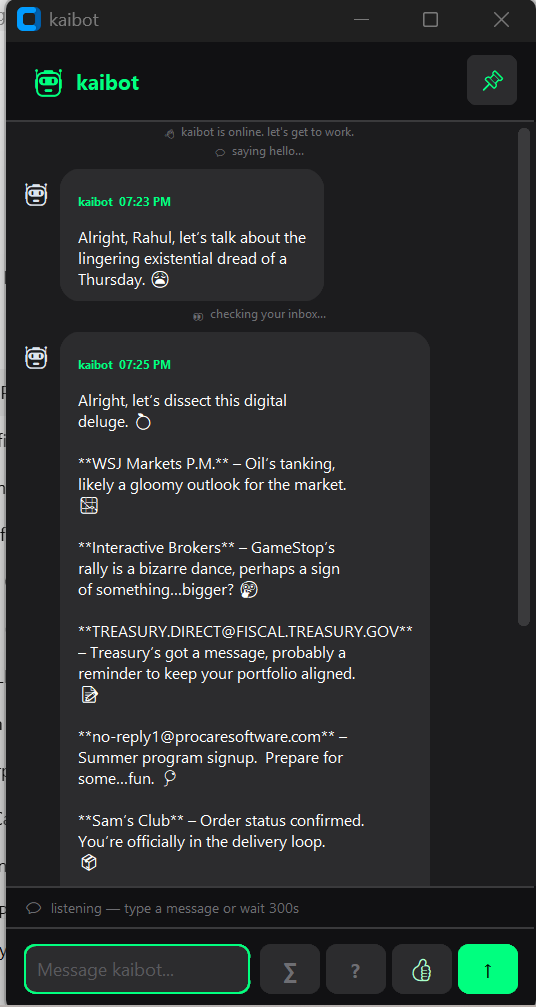
So I built kaibot: a personal AI coach that runs continuously in the background on your Windows desktop. It monitors your Outlook calendar, inbox, and OneDrive files, and checks in throughout the day with short, specific, coaching-style messages. It never summarizes for the sake of it. It never asks to schedule a meeting. It says something useful and moves on.
The architecture is straightforward. Two threads: a Tkinter chat window on the main thread, and a deterministic agent loop running in the background. The loop cycles through a fixed sequence of actions — email summary, calendar heads-up, pre-meeting prep, post-meeting debrief, file introspection, workplan check — with a listen window between each step so you can respond or ask a follow-up.
There’s also a knowledge graph: kaibot crawls a root folder you configure, reads every .pdf, .xlsx, .docx, .csv, .md, .html, and .txt file it finds, and uses the local LLM to generate a 2–3 sentence summary of each. Those summaries are stored locally and searchable. Ask kaibot ”What files do I have about AI?” and it searches the graph — no cloud call, no upload.
The full tool set:
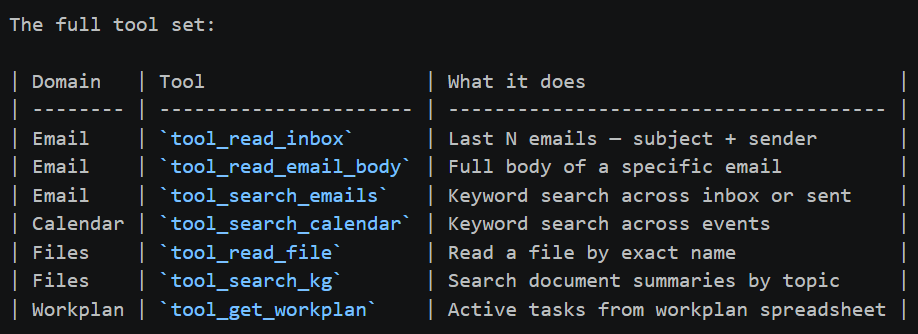
No API keys. No data leaves the machine. Outlook integration via `win32com` — the same Python binding enterprises use.
Voice and Tone
This part I spent more time on than I expected.
kaibot has two modes. In comedian mode (proactive messages), it aims for dry humor, one emoji, max 15 words, always naming real people and real projects. In fact mode (chat replies), it drops the jokes entirely — direct, concise, lists with dates and names, point made in 2–3 sentences.
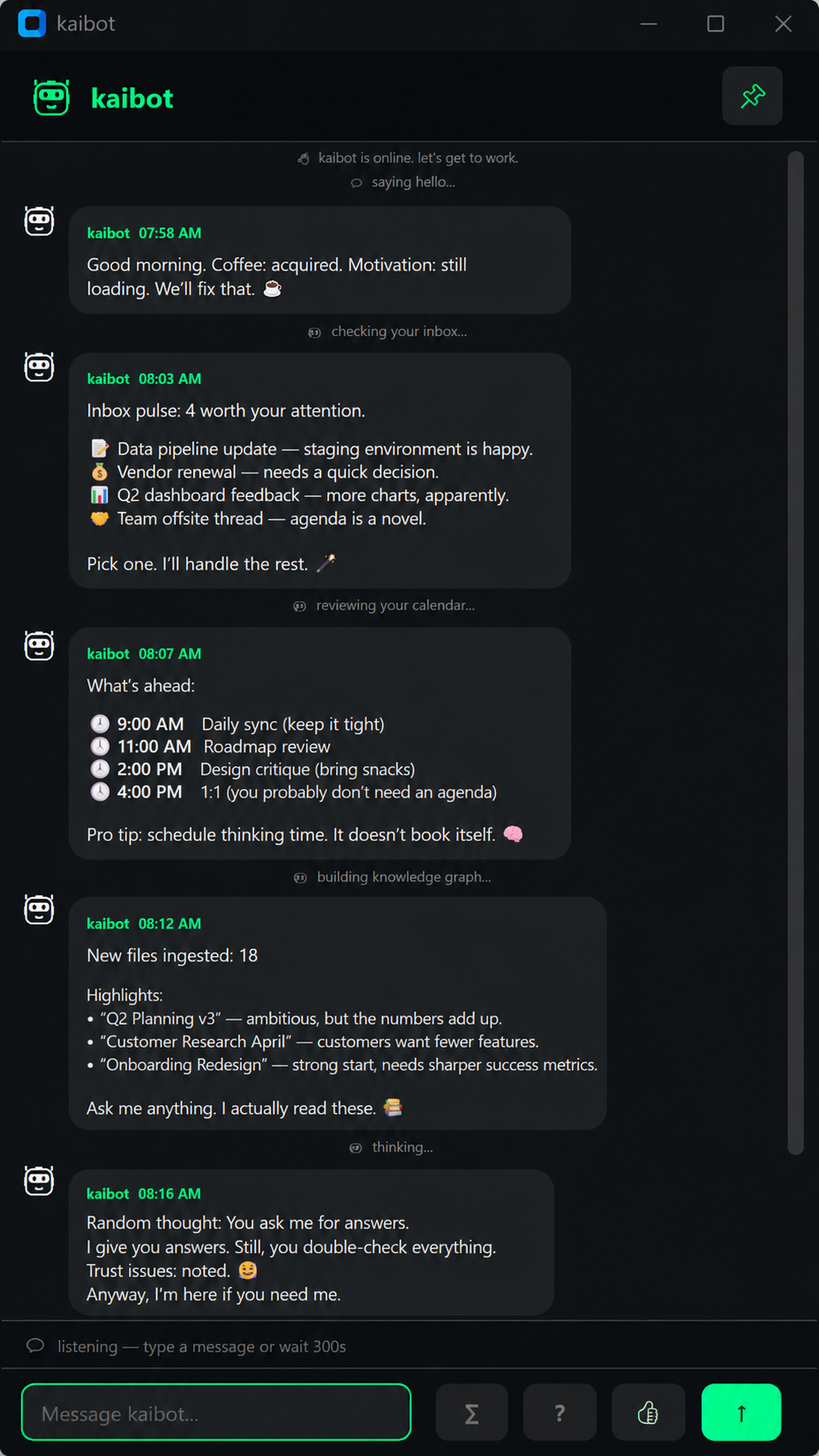
It never writes bullet points in proactive messages. It never says “based on the information provided.” The prompts enforce this at the model level, and small models turn out to be surprisingly good at sticking to tight persona constraints when the instructions are explicit enough.
Benchmarking on Real Hardware
Before settling on a model, I ran structured benchmarks across three candidates — qwen3-vl:4b, qwen3.5:4b, and gemma4:e2b — on two machines:
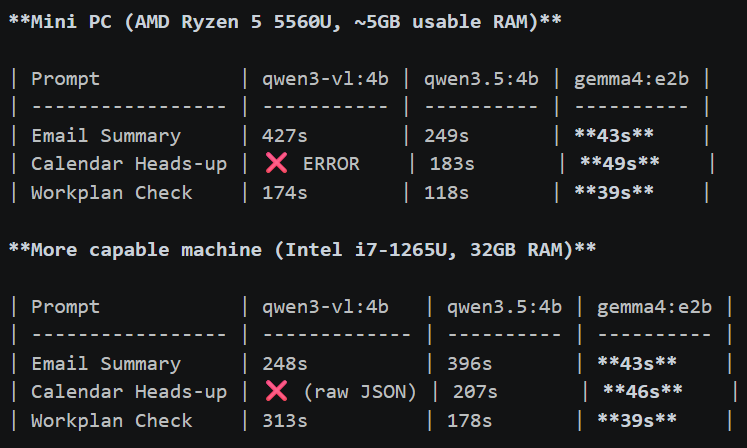
A few things jump out.
gemma4:e2b is in a different latency class — consistently 39–50 seconds across all prompts, on both machines. The latency is almost hardware-independent, which tells you it’s CPU-bound in a predictable way. On the mini PC, it’s the only model that doesn’t feel like you submitted a batch job.
qwen3-vl:4b is the most capable on paper but struggles badly on constrained hardware — it errored out entirely on the calendar prompt when RAM ran low, and its latency on the mini PC tops 400 seconds for email. On the more capable machine it’s more stable but still slow, and on one run it returned raw JSON instead of a formatted response.
qwen3.5:4b sits in the middle — better quality than gemma4 on complex multi-step prompts, but 4–5x slower on the mini PC. It’s a reasonable choice if you have the RAM headroom.
On 8GB with ~5GB available, gemma4:e2b is the practical choice. The response quality is good enough for the use case — structured, accurate, hits the key details. The 40-second turnaround is workable for a background agent that’s not blocking you.
Ambient systems have latency ceilings. Once response times become long enough to interrupt human flow, the interaction model collapses.
What Works, What Doesn’t
After a few weeks of daily use, here’s the honest ledger.
Works well:
- Email summaries are consistently useful. The model correctly identifies what needs action vs. what’s informational.
- Pre-meeting prep is the sleeper feature. A 15-minute heads-up with the meeting title, recent email context, and one suggested talking point is genuinely useful.
- The knowledge graph pays off over time. Once it’s built, file search feels like having a searchable external memory.
Still rough:
- Tool selection is inconsistent on the mini PC. qwen3.5:4b sometimes calls tool_search_emails three times in a row before settling on the right result. gemma4:e2b is more conservative but occasionally misses a relevant tool.
- Long email threads expose the context window limits. Summaries get vague when the thread is dense.
- The 40-second latency for gemma4:e2b is fine for background proactive messages, but feels slow in interactive chat. I’m still tuning the UX around this.
The Bigger Point
There’s a version of this project that exists in five years where everyone just expects their laptop to have a persistent local agent running. That’s not obvious today — most people’s mental model is still “chat with an API.”
What made kaibot possible isn’t a breakthrough in my prompting or architecture. It’s that the models got small enough and capable enough at the same time. Gemma 4 at 2B parameters, running quantized on a CPU with no GPU, can call tools, reason about context, and produce structured output in under a minute. That’s a new regime.
For enterprises and individuals alike, the most underrated feature of a local agent isn’t the cost savings — it’s that your emails, calendar, and files never leave the building.
The mini PC constraint was the forcing function. When you can’t throw compute at the problem, you have to find the model that fits the envelope — and it turns out the envelope is now large enough to do something real.
kaibot is not the smartest AI system I’ve built.
It occasionally hallucinates. It sometimes responds slowly. And under memory pressure, it definitely reminds me that physics still exists.
But for the first time, I have an AI agent that:
- runs continuously without consuming tokens
- understands my workflow
- maintains local context
- survives on constrained hardware
- and quietly lives on a tiny computer beside my desk
Two years ago, that felt impossible. Now it feels inevitable.
kaibot is open source. Code and setup instructions on GitHub (https://github.com/rray336).
If you missed my earlier posts — on multi-agent Socratic reasoning and why LLMs struggle with visual perception — they’re published here, here, and here in Towards AI.
What If a Tiny Always-On Local AI Became Ambient Infrastructure? was originally published in Towards AI on Medium, where people are continuing the conversation by highlighting and responding to this story.
