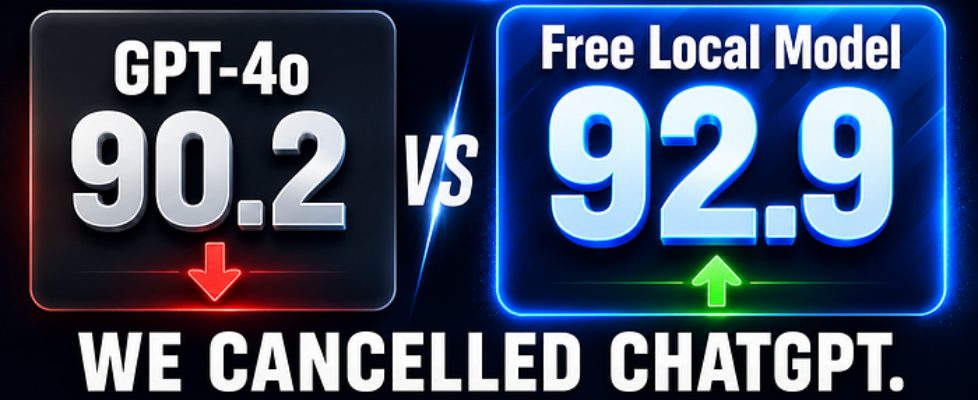
We Replaced ChatGPT With a Local AI Server. Six Months of Honest Data.

Author(s): Services Ground Originally published on Towards AI. We Replaced ChatGPT With a Local AI Server. Six Months of Honest Data. This is not a “local AI is better” argument. It is a data argument. Six months ago, a number stopped me mid-scroll: Qwen 2.5 Coder 32B scored 92.9 on HumanEval. GPT-4o scored 90.2. HumanEval is the industry-standard coding benchmark — 164 programming problems across languages and problem types, designed to measure real code generation capability. It is not perfect, but it is the closest thing to an objective apples-to-apples comparison the field has. A free, open-source model running on consumer hardware had just outperformed the model our team was paying $30 per user per month for. On the benchmark that matters most for our use case. That number demanded an honest audit of what we were actually paying for. What followed was six months of running both systems in parallel, tracking outputs against real tasks, measuring costs, and documenting the surprises. This article is that documentation — with the honest failures alongside the wins. The Audit: What We Were Actually Paying For Before building anything, we mapped every AI task our team of ten performed in a typical week. The breakdown was more lopsided than expected: ~45% writing tasks — emails, documentation, summaries, proposals ~30% coding tasks — debugging, code review, function generation, test writing ~15% analysis tasks — data interpretation, structured reasoning, research synthesis ~10% edge cases — tasks requiring real-time information, highly specialized reasoning, or frontier-level capability The critical insight from this audit: the 10% of tasks that genuinely required frontier-level intelligence were subsidizing the 90% that didn’t. We were paying per-user-per-month pricing for tasks where a local 14B model would produce output we couldn’t reliably distinguish from GPT-4o. This is the framing that matters. The question was never “is local AI better?” It was “for the specific distribution of tasks our team performs, does the quality delta justify the cost delta?” The honest answer for our team: no. Not at $300/month scaling indefinitely with headcount. The Hardware Decision We selected an RTX 3090–24GB VRAM, purchased used for $600. The 24GB threshold is the critical inflection point in the local AI hardware tier because it is the minimum required to run 32B parameter models with Q4 quantization. Below 24GB you are running 14B models, which are capable but noticeably weaker on complex multi-step tasks. The full hardware VRAM tier picture: Hardware VRAM Max Model (Q4) Quality Tier CPU only 16–64GB RAM 7B (3–8 tok/s) Acceptable for simple tasks RTX 3070 / 4060 Ti 8GB 7B–8B Good for daily tasks RTX 3080 / 4080 16GB 13B–14B Strong, near-frontier on most tasks RTX 3090 / 4090 ✅ 24GB 32B–34B Competitive with GPT-4o on benchmarks Dual 3090 / A6000 48GB+ 70B full Frontier-adjacent Total infrastructure cost: ~$1,200 including the GPU, a used workstation, and 2TB NVMe storage. Break-even against our previous ChatGPT Team subscription: four months. The Model Stack We ran every major open-source model against our actual task distribution before settling on the final stack. Here is what we landed on and why each choice was made. General Tasks — Qwen 2.5 14B Pull command: ollama pull qwen2.5:14b Handles writing, email drafting, summarization, analysis, and Q&A. Fits in 9GB VRAM with Q4 quantization, leaving 15GB headroom for other processes or concurrent requests. The quality surprise: on writing tasks — the category where we expected the largest gap — we could not reliably distinguish Qwen 2.5 14B output from GPT-4o output in blind testing. The model’s instruction following is strong, tone control is accurate, and output length calibration is consistent. This is the default model. Most daily queries never need anything larger. Coding Tasks — Qwen 2.5 Coder 32B Pull command: ollama pull qwen2.5-coder:32b The benchmark data holds in production. This model handles Python, TypeScript, Go, Rust, SQL, and shell scripting with genuine competence — idiomatic output, correct function signatures, accurate debugging explanations. It uses ~20GB VRAM at Q4, leaving minimal headroom on a 24GB card. This means it does not run simultaneously with other large models — Ollama swaps it in on demand and evicts the previous model. The swap latency is 3–5 seconds on NVMe storage. Acceptable for a team that isn’t running multiple models simultaneously. HumanEval comparison for context: Model HumanEval VRAM (Q4) Cost Qwen 2.5 Coder 32B 92.9 20GB Free GPT-4o 90.2 — $20+/mo DeepSeek Coder V2 Lite 90.2 10GB Free Qwen 2.5 Coder 7B 83.5 5GB Free Reasoning Tasks — DeepSeek R1 14B Pull command: ollama pull deepseek-r1:14b DeepSeek R1 uses a chain-of-thought architecture that externalizes its reasoning process before committing to an answer. The visible reasoning trace is not cosmetic — it produces measurably more accurate results on multi-step analytical tasks compared to standard instruction-following models of the same size. The tradeoff is speed. R1 generates its reasoning chain before producing a final answer, which adds latency. For tasks where accuracy matters more than speed — structured analysis, complex data interpretation, multi-constraint planning — it is the correct tool. For quick tasks, Qwen 2.5 7B is faster. Voice Pipeline Speech-to-Text: pip install faster-whisper# Or via Ollama:ollama pull whisper Whisper Large v3 Turbo achieves under 3% word error rate on clean audio — the same quality tier as OpenAI’s paid Whisper API. It runs on 6GB VRAM for real-time processing or CPU for batch transcription. The paid API costs per minute. The local version costs nothing per minute after hardware. Text-to-Speech: pip install kokoro Kokoro (82M parameters) runs entirely on CPU. It produces natural-sounding speech that reviewers consistently rate above models ten times its size, with under 200ms time-to-first-audio on modern hardware. The GPU stays fully allocated to the LLM layer — Kokoro consumes no VRAM. Document Q&A — RAG with nomic-embed-text Pull command: ollama pull nomic-embed-text nomic-embed-text is the embedding model that enables RAG — Retrieval Augmented Generation. It converts documents into searchable vector representations stored in Qdrant, enabling the AI to retrieve relevant content from your knowledge base before generating responses. At […]
