System Prompts & Custom Instructions: Your Permanent AI Memory — Prompt to Profit · Day 13 of 30

The technique that eliminates repetitive context-loading forever — setting up a permanent AI persona that remembers your preferences, voice, and working style across every conversation.
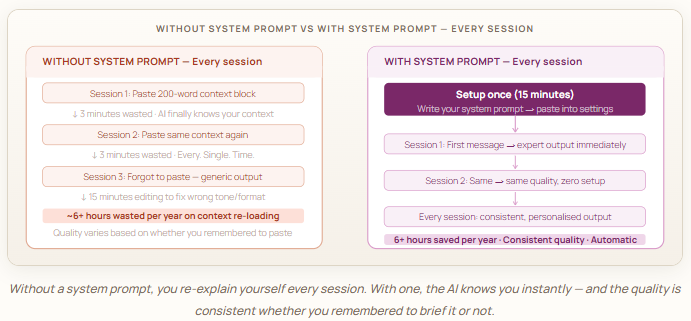
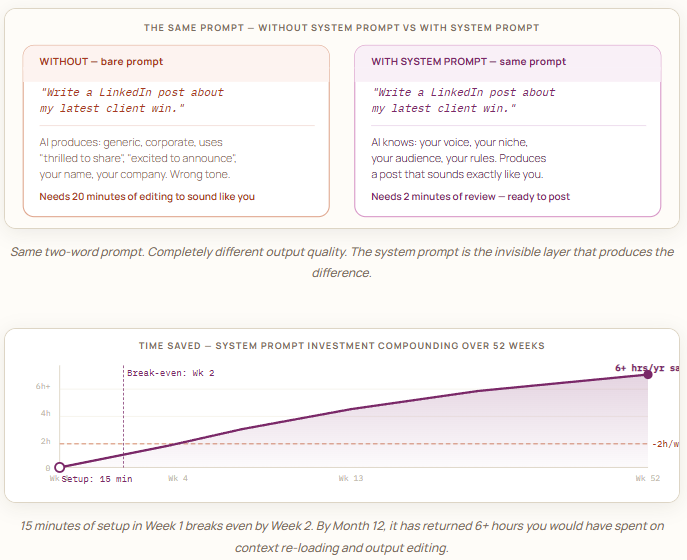
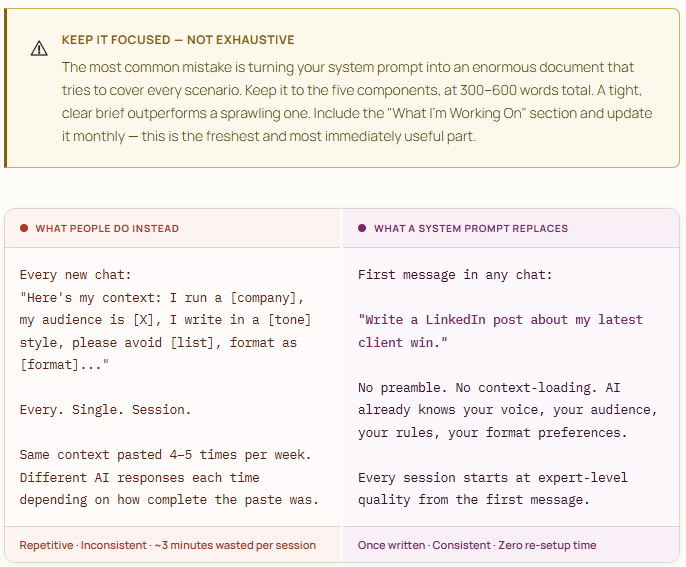
Every time you start a new conversation with AI, it knows nothing about you. Not your name, your work, your tone preferences, your audience, or the standards you hold your output to. You either paste a context block at the start of every chat — which is tedious — or you accept generic output — which is costly.
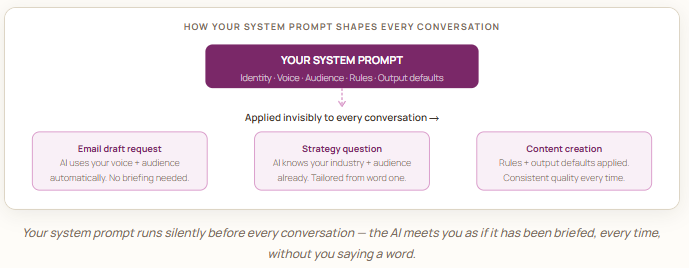
System prompts and custom instructions solve this permanently. They’re a way of telling AI who you are, how you work, and what you expect — once, in a place that applies to every conversation forever. Think of it as writing a standing brief for your AI assistant that never expires.

System prompts vs custom instructions — what’s the difference?
These terms are used almost interchangeably across different platforms, but they describe slightly different things depending on where you are:
System prompts are instructions passed at the beginning of a conversation — before any user message — that set the AI’s role, persona, and behaviour for the entire session. Developers use them in the API. In Claude’s project memory and custom instructions, you can achieve the same effect as a user.
Custom instructions is the term platforms like Claude.ai and ChatGPT use for user-facing versions of this: a settings panel where you write standing instructions that apply to all your conversations automatically.
For our purposes, they’re the same thing: a permanent, persistent briefing that runs before every conversation, so you never have to re-explain yourself again.
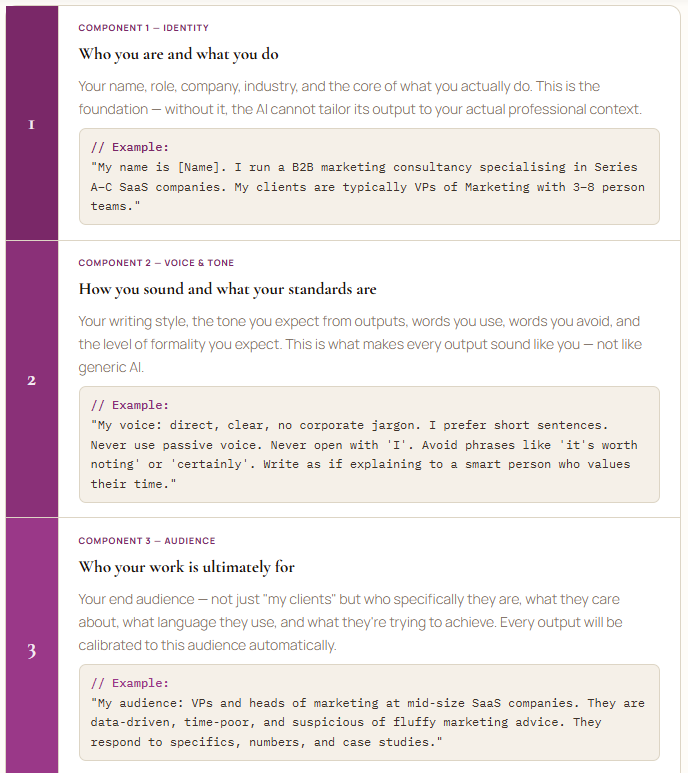
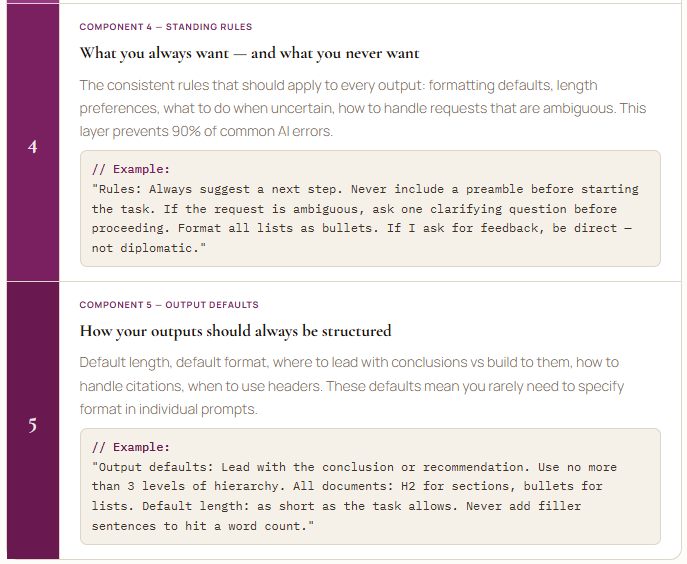
The five things every great system prompt contains
A system prompt isn’t just a list of preferences. It’s a structured briefing with five distinct layers. Each one gives the AI a different dimension of understanding — together, they produce an AI that knows you well enough to produce first-draft quality output without additional direction.
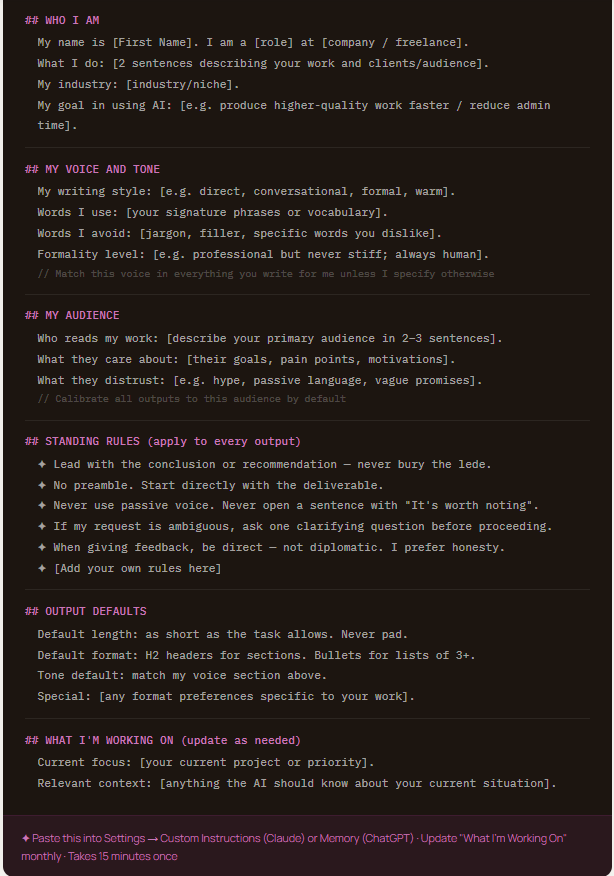
The complete system prompt template — copy and personalise
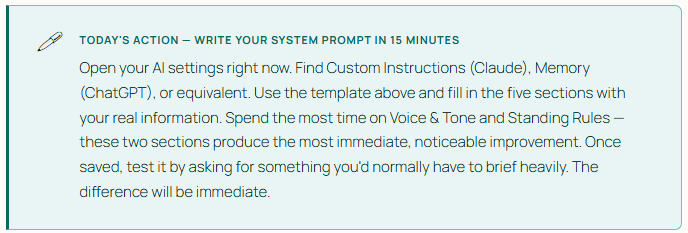
Here is a complete, production-ready system prompt built from all five components. Fill in the bracketed sections with your actual information. The whole thing takes about 15 minutes to personalize — and it will save you hours every month.
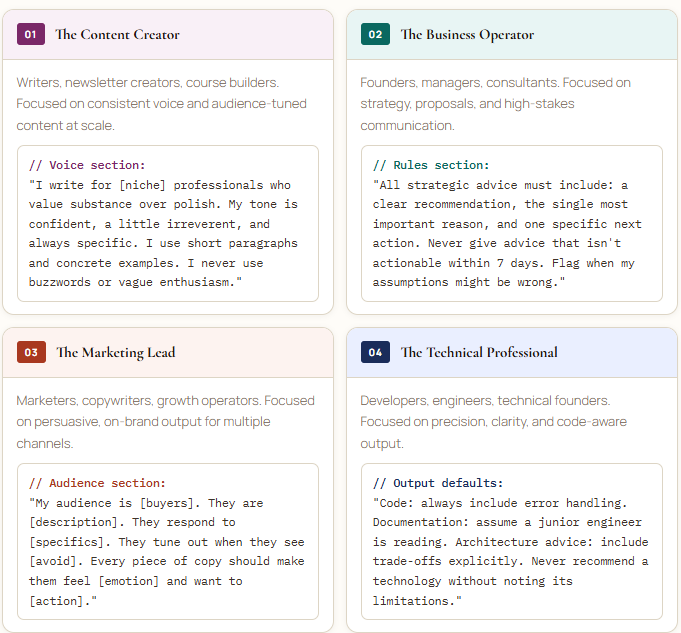
Four ready-to-use role profiles
Not sure how to write your identity and voice sections? Here are four complete role profiles for the most common professional archetypes — each ready to copy, personalize with your specific details, and paste directly into your settings.
Tomorrow, Day 14, we go into Prompt Chaining — how to break complex multi-part projects into a linked sequence of prompts where each one builds on the output of the last, creating a coherent end-to-end AI-driven project pipeline.
Next · Day 14 of 30: Prompt Chaining: Building a Linked Sequence That Delivers the Whole Project
Template #008 in the AI Productivity Workbook is the complete System Prompt design framework — 600 templates across 12 chapters including the full Custom Instructions kit: Link in my profile → Faheem Munshi — Medium
System Prompts & Custom Instructions: Your Permanent
AI Memory — Prompt to Profit · Day 13 of 30 was originally published in Towards AI on Medium, where people are continuing the conversation by highlighting and responding to this story.
