Context Windows Explained: How to Feed AI the Right Information — Prompt to Profit · Day 7 of 30

Understanding how AI memory works is the unlock that separates occasional good results from consistently great ones — and it’s simpler than you think.
You’ve reached the end of Week 1. Over the past six days, you’ve built something most AI users never have: a real prompting foundation. You understand structure, roles, templates, and the most common failure modes. Today, we fill one last gap that quietly limits even experienced users.
It’s a question that sounds technical but isn’t: where does the AI keep what you’ve told it? The answer — once you understand it — changes how you write every single prompt from this point forward.

What a context window actually is
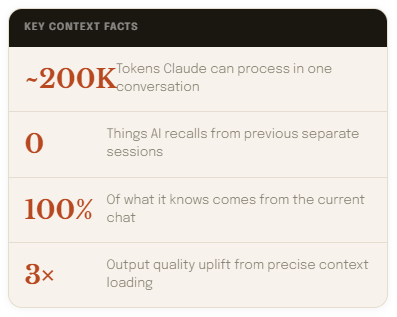
Every AI model has a context window — a fixed amount of space that holds everything it can read at once. Think of it as a long scroll of paper that unrolls in front of the AI. Whatever’s written on the scroll is what it knows. Whatever isn’t on it simply doesn’t exist.
The scroll contains four things: your opening role and instructions, any documents or text you’ve pasted in, the full conversation history so far, and your current prompt. All of it counts toward the limit. When the scroll fills up, the AI starts losing the earliest content — it gets pushed off the edge.

What happens when the window fills up
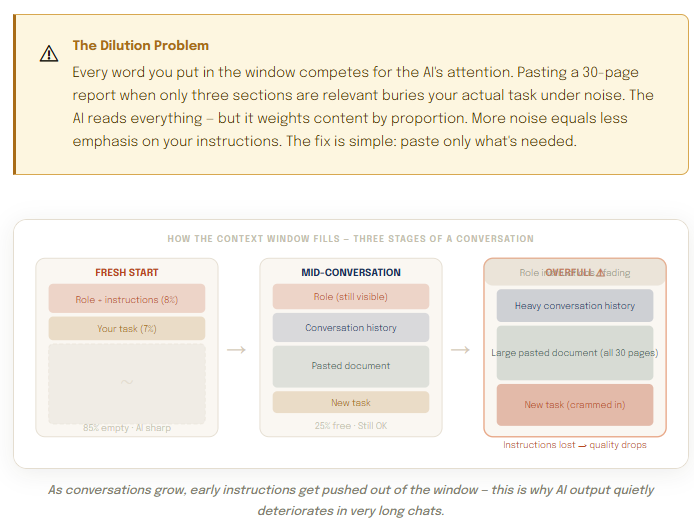
Context windows have a limit. In long conversations — especially ones where you’ve pasted large documents — the window fills up. When it does, the AI begins losing the earliest content: your original role instructions, opening context, and the constraints you set at the start.
This is why AI sometimes “drifts” in long conversations. It isn’t getting worse — it’s literally working with a compressed version of your original brief because the early instructions have been pushed off the scroll’s edge.
Four strategies that fix this immediately
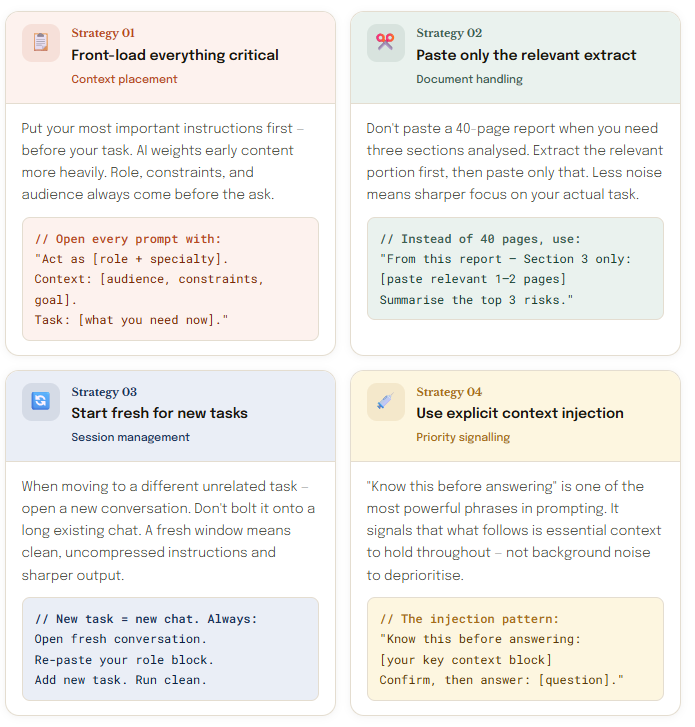
Once you see how the window works, the solutions become obvious. Here are the four that deliver the most immediate improvement — each with a copy-paste example ready to use today.
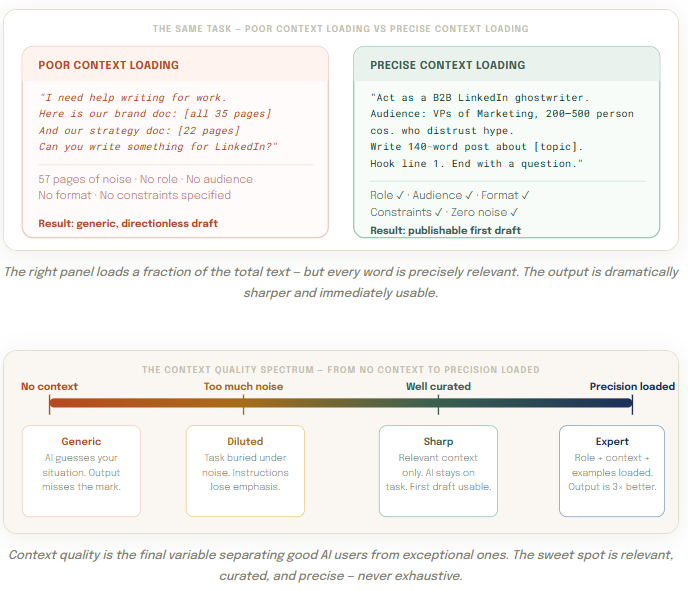
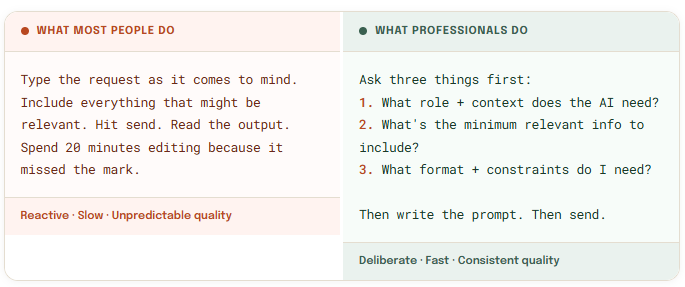
Three questions before every important prompt
Building good context habits takes about a week of deliberate practice. After that, these questions become instinctive — a mental checklist you run in seconds before anything that matters.
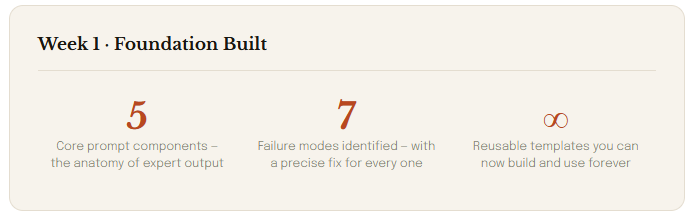
Week 1 complete — what you’ve built
Seven days. Seven foundational skills. You now understand AI prompting at a level most users — including many professionals — will never reach. Let’s acknowledge that properly.
Week 2 begins tomorrow. We shift from prompting fundamentals into AI Agents — what they are, how they work autonomously on your behalf, and why they represent an entirely new category of leverage. Day 8 is where this series gets seriously exciting.
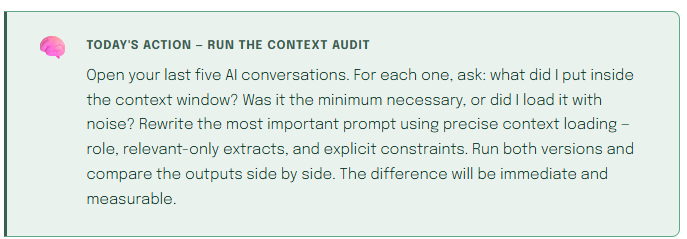
See you tomorrow for Day 8 — the first day of Week 2, and the beginning of the most practical section of this entire series.

For more resourcces and documents, please refer to the links in my profile page: Faheem Munshi — Medium
Context Windows Explained:
How to Feed AI the Right Information — Prompt to Profit · Day 7 of 30 was originally published in Towards AI on Medium, where people are continuing the conversation by highlighting and responding to this story.
