Building AI Apps on a Budget: How I Pushed Supabase’s Free Tier Into a Production AI System

When you start building AI into a real product, the model is usually the easiest part.
I learned this while building a multi-agent AI system into a B2B SaaS operations tool, the kind of platform that manages schedules, billing records, client accounts, and service history across a relational schema that had grown to >20 tables. The goal was simple on paper: let users query and act on their operational data using plain language, without navigating five different pages to do it.
What followed was six months of learning that AI infrastructure is mostly just infrastructure.
What the system actually needed
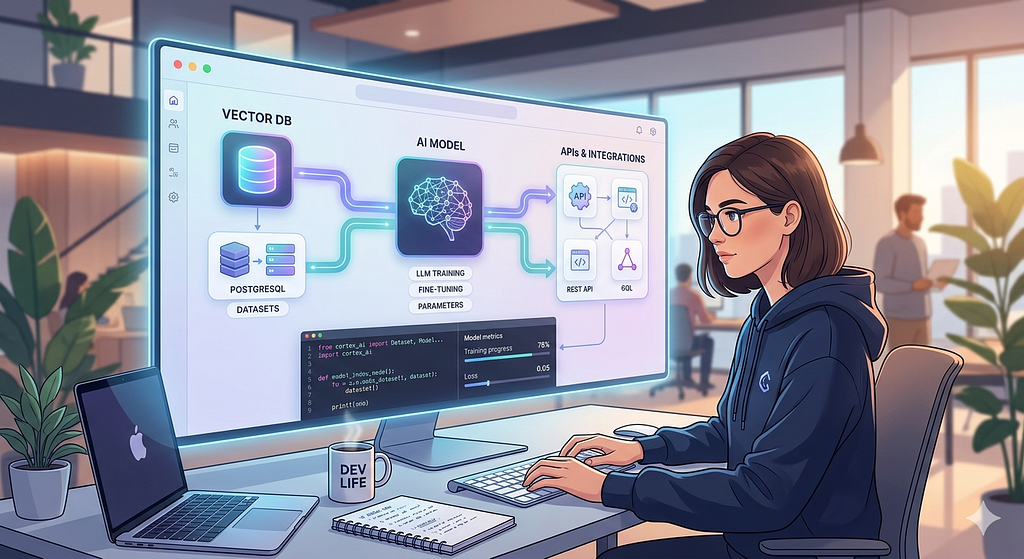
Most AI project write-ups talk about the model. Here’s what the system around the model actually required:
A PostgreSQL database that could handle relational queries across entities like clients, jobs, assignments, billing records, and service history all joined, all live. A way to store and retrieve vector embeddings for semantic search. Authentication is scoped by role, because different users should see different data and trigger different actions. Background query caching to avoid burning API budget on identical requests. And enough observability to know when the AI was routing correctly and when it wasn’t.
This is set up not as five separate services bolted together as one coherent backend that the AI layer sits on top of.
Postgres is doing more work than you think
The first instinct when building AI features is to keep everything in the application layer, let the model handle logic, push results up to the app, and return a response. That’s expensive and fragile.
The better instinct is to push as much as possible back into the database.
In practice, that meant building a Query Registry, a set of deterministic, server-side computed answers for anything involving aggregation. Billing totals. Job completion rates. Outstanding counts by team member. Any query where the answer is a number, the database computes it directly:
# Instead of asking the model to summarize raw rows:
total = BillingRecord.objects.filter(
status="pending",
assigned_to=team_member_id
).aggregate(total=Sum("amount"))["total"]
The model never touches arithmetic. Django ORM Sum() returns $609.26. The model returns whatever it wants confidently, incorrectly, at cost. The database returns one number, always right, for free.
This sounds obvious until you’ve watched a language model sum the wrong column in a billing query and return a formatted, confident, wrong answer with no error attached.
pgvector: the free tier feature most people underuse
Pgvector is available as a native extension. For an AI system doing any kind of semantic retrieval, surfacing relevant records, matching ambiguous queries to known entities, and enriching responses with related context, this is significant.
Instead of paying for a separate vector database, embeddings live in the same Postgres instance as everything else. Semantic search becomes a join:
SELECT id, description,
embedding <=> query_embedding AS distance
FROM service_records
ORDER BY distance
LIMIT 5;
The operational advantage isn’t just cost. It’s that vector search and relational filtering compose naturally. You’re not syncing data between a vector store and a relational database, resolving conflicts, or paying egress on both. One query, one source of truth.
The caching layer that cuts LLM costs significantly
One of the more expensive operations in the system was table identification, figuring out which of the 20 database tables were relevant to a given user query before generating a database lookup. Left uncached, that’s a model call on every request.
The fix was an in-memory cache with a normalization step:
def _normalize_query_for_cache(self, query: str) -> str:
# Strip entity names, UUIDs, numbers keep structural intent
query = re.sub(r'b[0–9a-f-]{36}b', '', query) # UUIDs
query = re.sub(r'bd+b', '', query) # Numbers
query = re.sub(r'"[^"]+"', '', query) # Quoted strings
return query.lower().strip()
# "How many open jobs does client #4821 have?"
# → "how many open jobs does client have?"
# → cache hit for structurally identical future queries
The cache has a one-hour TTL and caps at 200 entries. It saves roughly $0.001 per hit, which compounds fast when your users are asking structurally similar questions dozens of times a day. More importantly, it keeps the system responsive. A cache hit means no round-trip to the model at all.
Where the free tier actually hurts: query performance on large joins
Here’s the honest part.
The system queries across related tables jobs linked to clients, billing records linked to team members, service history linked to accounts. Most queries are scoped by organization, so row counts stay manageable. But as the schema matured and the enrichment pipeline started pulling related records alongside primary results, some queries started crawling.
The culprit was unindexed foreign keys on tables that were joining frequently. On a paid instance with more compute, this probably goes unnoticed longer. On the free tier, you feel it at a few hundred rows.
The fix was straightforward composite indexes on the columns appearing in join conditions and WHERE clauses together:
- Before: sequential scan on every enrichment query
- After:
CREATE INDEX idx_jobs_client_status
ON jobs(client_id, status);
CREATE INDEX idx_billing_member_status
ON billing_records(assigned_to, status);S
Query time on the most common enrichment path dropped from ~800ms to under 100ms. No plan upgrade. Just schema discipline.
This is the free tier’s real constraint not row limits or function invocations, but the absence of performance headroom that hides bad indexes. It forces you to think about query patterns earlier than you would otherwise, which is probably a good thing.
The routing layer that never touches Supabase
One architectural decision that kept costs low: a keyword pre-router that intercepts obvious queries before they reach the model or the database at all.
_NAVIGATION_PATTERNS = [
r'b(go to|open|show me the|navigate to)b'
]
_GENERAL_PATTERNS = [
r'b(hi|hello|hey|thanks|bye)b'
]
def _try_keyword_route(self, query: str) -> Response | None:
if any(re.search(p, query, re.I) for p in _NAVIGATION_PATTERNS):
return self._handle_navigation(query)
if any(re.search(p, query, re.I) for p in _GENERAL_PATTERNS):
return self._handle_general(query)
return None
Greetings, navigation requests, and simple acknowledgments, none of them need a model call or a database query. Catching them with regex before anything else runs saves roughly $0.003 per match. Trivial in isolation, meaningful across thousands of daily interactions from real users.
The broader principle: the model should only see queries that actually require it. Everything else is a waste.
Multi-turn context: the problem Supabase didn’t cause but helped solve
The messiest part of the build had nothing to do with the database. It was managing state across multi-turn conversations keeping track of what a user had said two messages ago when the current message was just “9 am.”
The agent would occasionally re-classify mid-conversation, losing everything collected so far. The fix was architectural: the frontend round-trips the collected session state on every message, and the backend stores continuation context in our database so it survives across requests.
// Every sidebar message carries its own context
const response = await agentService.chat({
message: userMessage,
context: {
continuation: {
actionType: activeFlow.actionType,
collectedParams: activeFlow.collectedParams,
}
}
});
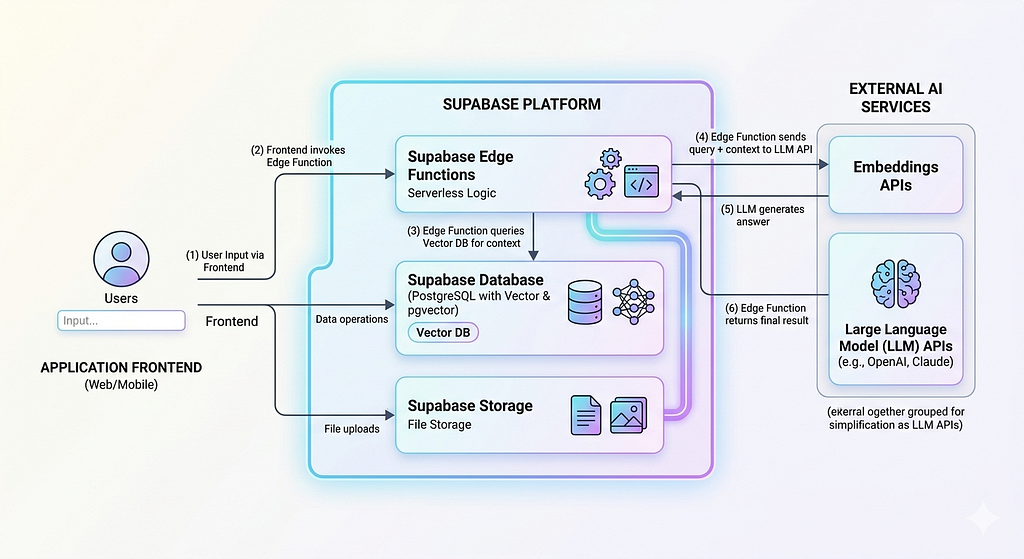
Supabase as the session store means the backend is stateless any request can pick up where the last one left off. That matters when you’re on the free tier and can’t assume persistent server memory.
What all can you actually do:
After six months of running this in production, here’s what the platform genuinely provides for an AI system:
A relational database capable of handling more than 20-table production schemas with proper indexing. Native vector search via pgvector. Row-level security for multi-tenant data isolation. Auth that integrates directly with your database permissions. Edge functions that would trigger on events and CRUD on tables. Plugins for a totally inclusive environment with any third-party modifier. And enough observability through Supabase’s built-in logs to diagnose the query performance issues when they surface.
What it doesn’t provide is margin for sloppy schema design. The constraints are real. But they’re the kind of constraints that make you write better indexes, cache more aggressively, and think harder about what actually needs a model call versus what can be answered deterministically.
Those are good habits regardless of what tier you’re on.
The actual lesson
Every optimization that came from hitting a constraint in the Query Registry, the normalization cache, the composite indexes, and the keyword pre-router made the system faster and cheaper, not just cheaper. The free tier forced the work that should have happened anyway.
If you’re building AI features into a real product and watching costs climb before you’ve shipped anything meaningful, the answer usually isn’t a bigger budget. It’s more intentional architecture.
Building AI Apps on a Budget: How I Pushed Supabase’s Free Tier Into a Production AI System was originally published in Towards AI on Medium, where people are continuing the conversation by highlighting and responding to this story.
