OpenCV Isn’t Magic — It’s Just Teaching Computers to See

Why most real-world computer vision systems rely on more than just AI models
Most people assume computer vision is something reserved for research labs and Big Tech. It isn’t.
The camera on your phone that detects your face before you unlock it, the warehouse robot that reads barcodes at 60 frames per second, the traffic system that counts vehicles and flags violations — nearly all of them share a common layer underneath.
Not a flashy AI model. Not a billion-parameter neural network. A well-built, open-source library that has been quietly powering visual systems since 1999.
That library is OpenCV. And understanding it changes how you think about computer vision entirely.
What OpenCV Actually Is
OpenCV — Open Source Computer Vision Library — is a toolkit for working with visual data. It lets you open images, capture video streams, manipulate pixels, detect edges, filter noise, and track motion, without building any of that machinery from scratch.
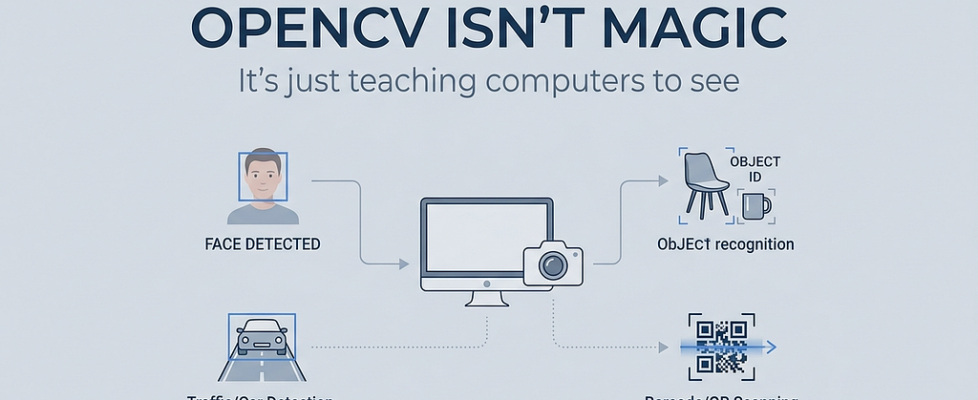
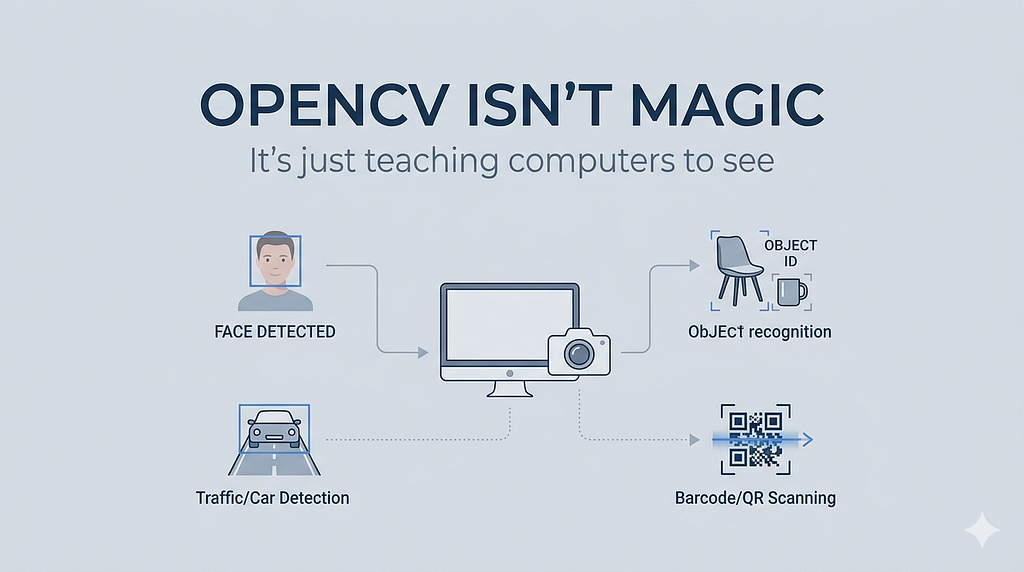
The real-world applications span nearly every industry. Robotics use it for spatial awareness and obstacle detection. Hospitals use it in medical imaging pipelines to isolate anomalies in scans. Retail systems use it for shelf-monitoring and footfall analysis. Security infrastructure uses it for motion detection and facial recognition. Gesture control systems use it to translate hand movements into commands.
If a system needs to see something and make a decision based on it, OpenCV is usually somewhere in the pipeline.
It isn’t magic. It’s infrastructure. And like most good infrastructure, you only notice it when something breaks.
Why OpenCV Matters More Than It Gets Credit For
Here is something that gets skipped over in most beginner tutorials: before any AI model can make a useful prediction, it needs clean, correctly formatted visual input. Getting there is harder than it sounds.
Raw camera frames are messy. Lighting shifts between frames. Objects move and blur. Cameras introduce noise. Resolutions don’t match what the model was trained on. Color channels might be in the wrong order. The frame might be arriving faster than the downstream process can handle.
OpenCV is the layer that handles all of this. Resizing an image to the dimensions your model expects. Converting BGR to RGB because your model was trained on one and your camera outputs the other. Applying Gaussian blur to reduce noise before edge detection. Running Canny to extract meaningful contours. Normalizing pixel values. All of it happens before the model even sees the frame.
Clean visual input is not automatic. It is engineered. And OpenCV is usually the tool you use to engineer it.
The Beginner Experience
The first OpenCV project almost everyone writes looks something like this:
import cv2
cap = cv2.VideoCapture(0)
while True:
    ret, frame = cap.read()
    cv2.imshow("Webcam Feed", frame)
    if cv2.waitKey(1) & 0xFF == ord('q'):
        break
cap.release()
cv2.destroyAllWindows()
Ten lines. A live webcam feed appears on your screen.
It sounds like a small thing. But something about seeing raw video flowing through code you wrote makes computer vision feel real in a way that reading documentation never does. You are not working with a static image anymore. You are working with the world in motion.
From there, the path builds naturally. You apply a filter to the feed. You detect edges in real time. You draw a bounding box around a detected face. Each step feels incremental, but collectively they start to resemble something that works — a system, not just a script.
That progression is exactly how real projects begin.
The Reality of Real-World Vision Systems
Once you move beyond your desk setup, the problems multiply in ways no tutorial prepares you for.
Lighting changes between morning and afternoon and throws off your color thresholds. Motion blur from a fast-moving object degrades edge detection. A cheap camera sensor introduces noise that makes your contours unstable. Latency accumulates across the pipeline — frame capture, preprocessing, inference, postprocessing — and suddenly your “real-time” system is running at 8 FPS.
None of these are model problems. They are environment problems. And they are almost entirely what separates a proof of concept from a system that actually ships.
The hardest part of computer vision is not teaching the model to recognize something. It is making the pipeline consistent across the uncontrolled, unpredictable conditions of the real world. Lighting you did not design. Hardware you did not choose. Frame rates that vary. Subjects that do not cooperate.
OpenCV gives you the tools to address all of that. But it does not address it automatically. That still takes judgment, iteration, and testing in the actual deployment environment.
OpenCV and AI Are Collaborators, Not Competitors
A common misconception among developers moving from traditional CV into deep learning: once you are using neural networks, you do not need OpenCV anymore.
That is not how production systems work.
YOLO, TensorFlow, PyTorch — these frameworks are exceptional at making predictions from visual data. But they do not capture video. They do not resize frames on the fly. They do not draw bounding boxes over a live feed, apply tracking logic across frames, or manage the I/O of a real-time pipeline.
OpenCV does.
The relationship is straightforward: OpenCV captures the frame, preprocesses it into the format the model expects, passes it through, receives the output, and handles what happens next — rendering, tracking, logging, or feeding back into the loop.
The AI decides what it sees. OpenCV handles the seeing.
They are not in competition. They are different layers of the same system, and most serious computer vision applications use both.
What Beginners Should Build First
The best way to build intuition for computer vision is to build small things that work in the real world, not just on sample datasets.
A live webcam feed is the right starting point. Get comfortable reading frames, displaying them, and controlling the loop. Everything else builds on this.
Edge detection on a live feed using Canny teaches you how preprocessing decisions — blur radius, threshold values — directly affect output quality. It also teaches you how fragile untuned pipelines are.
Face detection using OpenCV’s built-in Haar cascades gives you your first taste of a working detection system. It is not state-of-the-art, but it works, and understanding why it sometimes fails is genuinely educational.
Color detection and object tracking by HSV range teaches you how much lighting affects what your system “sees” — and why fixed thresholds rarely survive real-world conditions unchanged.
Combining OpenCV with a YOLO model is the natural next step. Capture a frame, run inference, draw the results. When you do this for the first time and see bounding boxes appear over a live feed, the connection between visual pipeline and AI model becomes concrete rather than abstract.
Each of these projects teaches you something that a dataset benchmark cannot: that computer vision is an end-to-end problem, and every stage of the pipeline matters.
Conclusion
A model might be the brain of a vision system. But OpenCV is often the part that helps it actually see.
The gap between a model that performs well on a test set and a system that works reliably in production is almost always a pipeline problem — preprocessing, data quality, latency, real-world conditions. OpenCV is the layer where most of that work happens.
Start with the fundamentals. Build small things. Deploy them somewhere real and watch what breaks. That is how intuition for computer vision actually develops.
The models will keep improving. The need for clean, well-managed visual input will not go away.
If you are just starting out with OpenCV, share your first project in the comments. The simpler, the better — that is where the real learning happens.
OpenCV Isn’t Magic — It’s Just Teaching Computers to See was originally published in Towards AI on Medium, where people are continuing the conversation by highlighting and responding to this story.
