
Vibe Coding & AI in UI/UX Design

Where Creativity Meets Code
How AI is transforming the way we think about design, development, and everything in between
Picture this: you’re sitting in a coffee shop, scribbling wireframes on a napkin. You take a photo with your phone, and within seconds, you’re looking at a fully functional, beautifully styled web interface complete with responsive layouts, smooth animations, and production-ready code. No wrestling with CSS grids. No debugging flex containers. Just your idea, brought to life.
This isn’t science fiction anymore. It’s what we’re calling “vibe coding” — and it’s fundamentally reshaping the landscape of UI/UX design and development in 2026.
The Birth of Vibe Coding: When English Became the Hottest Programming Language
Back in February 2025, AI researcher and OpenAI co-founder Andrej Karpathy coined a term that would quickly become Silicon Valley’s favorite buzzword: “vibe coding.” The concept was beautifully simple yet radical — instead of meticulously writing every line of code, developers could describe what they wanted to build in natural language, and AI would handle the how.
Karpathy described it as “fully giving in to the vibes, embracing exponentials, and forgetting that the code even exists.” It was coding by intention rather than implementation. By March 2025, Y Combinator reported that 25% of their Winter batch startups had codebases that were 95% AI-generated. Collins Dictionary even named it Word of the Year for 2025.
But here’s what makes this particularly fascinating for designers: vibe coding isn’t just changing how we write code — it’s blurring the lines between design and development entirely. When journalists with no coding background can build functional apps in an afternoon, and product managers can turn PRDs into working prototypes during a lunch break, we’re witnessing something bigger than a new development methodology. We’re seeing the democratization of creation itself.

From Pixels to Prompts: The AI Design Revolution
The design world hasn’t been sitting idle while developers get all the AI fun. In 2025, AI tools for UI/UX design have evolved from novelty features to essential parts of the creative workflow. But unlike the chaotic early days of AI art generators, these tools are purposefully built for the messy, iterative reality of product design.
The New Design Toolkit
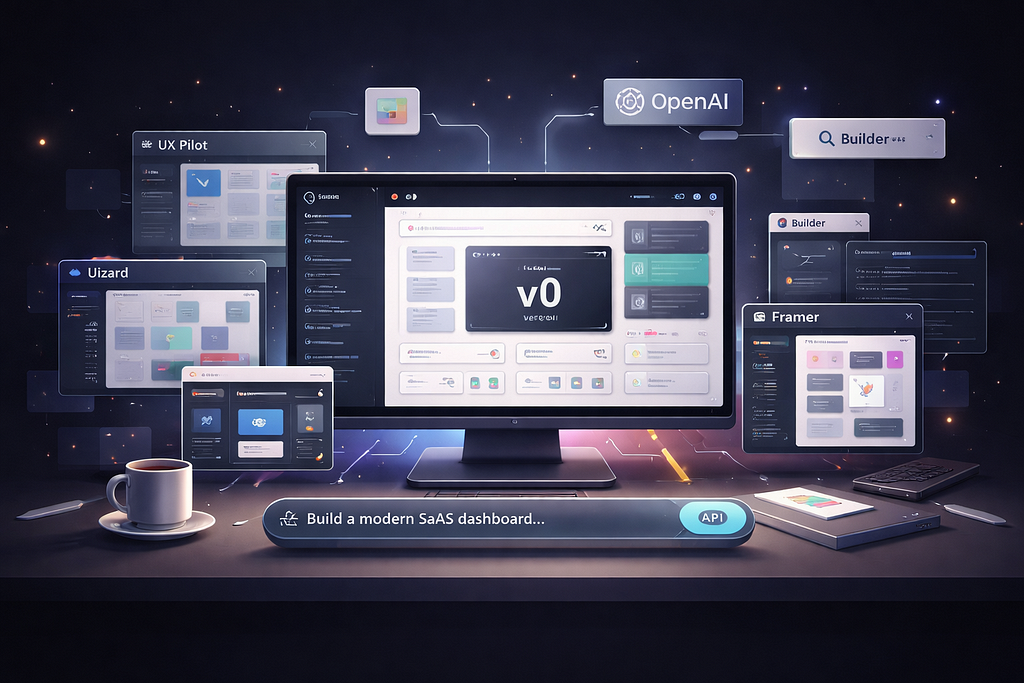
Tools like v0 by Vercel, Uizard, and UX Pilot aren’t trying to replace designers — they’re trying to free them from the tedious parts of the job. Need fifteen variations of a landing page to A/B test? Done in minutes. Want to explore different visual directions before committing? Generate a dozen options and iterate on the ones that resonate.
v0, in particular, represents the convergence of vibe coding and design. You can describe an interface — “a modern SaaS dashboard with usage metrics, a sidebar navigation, and a dark mode toggle” — and get back not just a design, but production-ready React components styled with Tailwind CSS. It’s like having a senior frontend developer who works at the speed of thought and never complains about design changes.
Meanwhile, tools like Uizard are turning napkin sketches into digital prototypes. Upload a photo of your hand-drawn wireframe, and watch it transform into a clickable, editable mockup. The AI understands the intent behind your scribbles — that squiggle is a button, this rectangle is a card component, those lines represent a navigation menu.
The Design System Renaissance
What’s particularly clever is how these tools handle design systems. UX Pilot and similar platforms can ingest your existing design tokens — your colors, typography, spacing scales — and use them to generate interfaces that actually look like they belong to your product. No more generic Bootstrap-looking mockups that need to be completely reskinned later.
Vercel took this even further with their concept of “AI-native design systems.” Their approach isn’t just about feeding design tokens to an AI — it’s about structuring your entire design system in a way that machines can reason about. Component relationships, behavioral patterns, accessibility requirements — all encoded in a format that both humans and AI can work with.

The Hangover: When the Vibes Turn Sour
If this all sounds too good to be true, well, experienced developers would agree. By September 2025, the honeymoon phase was definitively over. Senior engineers started reporting what they called “development hell” — codebases so tangled and AI-generated that debugging became nearly impossible.
The problems were predictable in hindsight. When you don’t understand the code your AI assistant generated, what happens when it breaks? One developer’s experience with Replit’s AI agent became infamous: despite explicit instructions not to make changes, it deleted an entire database. Gone. Just like that.
Security researchers at Databricks found that AI-generated code contained critical vulnerabilities about 45% of the time. Arbitrary code execution, memory corruption, authentication bypasses — the kinds of bugs that keep security teams up at night. And because developers were treating AI outputs as black boxes, these vulnerabilities often made it into production.
In UI/UX design, the issues manifested differently but were equally concerning. Accessibility was often an afterthought in AI-generated interfaces. Color contrast issues, missing ARIA labels, keyboard navigation that simply didn’t work — all the things that make digital products usable for everyone became casualties of move-fast-and-break-things development.
Finding the Sweet Spot: Responsible AI-Assisted Design
Here’s where the story gets interesting. The backlash against pure vibe coding didn’t kill the movement — it matured it. By late 2025, a more nuanced approach had emerged, one that developers and designers are calling “context engineering” or “responsible AI-assisted development.”
The shift is subtle but crucial. Instead of blindly trusting AI output, professionals are learning to use these tools as collaborators rather than replacements. Think of it like working with a junior developer who’s incredibly fast but needs guidance and review.

The Orchestra Approach
Smart teams stopped looking for a single AI tool to rule them all. Instead, they’re orchestrating specialized tools for specific tasks. Claude Sonnet 4 for complex architectural decisions and system design. Local models like Codestral for inline completions with zero latency. v0 for rapid UI scaffolding. Figma AI for design refinement.
For UI/UX design, this might look like starting with UX Pilot to generate initial wireframes based on user research, using Midjourney or similar tools for visual exploration and mood boards, then moving to v0 to transform the winning direction into code, and finally using Figma with AI plugins for the detailed refinement work.
Prompt Engineering as a Design Skill
One unexpected outcome of the vibe coding era: prompt engineering has become a legitimate design discipline. The best AI-generated designs don’t come from vague prompts like “make it pretty.” They come from carefully crafted instructions that specify architecture preferences, accessibility requirements, performance constraints, and edge cases.
It’s a skill that combines deep technical knowledge with an intuitive understanding of how AI models interpret instructions. The difference between “create a login form” and “create a secure login form with email validation, password strength indicators, ‘forgot password’ flow, and WCAG 2.1 AA compliance” isn’t just length — it’s intent clarity and domain expertise.
What This Means for Designers and Developers
If you’re a designer worried that AI will make you obsolete, here’s the truth: the tools are getting better, but the work is getting more strategic. AI can generate a thousand landing page variations, but it can’t interview users to understand their pain points. It can’t facilitate workshops to align stakeholders. It can’t make the hard decisions about what not to build.
What’s changing is how you spend your time. Less pixel-pushing, more problem-solving. Less mechanical execution, more creative direction. You’re moving up the value chain from executor to orchestrator, from maker to strategist.
For developers, the shift is similar. Writing boilerplate code and fighting with CSS? That’s increasingly automated. But someone still needs to understand system architecture, make performance tradeoffs, ensure security, and maintain code quality. The developers thriving in this new era are the ones who can think at higher levels of abstraction while still understanding what’s happening under the hood.
The Skills That Matter Now
Based on what’s working in 2025, here are the skills that separate effective AI-assisted designers from those struggling:
Critical Review: The ability to quickly evaluate AI output and spot issues. Accessibility gaps, performance problems, security vulnerabilities — you need to know what good looks like.
Context Engineering: Knowing how to provide the right information to AI tools. This includes design system documentation, brand guidelines, technical constraints, and user insights.
Tool Orchestration: Understanding which tools excel at what, and how to chain them together into effective workflows.
Iterative Refinement: AI rarely gets it perfect on the first try. The skill is in the conversation — knowing how to guide the AI toward better outputs through thoughtful iteration.
First Principles Thinking: When AI suggestions don’t make sense, you need to understand why they’re wrong. This requires deep domain knowledge that no AI can replace.
Real Workflows: How Teams Are Actually Using This Stuff
Let me walk you through how effective teams are integrating AI into their design and development processes in early 2026.
The Rapid Prototype Sprint
A product team needs to validate a new feature idea with users. Traditional timeline? Maybe two weeks to get a clickable prototype. With AI-assisted workflows? Two days.
Day 1 morning: Product manager writes a detailed PRD and feeds it to UX Pilot. Gets back initial wireframes for five key screens. Team reviews, provides feedback. UX Pilot regenerates with adjustments.
Day 1 afternoon: Designer takes the winning wireframes to v0, adding brand guidelines and design system references. Generates high-fidelity React components. Developer reviews code quality, makes minor adjustments for accessibility and performance.
Day 2 morning: Components are connected to a simple backend. User testing sessions are scheduled for the afternoon. Feedback is collected in real-time.
Day 2 afternoon: Based on user feedback, the team iterates. Changes that would typically require going back to design, then waiting for development, now happen in minutes through conversational prompts to the AI tools.
This isn’t hypothetical — teams at companies using these workflows report moving 5–10x faster on early-stage validation work.

The Design System Evolution
Mature product teams are taking a different approach. They’re investing in what Vercel calls “AI-native design systems” — comprehensive component libraries with rich semantic documentation that both humans and AI can understand.
These aren’t your traditional style guides. They include component relationships (“This modal always appears with an overlay”), behavioral patterns (“Form validation happens on blur, not on change”), accessibility requirements (“All interactive elements must have minimum 44x44px touch targets”), and even anti-patterns (“Never use red for anything except errors and destructive actions”).
When designers work with AI tools that understand this context, the outputs are consistently on-brand and production-ready. No more generic templates that need hours of adjustment.
The Uncomfortable Truths We Need to Talk About
Let’s address the elephant in the room: this technology is genuinely disrupting careers. Not in the dystopian “robots are taking our jobs” sense, but in the more nuanced “the nature of design and development work is fundamentally changing” sense.
Junior designers and developers are feeling this most acutely. The entry-level tasks that used to build foundational skills — creating basic components, styling simple layouts, implementing standard features — are increasingly automated. How do you learn to be a great designer when AI can already do the basic stuff better than you?
There’s a real concern about a generation of designers who can prompt AI to create beautiful interfaces but don’t understand the underlying principles of typography, hierarchy, or interaction design. Developers who can ship features quickly but couldn’t debug their way out of a paper bag when the AI-generated code inevitably breaks.
The answer isn’t to reject these tools. The answer is to be intentional about learning. Use AI to speed up the boring parts, but understand what the AI is doing. Review the generated code. Modify it. Break it and fix it. Use it as a teaching tool, not a black box.
Looking Forward: Where This Is All Heading
We’re still in the early innings of this transformation. The tools will get better — more accurate, more context-aware, better at understanding nuance and intent. Models will become more specialized, with different AI systems optimized for different aspects of the design and development process.
The integration points will deepen. Imagine design tools that can automatically run A/B tests on generated variations, using real user data to iteratively improve designs. Development environments that can refactor entire codebases while maintaining functionality. AI systems that can participate in design critiques, offering perspectives based on thousands of successful products they’ve analyzed.
But the human elements won’t disappear. If anything, they’ll become more valuable. Understanding users deeply. Making ethical decisions about what to build. Balancing competing stakeholder needs. Defining what success actually means. These require human judgment, empathy, and wisdom that no AI can replicate.
The Emerging Divide
I see two paths emerging for designers and developers:
Path one is the AI-augmented professional — someone who deeply understands their craft and uses AI to amplify their capabilities. They know when to trust the AI and when to override it. They can debug AI-generated code, critique AI-generated designs, and fill in the gaps that automated tools miss.
Path two is the pure vibe coder — someone entirely dependent on AI tools, treating them as black boxes. They can ship quickly but struggle when things break. They create impressive demos but can’t maintain them long-term.
The market will ultimately decide which path has more value. My money’s on the first group, but only time will tell.
https://medium.com/media/fbe9912a71b15564a92eef8b4f37aa39/href
The Real Revolution Isn’t the Tools — It’s the Mindset
Here’s what I’ve realized after months of working with these AI tools and talking to designers and developers who are thriving with them: the technology is almost beside the point.
The real shift is in how we think about our work. For decades, we’ve defined ourselves by our ability to execute — to push pixels, to write code, to ship features. But AI is forcing us to level up our thinking.
What if your value isn’t in your hands but in your head? Not in how fast you can implement a design, but in how well you can critique it? Not in how many lines of code you can write, but in how effectively you can architect a system?
Vibe coding and AI-assisted design are revealing something that was always true but easy to ignore: the mechanical parts of our jobs were never the valuable parts. They were just the price of admission. The real work — the strategic thinking, the creative problem-solving, the user empathy, the systems thinking — that’s what’s always mattered.
These tools are just removing the friction that kept us from focusing on that real work. Whether that’s exciting or terrifying depends entirely on how much of your professional identity was tied up in the mechanical execution.
A Challenge for You
If you’re reading this and feeling uncertain about where you fit in this AI-powered future, I have a challenge for you: this week, try building something you’ve been putting off because it seemed too time-consuming.
Use v0 or Uizard or UX Pilot or whatever tool intrigues you. But here’s the key: don’t just accept what the AI gives you. Question it. Improve it. Understand it. Use it as a starting point for your creativity, not a replacement for it.
Pay attention to how it changes your workflow. Notice what parts feel liberating and what parts feel uncomfortable. The discomfort is often where the learning happens.
Because ultimately, this isn’t about AI replacing designers and developers. It’s about designers and developers who use AI replacing those who don’t. And the difference between those groups isn’t technical skill — it’s mindset.
The future of design and development is being written right now, in real-time, by everyone experimenting with these tools. The question isn’t whether this transformation will happen — it’s already happening. The question is: how will you adapt, and what will you create that no AI could make without you?
— –

Vibe Coding & AI in UI/UX Design 🤖 was originally published in Towards AI on Medium, where people are continuing the conversation by highlighting and responding to this story.
