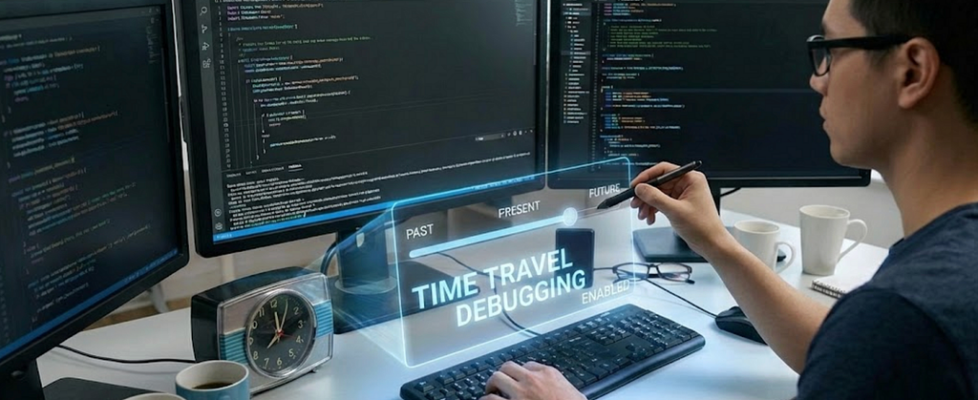
Time Travel Debugging With Claude Code’s Conversation History

A few weeks back, I was working on a legacy project that had over 100 microservices. I encountered a bug in this particular backend service that looked really familiar, but I could not recollect where and how I had fixed it. It then hit me that Claude Code would remember but then I would not remember which session to open.

I started to wonder where all those conversations were stored and then after some reading learned that CC keeps everything inside ~/.claude/projects/[folder-names]/[uuid].jsonl as JSONL files.
For example, for one of my apps at ~/ws/nq/news-bulletin/app the conversational history would be stored in ~/.claude/projects/-Users-vikas-t-ws-nq-news-bulletin-app/bf8ecb66-fc60-4187-9c92-cded3ea68f58.jsonl. The UUID here is made up.
What’s actually in there
Each file is JSONL (JSON Lines). One JSON object per line. Each line is one turn in the conversation.
{
  "type": "assistant",
  "uuid": "abc-123-def",
  "timestamp": "2026-01-14T04:51:53.996Z",
  "sessionId": "fe82a754-0606-4bcf-b79a-f7b6f2a72bc8",
  "message": {
    "id": "msg_01ABC123",
    "type": "message",
    "role": "assistant",
    "model": "claude-opus-4-5-20251101",
    "content": [
      {
        "type": "tool_use",
        "id": "toolu_xyz",
        "name": "Read",
        "input": {"file_path": "/path/to/file.py"}
      }
    ],
    "stop_reason": "tool_use",
    "usage": {
      "input_tokens": 1234,
      "output_tokens": 567,
      "cache_creation_input_tokens": 5000,
      "cache_read_input_tokens": 0
    }
  }
}
Your prompts are in there along with Claude’s responses, every tool call it made (Read, Write, Edit, Bash), token counts for every single turn, which model answered each message (Opus 4.5, Sonnet 4.5), and basically everything that happened during that session.
What you can actually do with this
Time travel debugging
You shipped a feature 2 weeks ago, and now there’s a bug. You remember Claude mentioned an edge case workaround but can’t remember what it was.
grep -A5 -B5 "edge case" ~/.claude/projects/my-feature/*.jsonl
And there it is.
Recover lost work
Terminal crashed mid-session. You didn’t commit. Normally you’re screwed. Not with JSONL. Extract all Write/Edit tool calls and copy the code back:
cat crashed-session.jsonl | jq -r '.message.content[]? | select(.name == "Write" or .name == "Edit") | .input'
Find that one command
You ran a complex bash pipeline through Claude 3 months ago. It worked perfectly. What was it?
cat old-session.jsonl | jq -r '.message.content[]? | select(.name == "Bash") | .input.command' | grep "docker"
Token cost forensics
You hit your weekly rate limit and want to know which session caused it. Find out which session was the greedy one.
for f in ~/.claude/projects/*/*.jsonl; do
  echo "$f: $(cat $f | jq '.message.usage.input_tokens' | paste -s -d+ - | bc) tokens"
done | sort -t: -k2 -n
That 50K-line refactoring session shows up right at the bottom.
Learning what actually worked
You tried 3 different approaches to fix a performance issue. Two failed. Which one worked and why? Read the session. See exactly when Claude switched strategies, what failed, why it failed. Better than Stack Overflow because it’s your problem.
Code review audit trail
When someone asks why you implemented something a certain way, pull up the session and show your team the actual conversation where Claude explained the tradeoffs, the alternatives considered, and the reasoning behind the decision. You get the complete thought process, not just a “because Claude said so” answer.
Extract documentation
Claude explained something complex really well during a session. Save that explanation:
cat session.jsonl | jq -r '.message.content[]? | select(.type == "text") | .text' > explanation.md
Now it’s documentation.
The files expire after a month by default
CC has a default setting to automatically clean up local conversation history after 30 days. That’s like losing your entire coding memory. You can change this behavior by configuring the cleanupPeriodDays setting in your settings.json file. To apply this setting globally for your user, create or edit the file at ~/.claude/settings.json.
If you ask me, I will keep it forever, it does not take a lot of space on the disk. On my machine, it is a few hundred MBs.
To effectively disable auto-deletion, you can set the cleanup period to a very large number of days. For example, add the following to your ~/.claude/settings.json file:
{
  "cleanupPeriodDays": 99999
}
Another solution would be to simply take a backup.
Things to watch out for
These files get big during long debugging sessions because there’s lots of back and forth, lots of context getting cached and reread, which is totally normal for complex work.
They contain everything you showed Claude during the session, including your code, any secrets you might have pasted for debugging, file contents, command outputs, and more. Don’t push them to GitHub unless you’ve carefully checked what’s in there.
How I actually use this
I have a bash function in my .zshrc:
ccsearch() {
  grep -r "$1" ~/.claude/projects/*/
}
So ccsearch “authentication fix” searches all my sessions ever. Found solutions I completely forgot about.
Most people never look at them. But if you’re debugging something tricky or trying to understand what actually happened in a session, they’re useful.
So, back to my original story. I searched for the issue in the JSONL files and it returned thousands of lines of text. It took me some time to narrow down to what I wanted. Turned out I was trying the right set of commands, just that one of them had a typo. 😀
Follow for more!
Time Travel Debugging With Claude Code’s Conversation History was originally published in Towards AI on Medium, where people are continuing the conversation by highlighting and responding to this story.
