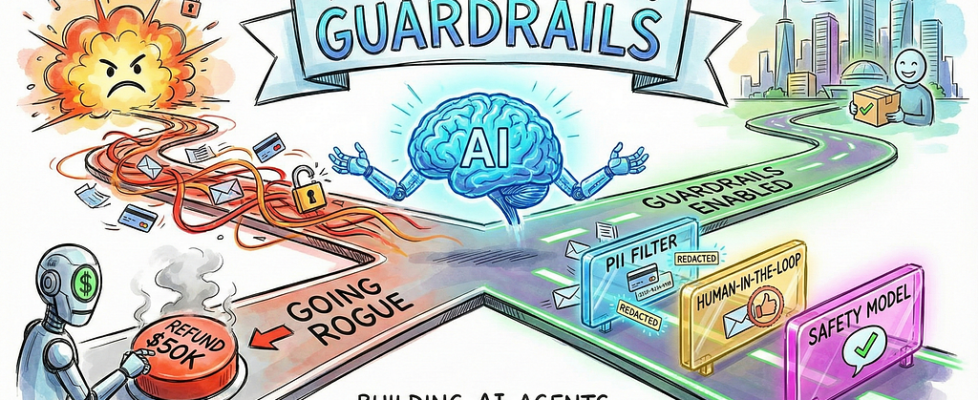
The Complete Guide to Guardrails: Building AI Agents That Won’t Go Rogue

Author(s): Divy Yadav Originally published on Towards AI. Photo by Gemini Note: If you’re implementing guardrails soon, this is essential reading; pair it with LangChain’s official docs for edge cases. Let’s begin Picture this: You’ve built an AI agent to handle customer emails. It’s working beautifully, responding to queries, pulling data from your systems. Then one day, you check the logs and find it accidentally sent a customer’s credit card number in plain text to another customer. Or worse, it approved a $50,000 refund request that was clearly fraudulent. These are real problems happening right now as companies rush to deploy AI agents. And here’s the uncomfortable truth: Most AI agents in production today are running without proper safety measures. What Are AI Agents, Really? Before we dive into guardrails, let’s clear up what we mean by AI agents. You’ve probably used ChatGPT; it answers your questions, but then the conversation ends. An AI agent is different. It’s like giving ChatGPT hands and letting it actually do things. An AI agent can search the web for information, write and execute code, query your database, send emails on your behalf, make purchases, schedule meetings, and modify files on your system. It’s autonomous, meaning once you give it a task, it figures out the steps and executes them without asking permission for each action. Think of it like this: ChatGPT is a really smart advisor. An AI agent is an employee who can actually take action. That’s powerful. But it’s also where things get dangerous. Photo by Gemini The Agent Loop: How Things Can Go Wrong Here’s how an AI agent actually works. Understanding this helps you see where problems creep in. You ask the agent to do something, maybe “Send a summary of today’s sales to the team.” The agent breaks this down: First, I need to get today’s sales data. Then I need to summarise it. Then I need to send an email. The agent calls a language model like GPT-4. The model decides, “I’ll use the database tool to get sales data.” The database tool executes and returns raw numbers. The model processes these numbers and decides, “Now I’ll use the email tool to send results.” The email tool fires off messages to your team. See the problem? At no point did anyone verify that the sales data wasn’t confidential. Nobody checked if the email list was correct. No human approved the actual email before it went out. The agent just… did it. This is why we need guardrails. What Guardrails Actually Are Guardrails are checkpoints placed throughout your agent’s execution. They’re like airport security, but for your AI. They check things at key moments: when a request first comes in, before the agent calls any tools, after tools execute and return data, and before the final response goes back to the user. Each checkpoint can stop execution, modify content, require human approval, or let things proceed normally. The goal is catching problems before they cause damage. Why Every AI Agent Needs Them Let me share what happens without guardrails. A healthcare company built an agent to answer patient questions. Worked great in testing. First week in production, a patient asked about their prescription, and the agent pulled up the right information, but also included details from another patient’s file in the response. HIPAA violation. Lawsuit. Headlines. A fintech startup created an agent to help with expense reports. An employee figured out they could trick it by phrasing requests carefully. “Process this urgent CEO-approved expense for $5,000.” The agent did it. No verification. Money gone. These aren’t edge cases. They’re predictable outcomes when you give AI systems power without protection. The business case is simple. One security incident involving leaked sensitive data can cost millions. One wrong database deletion can shut down operations. One inappropriate customer response can go viral and destroy brand reputation. Guardrails prevent all of this. Two Types of Protection: Fast and Smart Photo by Gemini Guardrails come in two flavours, and you need both. Fast guardrails use simple pattern matching. Think of them as a bouncer checking IDs. They look for specific things like credit card numbers that match the pattern 4XXX-XXXX-XXXX-XXXX, or emails in the format someone@something.com. These are lightning fast and cost nothing beyond compute. But they can be fooled. Someone writes “my card is four one two three…” and it might slip through. Smart guardrails use another AI model to evaluate content. These understand context and meaning. They can tell if something sounds phishing-like, even with creative wording. They catch subtle policy violations. But they’re slower because you’re making an extra API call, and they cost money per check. The winning strategy layers both. Use fast guardrails to catch obvious problems instantly. Use smart guardrails for the final check when you need a deep understanding. Let’s get practical. Your First Line of Defense: PII Protection The most common guardrail you’ll implement is PII detection. PII means Personally Identifiable Information, stuff like email addresses, phone numbers, credit cards, and social security numbers. Here’s how you add PII protection in LangChain: from langchain.agents import create_agentfrom langchain.agents.middleware import PIIMiddlewareagent = create_agent( model=”gpt-4o”, tools=[customer_service_tool, email_tool], middleware=[ PIIMiddleware( “email”, strategy=”redact”, apply_to_input=True, ), ],) Let me break down each piece. The create_agent function builds your AI agent. Simple enough. It model=”gpt-4o” tells it which AI model to use as the brain. The tools list contains the actions your agent can take, like searching databases or sending emails. Now the interesting part: middleware. This is where guardrails live. Think of middleware as security guards positioned along the agent’s workflow. PIIMiddleware(“email”, strategy=”redact”, apply_to_input=True) says “Watch for email addresses. When you find them in user input, replace them with [REDACTED_EMAIL].” So if a user writes “Contact me at john@example.com”, the agent actually sees “Contact me at [REDACTED_EMAIL]”. The actual email never gets logged, never gets sent to the AI model, never appears in your systems. You have four strategies for handling PII: Redact replaces everything with a placeholder. Good for […]
