
Supreme Court ducks AI copyright question

Read Online | Sign Up | Advertise

Good morning, {{ first_name | AI enthusiasts }}. Copyright law was written for a world where humans made things. AI broke that assumption… But the Supreme Court doesn’t want to deal with it yet.
The court just passed on the biggest AI authorship case to date, keeping copyright law’s “humans only” standard on the books. But with AI content now flooding every corner of creative industries, this fight is likely nowhere near finished.
In today’s AI rundown:
-
Supreme Court ducks AI copyright question
-
Anthropic wants your ChatGPT memories
-
Transcribe videos for free with this local AI
-
Alibaba’s tiny AI tops models 13x its size
-
4 new AI tools, community workflows, and more
LATEST DEVELOPMENTS

Image source: “A Recent Entrance to Paradise” by DABUS, Wikimedia Commons
The Rundown: The U.S. Supreme Court just passed on hearing the biggest case yet over whether AI art can be copyrighted, letting lower court rulings stand that say only humans can be authors — and kicking one of the defining IP questions of the AI era.
The details:
-
The case centers on Stephen Thaler, a computer scientist who built an AI system called DABUS and sought copyright in 2018 for artwork it generated.
-
The Copyright Office denied it, ruling only humans can be authors — a judge called it a “bedrock requirement” in 2023, and the DC Circuit agreed.
-
Trump’s DOJ also backed the Copyright Office, telling the court that copyright law was written for human creators and not machines.
-
The appeals court noted Thaler could’ve claimed authorship himself rather than listing the AI, hinting the door isn’t shut for AI-assisted works.
Why it matters: It’s wild to see an AI system making artwork years before the majority of the world. It also feels like an awkward ruling given the current state of AI content pouring into every creative sector — and one that will continue to be challenged by bigger entities like studios or creators that have serious money riding on the answer.
TOGETHER WITH YOU.COM
🧠 It’s not just about getting the prompt right.

The Rundown: When trying to spin up AI agents, companies often get stuck in the prompting weeds and end up with agents that fail to deliver dependable results. This ebook from You.com goes beyond the prompt, revealing the five stages for building a successful AI agent and why most organizations haven’t gotten there yet.
In this guide, you’ll learn:
-
Why prompts alone aren’t enough and how context and metadata unlock reliable agent automation
-
Four essential ways to calculate ROI, plus when and how to use each metric
-
Real-world challenges at each stage of agent management and how to avoid them
If you’re ready to go beyond the prompt, this is the ebook for you.
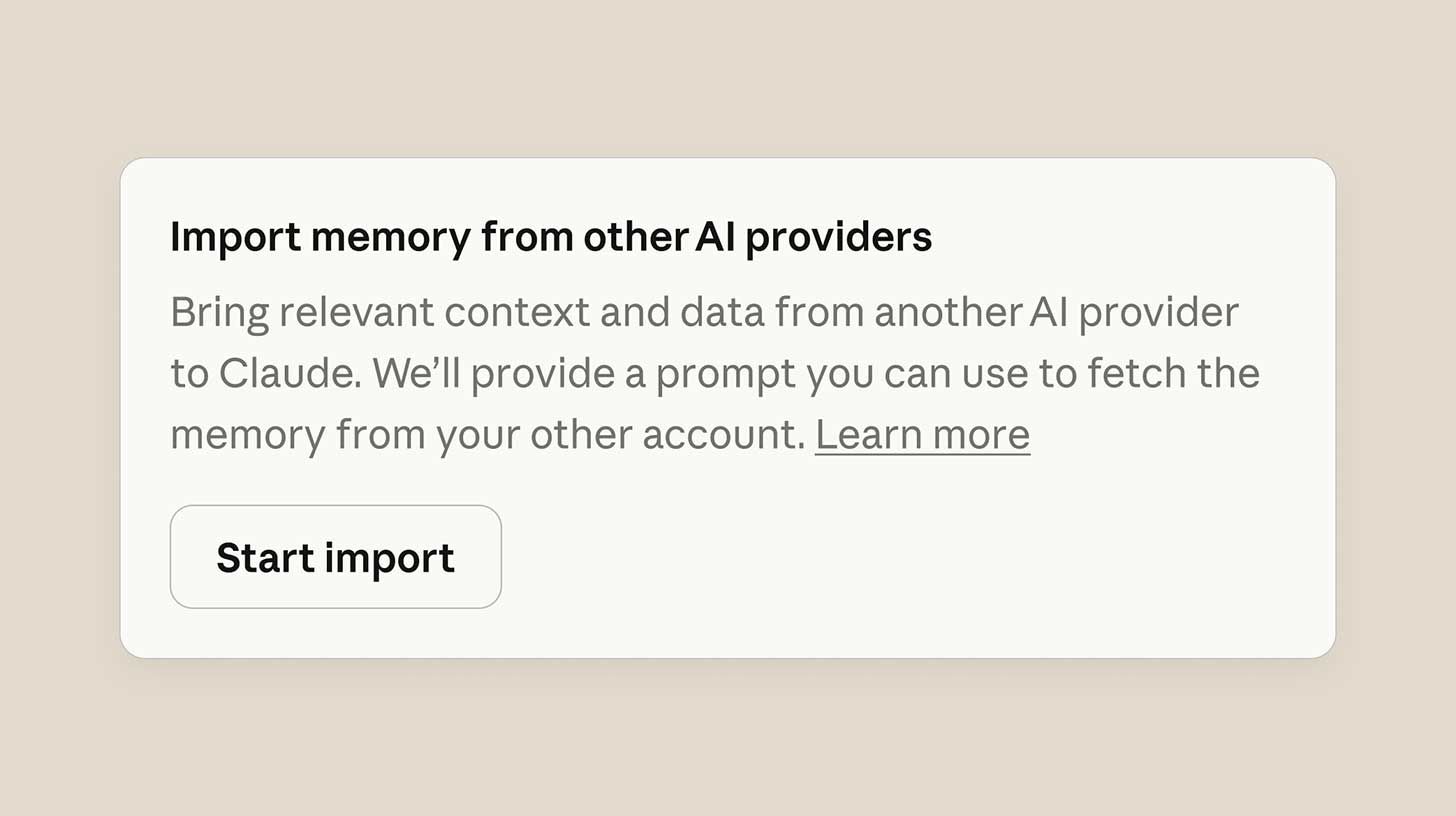
Image source: Anthropic
The Rundown: Anthropic launched a new tool that lets users port their saved preferences and context from other AI providers with a single copy-paste, coming during a surge in switches and new sign-ups as the company battles the Pentagon.
The details:
-
Users copy a provided prompt into their current chatbot, paste the output into Claude’s memory, and the switch kicks in within 24 hours.
-
The tool pulls saved instructions, personal details, project context, and behavioral preferences from ChatGPT, Gemini, or Copilot in a single upload.
-
Anthropic also opened Claude’s memory feature to free users for the first time, letting everyone build persistent context across conversations.
-
Claude Code also got a new auto-memory upgrade, now able to save project context, debugging patterns, and workflow habits on its own across sessions.
Why it matters: Memory upgrades are big news for getting the most out of any AI platform, but the timing isn’t subtle, given the current wave of consumer support for the company in the wake of the Pentagon’s ban. Giving all those new users an easy way to bring context over is a smart move for turning a viral moment into lasting retention.
AI TRAINING
📝 Transcribe any video for free with this local AI

The Rundown: In this guide, you will learn how to translate and transcribe any video file for free by running an AI model locally on your computer, without having to upload videos to sketchy, free transcription sites.
Step-by-step:
-
Open your terminal and run
brew install ffmpegthenpip3 install -U openai-whisper. If not on Mac, you can find the commands you need here -
ffmpeg is an open-source tool that lets you edit videos from your terminal, and openai-whisper is the OpenAI model that does the actual transcribing
-
To use it, just point it at any video file like this:
python3 -m whisper your-video.mp4 --model base. It will run entirely on your machine for free -
A 15-minute video should take ~2 minutes to transcribe, giving a .txt file and an .srt file with timestamps as the outputs
Pro tip: Whisper can also translate videos. You’d just have to add the language and translation flags to your command (more on it in the guide).
PRESENTED BY OPTIMIZELY
📈 See what real AI execution looks like

The Rundown: Most teams are stuck in AI pilot mode. Tomorrow, join Optimizely’s free Agents in Action virtual event featuring Nathaniel Whittemore (host of The AI Daily Brief) and more — to see agentic AI working in live workflows.
You’ll learn how to:
-
Operationalize AI across content, approvals & personalization
-
Scale AI without breaking brand or compliance
-
Put practical deployment frameworks to work across your org

Image source: Alibaba
The Rundown: Alibaba released Qwen3.5 Small, a family of four new open-source AI models small enough to run on a laptop or phone — with the most powerful of the bunch outscoring an OpenAI model more than 13x its size on reasoning and knowledge.
The details:
-
The Qwen3.5 Small Series spans four sizes, ranging from a 0.8B for phones up to 9B for laptops — all free for commercial use under an open-source license.
-
The 9B outscored OpenAI’s GPT-OSS-120B, which comes in at 13x its size on graduate-level reasoning and multilingual knowledge tests.
-
All four models handle text, images, and video natively, with the 4B matching visual task scores that previously required models 20x larger.
-
Elon Musk complimented the release, saying the models have “impressive intelligence density”.
Why it matters: These aren’t replacing frontier models in capabilities, but for powering AI features inside mobile apps, reading documents offline, or handling quick visual tasks without a cloud bill, small models are where everyday adoption really takes off. Alibaba just made that layer even stronger and open for anyone with a laptop.
QUICK HITS
🛠️ Trending AI Tools
-
👷 Viktor— Free Openclaw secure, SOC 2-certified AI coworker for Slack and Teams that keeps your data private*
-
🤏 Qwen3.5 Small – Alibaba’s tiny models that rival AI systems 13x their size
-
🍌 Nano Banana 2 – Google’s new top-ranked AI image model
-
🧠 Claude – Anthropic’s AI assistant, with new memory features
*Sponsored Listing
📰 Everything else in AI today
AWS lost connectivity at a UAE data center after unidentified “objects” struck the facility amid the US-Iran conflict, with Anthropic’s Claude facing major outages.
OpenAI research scientist Aidan McLaughlin shared his views on the company’s Pentagon agreement, saying, “I personally don’t think this deal was worth it”.
The U.S. Treasury, Federal Housing Agency, and State Dept. became the first offices to move off of Anthropic, with Treasury Sec. Scott Bessent saying “no private company will ever dictate the terms of our national security.”
Apple announced the new iPhone 17e at $599, bringing Apple Intelligence to its most affordable iPhone with visual search, AI call screening, and live translation features.
MyFitnessPal acquired Cal AI, an AI calorie-counting app created by two 19-year-old founders that hit 15M downloads and $30M in annual revenue in under two years.
COMMUNITY
🤝 Community AI workflows
Every newsletter, we showcase how a reader is using AI to work smarter, save time, or make life easier.
Today’s workflow comes from reader Sam S. in New York, NY:
“I am a video editor, and I was tasked with creating a 2-minute trailer out of 6+ hours of interview footage of emotionally challenging subject material. I used Claude to transcribe the audio of all 6 interviews and asked it to pull the most impactful soundbites and create a time-coded 2-minute script.
After generating the script, Claude then drafted an Edit Decision List that I could import into Premiere and open as a timeline sequence, complete with Claude’s edits and soundbites. This saved me hours worth of reviewing interview footage and helped with the emotional stress of watching the difficult material. The result was an impactful, dramatic trailer with a story arc as good as anything I could’ve scripted myself. “
How do you use AI? Tell us here.
🎓 Highlights: News, Guides & Events
-
Read our last AI newsletter: OpenAI steps into Anthropic’s Pentagon void
-
Read our last Tech newsletter: Netflix exits $83B Warner Bros deal
-
Read our last Robotics newsletter: Bio-robotic spy roaches
-
Today’s AI tool guide: Transcribe any video for free with this local AI
-
RSVP to our next workshop on March 12: AI coding bootcamp pt. 1
See you soon,
Rowan, Joey, Zach, Shubham, and Jennifer — the humans behind The Rundown

