I Stopped Prompting GitHub Copilot and Started Delegating to It

In the hackathons I ran, the interesting pattern was not that developers loved better suggestions. It was that once they trusted the task boundary, they stopped wanting to supervise every small step. That was the real adoption unlock.
When most developers think about AI coding tools, they still imagine a familiar loop:
Ask a question.
Wait for a response.
Review the output.
Ask the next question.
That model is useful, but it still keeps the human in the middle of every tiny decision.
While enabling GitHub Copilot across engineering teams through hackathons and hands-on sessions, I noticed something interesting: the biggest productivity unlock was not just faster answers or better suggestions. It was the moment developers stopped treating AI like a chat interface and started treating it like a bounded execution partner.
That shift matters.
GitHub Copilot CLI’s autopilot mode lets the agent keep working through a task instead of waiting for your approval after every step. Used well, it changes the workflow from prompt-by-prompt collaboration to controlled delegation. GitHub’s current documentation describes autopilot mode as a way for Copilot CLI to work autonomously on a task until it is complete, blocked, manually interrupted, or limited by a continuation cap. It also documents interactive switching with Shift+Tab, plan-first workflows, and command-line flags such as –autopilot, –yolo, –max-autopilot-continues, and –no-ask-user.
That is a much bigger change than it first appears.
From assistant to co-worker
The easiest way to explain the difference is this:
Interactive mode feels like working with a junior engineer who asks for confirmation after every move.
Autopilot mode feels like handing a well-scoped ticket to a trusted peer and saying, “Take this as far as you can, then come back with the outcome.”
That doesn’t mean unlimited freedom. It means bounded autonomy.
And that is the real story here. AI coding is moving from:
- answer generation
- to code suggestion
- to task execution
- to delegated implementation within explicit limits
GitHub’s CLI docs now reflect that evolution with dedicated support for autopilot mode, plan-driven workflows, agent usage, and programmatic invocation from the terminal.
What autopilot mode actually does
In normal interactive use, Copilot CLI responds to a prompt and waits for your next input.
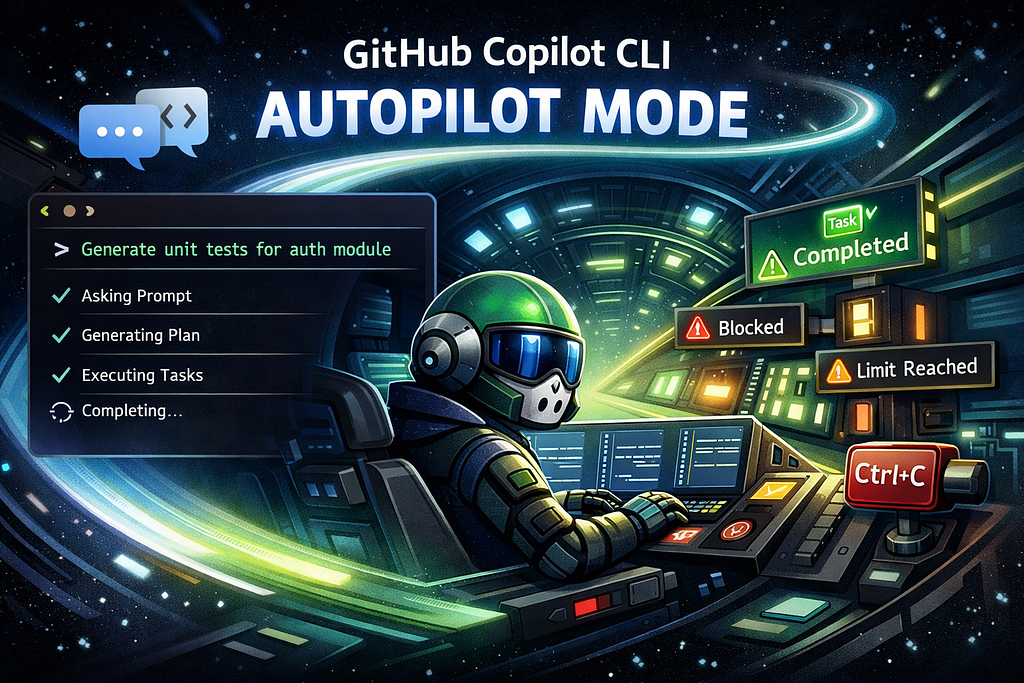
In autopilot mode, it doesn’t stop after each step. It continues autonomously until one of these things happens:
- the task is complete
- it hits a blocker it can’t resolve
- it reaches the maximum autopilot continuation limit
- you stop it manually
Those stop conditions are part of GitHub’s documented autopilot behavior, and the CLI also supports limiting continuation count with –max-autopilot-continues to avoid runaway loops.
That last point matters a lot.
Because the power of autopilot is not just that it can keep going.
It’s that it can keep going without you micromanaging every step.
Why this matters in the real world
The value of AI in engineering is not just faster code generation. It’s reduced interruption cost.
Every time a developer has to come back to approve the next tiny action, the flow breaks:
- context gets fragmented
- attention gets diluted
- the task feels heavier than it really is
Autopilot reduces that friction for the right kinds of work.
It is especially useful for:
- repetitive refactoring
- unit test generation across an existing module
- fixing lint and formatting issues across multiple files
- updating imports after package changes
- handling bounded maintenance tasks
- working through a sequence of related edits in a repo
GitHub also documents programmatic autopilot usage for directly running prompts from the CLI, which makes it particularly attractive for automation-oriented workflows and repeatable engineering tasks.
But here’s the truth: autopilot is really a trust problem
Most people think autopilot is a coding feature.
It isn’t.
It’s a trust configuration problem.
The real question is not “Can Copilot write the code?”
The real question is: Do I trust the task boundary, the permissions, and the stopping conditions?
That trust depends on four things:
1. Task clarity
Autopilot performs best when the goal is explicit and bounded. GitHub’s docs position it as a way to delegate tasks autonomously, not as a replacement for open-ended product thinking.
2. Permissions
Copilot CLI can request permission to use tools and modify files. GitHub documents session-wide approval choices as well as full-permission modes like –allow-all and –yolo, which are equivalent for enabling all permissions.
3. Continuation limits
A long-running autonomous loop without guardrails is a bad idea. –max-autopilot-continues exists specifically to put a ceiling on how far the agent can keep going by itself.
4. Whether the agent can ask you questions
The command reference includes –no-ask-user, which disables the ask_user tool so the agent operates without asking follow-up questions. That can be useful in scripted or non-interactive environments, but it also raises the importance of giving a crystal-clear prompt.
So yes, autopilot is powerful. But it only works well when you’ve designed the lane it is allowed to drive in.
The best workflow: plan first, then delegate
This is the part many teams will miss.
The most effective way to use autopilot is not to jump straight into autonomous execution.
It’s to pair autopilot with plan mode.
GitHub documents interactive mode switching with Shift+Tab, including entering autopilot mode that way, and their Copilot CLI usage guidance also points to planning and autonomous task delegation as complementary ways of working.
The winning pattern looks like this:
- start interactively
- define the task clearly
- work with Copilot to generate or refine the plan
- review the plan like you would review an implementation approach
- once the plan is solid, let autopilot execute it
That flow matters because bad autonomy usually comes from bad scoping, not bad models.
A real-world example: from flaky auth module to working test coverage
Here’s a realistic example of where autopilot shines.
Imagine you own a Node.js service with an authentication module. The module has grown over time. It now has:
- login handlers
- refresh token logic
- middleware for role checks
- patchy unit test coverage
- lint errors in a few files
You don’t want to spend an hour handholding the AI line by line. You want to delegate a bounded cleanup task.
The goal
You want Copilot CLI to:
- inspect the auth module
- add missing unit tests
- fix obvious lint issues introduced by the test work
- stop after a reasonable number of autonomous continuations
Step 1: Start in the repo
Open your terminal in the repository root.
Step 2: Begin with a scoped prompt
In an interactive session, you could start normally and refine the task. Once ready, switch into autopilot with Shift+Tab until autopilot appears in the status bar, which is how GitHub documents interactive autopilot entry.
Or you can go straight to programmatic execution.
Step 3: Use a bounded autopilot command
GitHub’s docs give this style of programmatic example for autopilot mode:
copilot --autopilot --yolo --max-autopilot-continues 10 -p "Write unit tests for the authentication module and fix any linting errors."
That pattern is directly supported in the GitHub docs for delegating tasks autonomously and using autopilot from the CLI.
Step 4: What Copilot does behind the scenes
With the right permissions, Copilot CLI may:
- inspect relevant source files
- inspect existing test patterns in the repo
- create or update test files
- run tools needed for validation or linting
- apply follow-up fixes to get the task over the line
GitHub’s usage docs describe the CLI asking for or using tool permissions for actions like modifying files or executing commands, and they warn about the implications of broad approval choices for commands such as rm.
Step 5: Why this is better than normal chat
In a standard chat loop, you would have to repeatedly say things like:
- now add tests for refresh tokens
- now fix the lint issues
- now re-check the middleware file
- now update snapshots
- now clean up imports
That is not hard work. It is coordination work.
Autopilot removes much of that coordination overhead.
Step 6: Review the output like an engineer, not a stenographer
This is important: autopilot does not eliminate review. It changes when you review.
Instead of reviewing every micro-step, you review:
- the plan
- the scope
- the final diff
- the test behavior
- any risky edits
That is a much better use of senior engineering judgment.
Where autopilot works best
Autopilot is strongest when:
- the task is well-scoped
- the repo has clear conventions
- success criteria are straightforward
- the agent can inspect the codebase and act without constant clarification
Strong examples:
- “Add unit tests for all untested utility functions in src/auth.”
- “Refactor deprecated imports in this package and fix resulting lint errors.”
- “Update all files using the old logger signature and keep existing test behavior intact.”
- “Trace the CI lint failure and fix only the files causing the current error.”
Where autopilot is the wrong tool
Autopilot is a poor fit when:
- the feature request is ambiguous
- multiple product decisions are unresolved
- architectural tradeoffs need repeated human judgment
- the repo is fragile and poorly structured
- the task could cause destructive changes without careful review
Weak examples:
- “Redesign our authorization model.”
- “Improve this service architecture.”
- “Make the onboarding flow world class.”
- “Refactor the whole app to be more scalable.”
That kind of work needs a human-led exploration phase first.
The risk most teams underestimate: silent cost and momentum
Autopilot doesn’t just save time. It also consumes resources autonomously.
GitHub’s documentation notes that autopilot uses the same underlying model interactions as other Copilot CLI workflows, and the CLI command reference exposes controls specifically designed for safer autonomous runs, such as explicit permissions and maximum continuation count.
That means teams should be intentional about:
- what tasks deserve autonomy
- what limits to set
- which repos or directories are safe to expose
- when to prefer interactive mode instead
The point is not to let the agent run wild.
The point is to remove unnecessary supervision where the work is already well understood.
My practical rule of thumb
Here’s the simplest operating model I’d give engineering teams:
- Use interactive mode when you are still thinking.
- Use plan mode when you are still deciding.
- Use autopilot mode when the task is already clear.
That one mental model alone will help most teams avoid misuse.
Final thought
For a long time, AI coding tools were mostly about better answers.
But the next wave is not really about better answers.
It is about better delegation.
GitHub Copilot CLI’s autopilot mode matters because it changes the shape of the workflow. You stop treating AI like a chatbot that waits for your next prompt and start treating it like a bounded executor that can move a real engineering task forward on its own. GitHub’s current documentation on Copilot CLI, autopilot mode, plan mode, and command-line controls all point in that direction.
That is a meaningful shift.
And once teams experience it, they usually do not want to go back to babysitting every next step.
I Stopped Prompting GitHub Copilot and Started Delegating to It was originally published in Towards AI on Medium, where people are continuing the conversation by highlighting and responding to this story.
