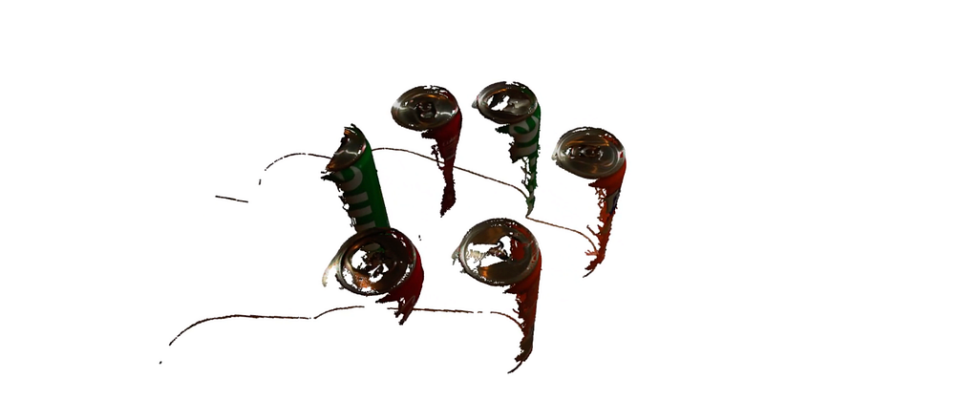
How to Denoise Industrial 3D Point Clouds in Python: 3D Filtering with Vitreous from Telekinesis

How to Denoise Industrial 3D Point Clouds in Python: Advanced Filtering with Vitreous from Telekinesis
https://medium.com/media/e260fa32dcee2f22ebd108e69775a0ec/href
For a senior robotics engineer, a raw point cloud from a Zivid, Roboception or Mech-Mind 3D camera is just the starting point. The real challenge is extracting the signal from the noise. In production, “noise” isn’t just random points: it’s inter-reflections from metallic surfaces, ambient light interference, and the sheer computational weight of processing millions of points per second.
The “Big Three” Filters for Industrial Environments
1. Statistical Outlier Removal (SOR) Filter: Eliminating Specular Reflections in Python
Filter reference: Vitreous Documentation Page
The Problem: Floating “speckle” noise caused by sensor artifacts or dust.
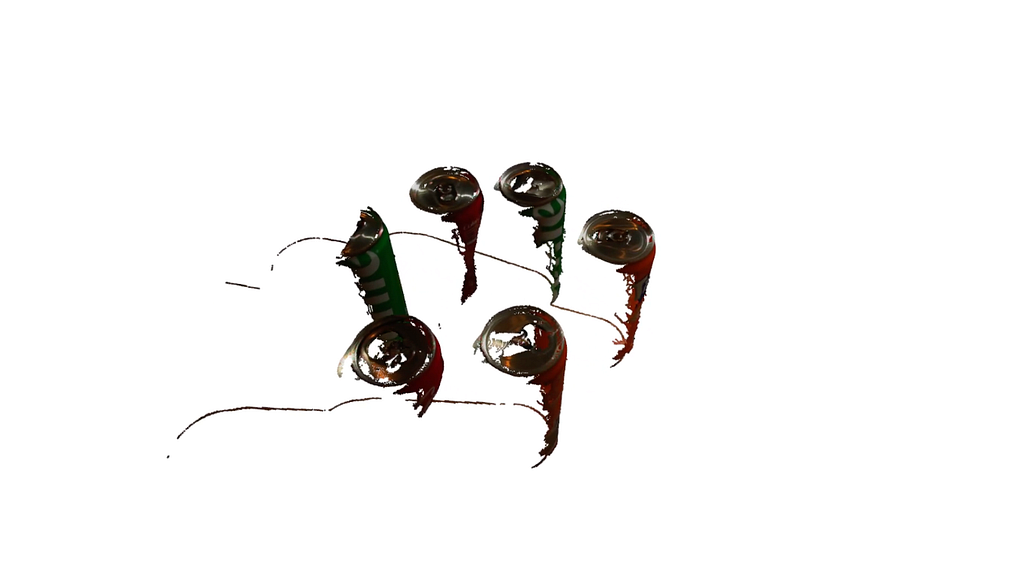
The Solution: SOR calculates the mean distance of each point to its k nearest neighbors. If a point is too far away based on the global standard deviation, it’s pruned. This is essential when working with structured light sensors like the Zivid 2+, Mech-Mind Mech-Eye, or Photoneo PhoXi, which can produce specular artifacts on metallic surfaces.
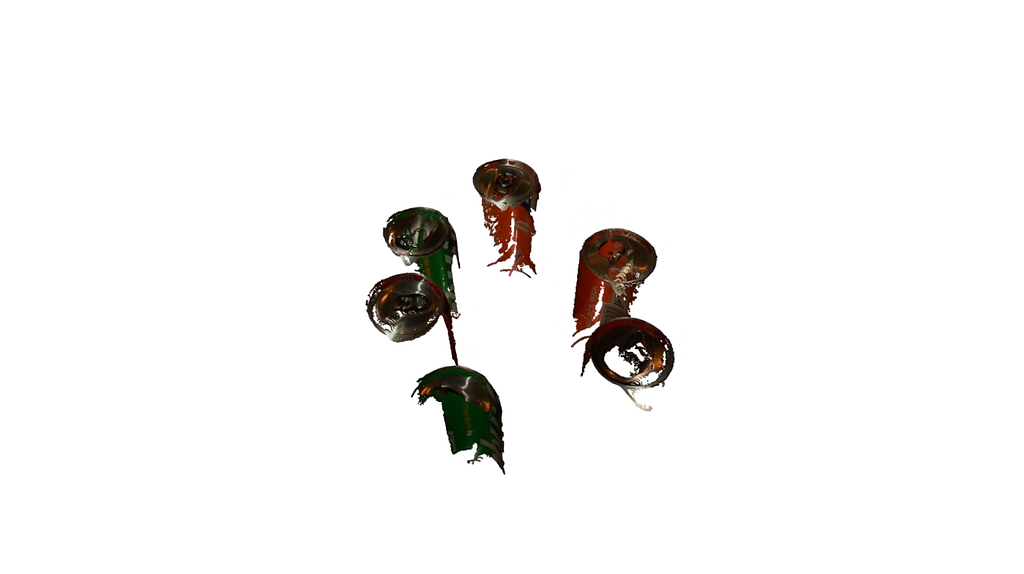
Production Tip: while SOR is highly effective for cleaning specular reflections, it can become a bottleneck on dense clouds. For real-time 10Hz loops, we recommend applying the Voxel Grid Downsample (see next filter) before the SOR filter to reduce the search space.
The Code
from telekinesis import vitreous
from datatypes import datatypes, io
import pathlib

# Optional for logging
from loguru import logger

DATA_DIR = pathlib.Path("path/to/telekinesis-data")

# Load point cloud
filepath = str(DATA_DIR / "point_clouds" / "can_vertical_6_masked.ply")
point_cloud = io.load_point_cloud(filepath=filepath)
logger.success(f"Loaded point cloud with {len(point_cloud.positions)} points")

# Execute operation
filtered_point_cloud = vitreous.filter_point_cloud_using_statistical_outlier_removal(
  point_cloud=point_cloud,
  num_neighbors=90,
  standard_deviation_ratio=0.1,
)
logger.success(f"Filtered point cloud to {len(filtered_point_cloud.positions)} points using statistical outlier removal")
The example begins by importing necessary modules for point cloud manipulation, data handling, and optional logging, including vitreous, datatypes, io, pathlib, and loguru.
from telekinesis import vitreous
from datatypes import datatypes, io
import pathlib

# Optional for logging
from loguru import logger
Next, a point cloud is loaded from a .ply file, and the total number of points is logged to confirm successful loading.
DATA_DIR = pathlib.Path("path/to/telekinesis-data")

# Load point cloud
filepath = str(DATA_DIR / "point_clouds" / "can_vertical_6_masked.ply")
point_cloud = io.load_point_cloud(filepath=filepath)
logger.success(f"Loaded point cloud with {len(point_cloud.positions)} points")
The key operation applies the filter_point_cloud_using_statistical_outlier_removal Skill. This Skill identifies and removes noisy points based on the distribution of distances to their neighbors. Points that deviate beyond a specified standard deviation ratio are filtered out, resulting in a cleaner, more uniform point cloud. This preprocessing step is especially useful in robotics pipelines for segmentation, object detection, or precise motion planning where noise can cause errors.
# Execute operation
filtered_point_cloud = vitreous.filter_point_cloud_using_statistical_outlier_removal(
  point_cloud=point_cloud,
  num_neighbors=90,
  standard_deviation_ratio=0.1,
)
logger.success(f"Filtered point cloud to {len(filtered_point_cloud.positions)} points using statistical outlier removal")
2. Voxel Grid Downsampling Filter: Optimizing 3D Point Cloud Latency
Filter reference: Vitreous Documentation Page
The Problem: Processing 2 million points in a 10Hz loop is impossible.
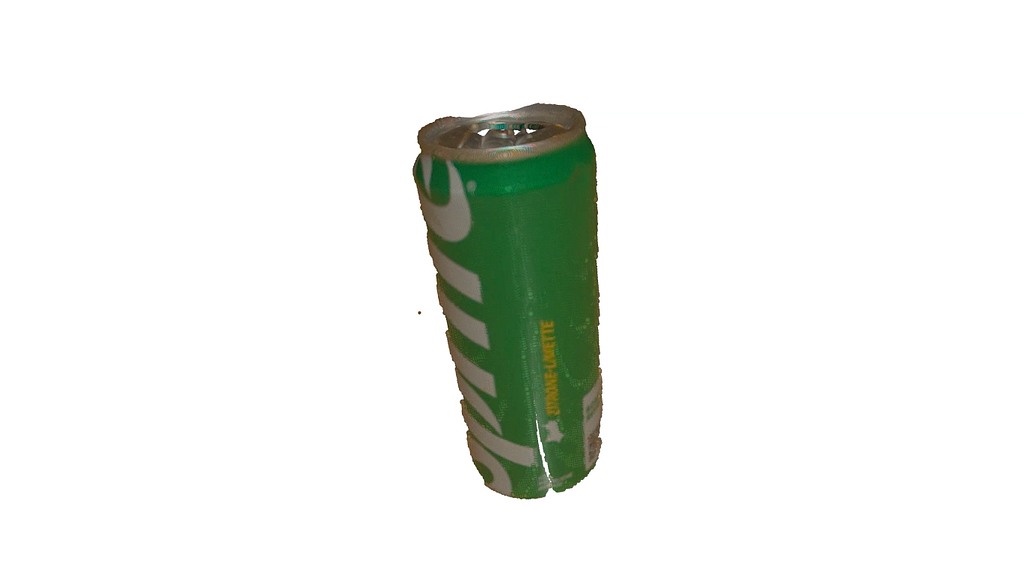
The Solution: Voxel filtering creates a 3D grid and collapses all points within a “voxel” (e.g., a 2mm cube) into a single centroid.
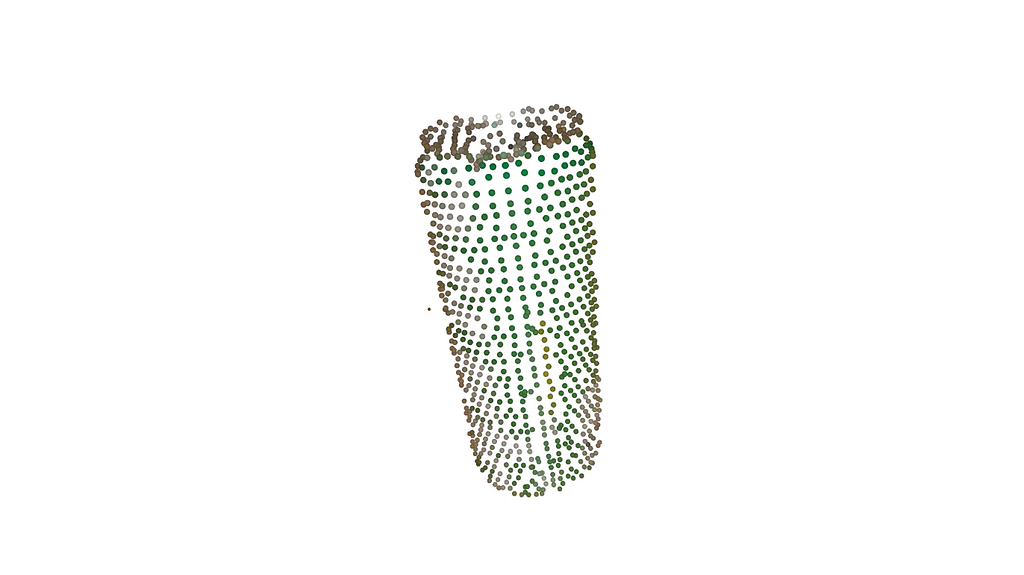
Production Tip: Use a voxel size that is half the tolerance of your thinnest object feature. If you’re picking 5mm shims, a 3mm voxel will erase your target.
The Code
from telekinesis import vitreous
from datatypes import datatypes, io
import pathlib

# Optional for logging
from loguru import logger

DATA_DIR = pathlib.Path("path/to/telekinesis-data")

# Load point cloud
filepath = str(DATA_DIR / "point_clouds" / "can_vertical_1_subtracted.ply")
point_cloud = io.load_point_cloud(filepath=filepath)
logger.success(f"Loaded point cloud with {len(point_cloud.positions)} points")

# Execute operation
filtered_point_cloud = vitreous.filter_point_cloud_using_voxel_downsampling(
  point_cloud=point_cloud,
  voxel_size=0.01,
)
logger.success("Filtered points using voxel downsampling")The example begins by importing necessary modules for point cloud manipulation, data handling, and optional logging, including vitreous, datatypes, io, pathlib, and loguru.
The example first imports the required modules:
from telekinesis import vitreous, datatypes
The next block loads a point cloud from a .ply file, while removing common data issues such as NaN values, infinite values, and duplicated points. This ensures the input point cloud is clean and safe for downstream processing:
# Load point cloud
point_cloud_loader = vitreous.io.PointCloudFileLoader(
    remove_nan_points=True,
    remove_infinite_points=True,
    remove_duplicated_points=True
)
input_point_cloud = point_cloud_loader.execute("example.ply")
Next, the voxel downsampling Skill is applied using a specified voxel_size. This operation groups nearby points into a regular 3D grid and replaces each group with a single representative point. The result is a new point cloud that is smaller, more uniformly distributed, and easier to process, while preserving the overall shape of the scene:
# Apply voxel downsampling
output_point_cloud = vitreous.filter_point_cloud_using_voxel_downsampling(
    point_cloud=input_point_cloud,
    voxel_size=datatypes.Float(0.01),
)
3. Pass-Through Filtering: Optimizing Latency with ROI Clipping
Filter reference: Vitreous Documentation Page
The Problem: Processing millions of points that are outside the robot’s reach or the bin’s volume.
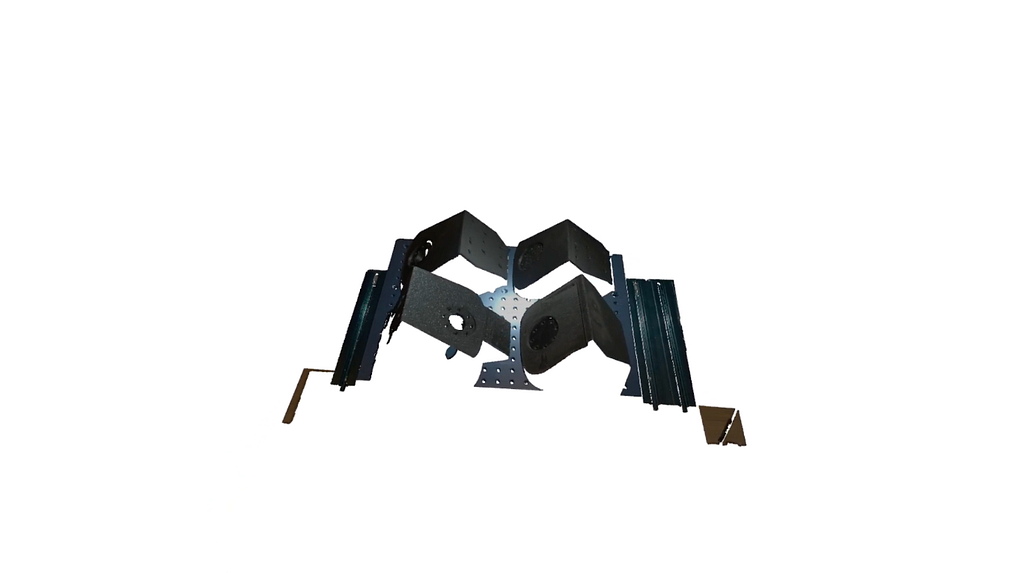
The Solution: Using linear clipping to “crop” the world before any expensive math begins.
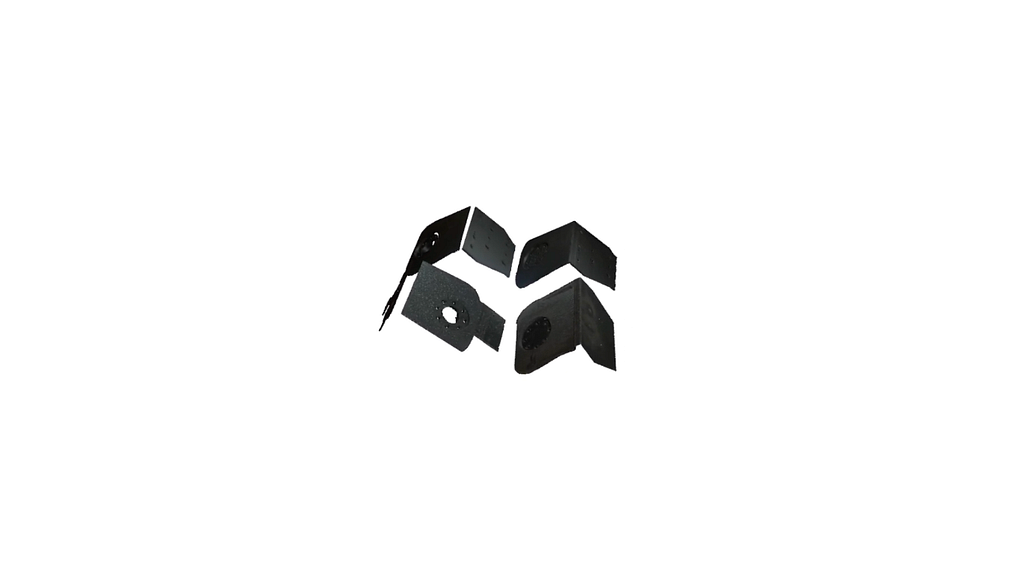
Production Tip: Place this filter first in your pipeline. It’s the cheapest way to drop 70% of your latency.
The Code
from telekinesis import vitreous
from datatypes import datatypes, io
import pathlib
import numpy as np

# Optional for logging
from loguru import logger

DATA_DIR = pathlib.Path("path/to/telekinesis-data")

# Load point cloud
filepath = str(DATA_DIR / "point_clouds" / "mounts_3_raw.ply")
point_cloud = io.load_point_cloud(filepath=filepath)
logger.success(f"Loaded point cloud with {len(point_cloud.positions)} points")

x_min, y_min, z_min, x_max, y_max, z_max = np.array([-185.0, -164.0, 450.0, 230.0, 164.0, 548.0])

# Execute operation
filtered_point_cloud = vitreous.filter_point_cloud_using_pass_through_filter(
  point_cloud=point_cloud,
  x_min=x_min,
  x_max=x_max,
  y_min=y_min,
  y_max=y_max,
  z_min=z_min,
  z_max=z_max,
)
logger.success("Filtered points using axis-aligned range")
This example begins by importing the necessary modules for point cloud processing, data handling, numerical operations, and optional logging. Key imports include vitreous, datatypes, io, numpy, pathlib, and loguru.
from telekinesis import vitreous
from datatypes import datatypes, io
import pathlib
import numpy as np

# Optional for logging
from loguru import logger
Next, a point cloud is loaded from a .ply file. This point cloud contains 3D points representing the geometry of an object or scene. Logging is used to confirm the number of points successfully loaded, ensuring the input is ready for processing.
DATA_DIR = pathlib.Path("path/to/telekinesis-data")

# Load point cloud
filepath = str(DATA_DIR / "point_clouds" / "mounts_3_raw.ply")
point_cloud = io.load_point_cloud(filepath=filepath)
logger.success(f"Loaded point cloud with {len(point_cloud.positions)} points")
Finally, the filter_point_cloud_using_passthrough_filter Skill is applied. This filter uses axis-aligned minimum and maximum bounds along X, Y, and Z to retain only points within a specified range. It is a straightforward way to crop a point cloud to a region of interest. This Skill is especially useful in robotics and industrial pipelines for isolating objects, removing out-of-bound points, or preparing data for downstream tasks like registration, clustering, and manipulation.
x_min, y_min, z_min, x_max, y_max, z_max = np.array([-185.0, -164.0, 450.0, 230.0, 164.0, 548.0])

# Execute operation
filtered_point_cloud = vitreous.filter_point_cloud_using_pass_through_filter(
  point_cloud=point_cloud,
  x_min=x_min,
  x_max=x_max,
  y_min=y_min,
  y_max=y_max,
  z_min=z_min,
  z_max=z_max,
)
logger.success("Filtered points using axis-aligned range")
Cleaning the cloud is only half the battle. Once you’ve handled the sensor noise, the next challenge is Spatial Culling: mathematically isolating your target objects from the surrounding infrastructure like bin walls, conveyor belts, and factory floors.
The “Space Culling” Filters for Point Clouds
1. Plane Proximity Filter: Isolating Target Layers in Multi-Layered 3D Scenes
Filter reference: Vitreous Documentation Page
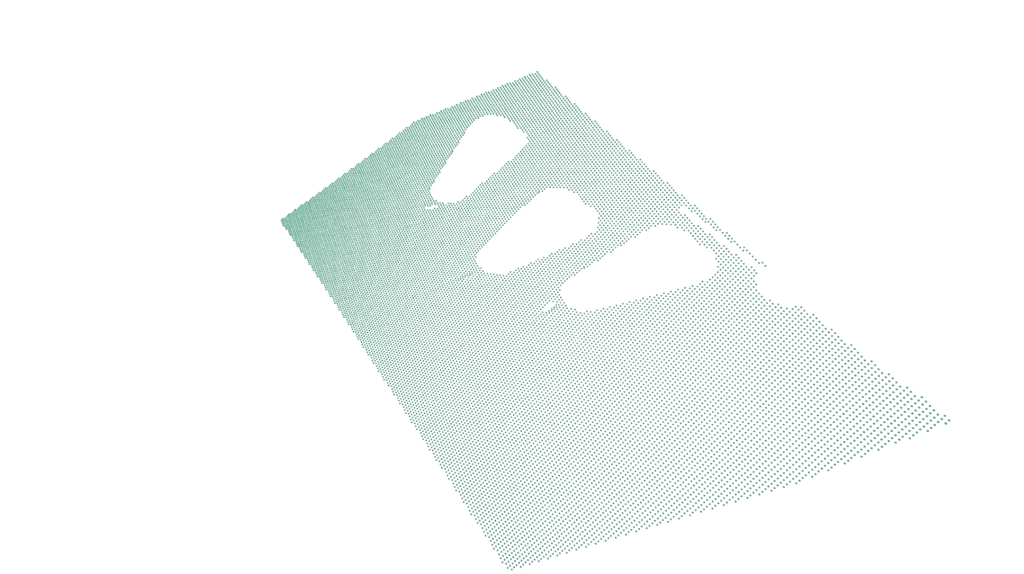
The Problem: Your objects are resting on a surface (conveyor, table, or bin floor). Without stripping this plane, your clustering algorithm will see the object and the floor as one continuous, unpickable mass.
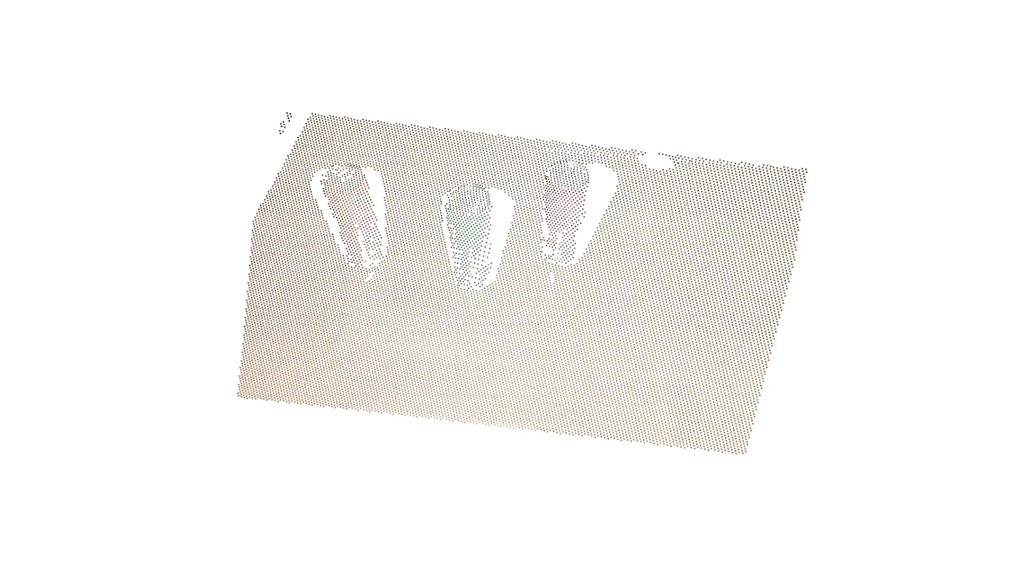
The Solution: Plane Proximity Filter keeps only points within a specific distance from a geometric plane (perfect for isolating a layer of parts).
The Code
from telekinesis import vitreous
from datatypes import datatypes, io
import pathlib

# Optional for logging
from loguru import logger

DATA_DIR = pathlib.Path("path/to/telekinesis-data")

# Load point cloud
filepath = str(DATA_DIR / "point_clouds" / "can_vertical_3_downsampled.ply")
point_cloud = io.load_point_cloud(filepath=filepath)
logger.success(f"Loaded point cloud with {len(point_cloud.positions)} points")

# Execute operation
# Define plane using coefficients
plane_coefficients = [0.028344755192329624, -0.5747207168510667, -0.8178585895344518, 555.4890362620131]
filtered_point_cloud = vitreous.filter_point_cloud_using_plane_proximity(
  point_cloud=point_cloud,
  plane_coefficients=plane_coefficients,
  distance_threshold=50.0,
)
logger.success("Filtered points using plane proximity")
The example starts by importing essential modules for point cloud manipulation, numerical operations, file handling, and optional logging. The primary modules used here are vitreous, datatypes, io, pathlib, and loguru.
from telekinesis import vitreous
from datatypes import datatypes, io
import pathlib

# Optional for logging
from loguru import logger
Next, a point cloud is loaded from a .ply file. Logging is used to confirm the number of points loaded, ensuring the dataset is ready for processing.
DATA_DIR = pathlib.Path("path/to/telekinesis-data")

# Load point cloud
filepath = str(DATA_DIR / "point_clouds" / "can_vertical_3_downsampled.ply")
point_cloud = io.load_point_cloud(filepath=filepath)
logger.success(f"Loaded point cloud with {len(point_cloud.positions)} points")
Finally, the filter_point_cloud_using_plane_proximity Skill is applied. The plane is defined using general plane coefficients, and the Skill filters out points that are farther than a specified distance from this plane. This operation is useful in robotics pipelines for tasks like isolating planar surfaces, segmenting regions of interest, or preprocessing point clouds for inspection, manipulation, or 3D perception applications.
# Execute operation
# Define plane using coefficients
plane_coefficients = [0.028344755192329624, -0.5747207168510667, -0.8178585895344518, 555.4890362620131]
filtered_point_cloud = vitreous.filter_point_cloud_using_plane_proximity(
  point_cloud=point_cloud,
  plane_coefficients=plane_coefficients,
  distance_threshold=50.0,
)
logger.success("Filtered points using plane proximity")
2. Point-Normal Plane Filtering: Precision Surface Removal with Geometric Vectors
Filter reference: Vitreous Documentation Page
The Problem: You don’t always have a clean plane equation. Often, you just know a single point on a surface (like a bin floor) and the direction it faces (the normal).
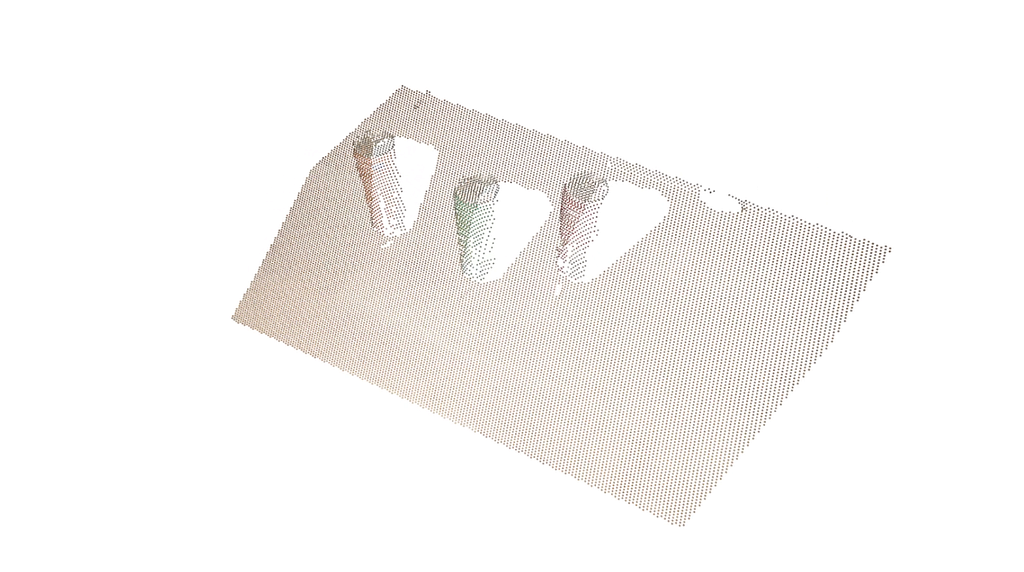
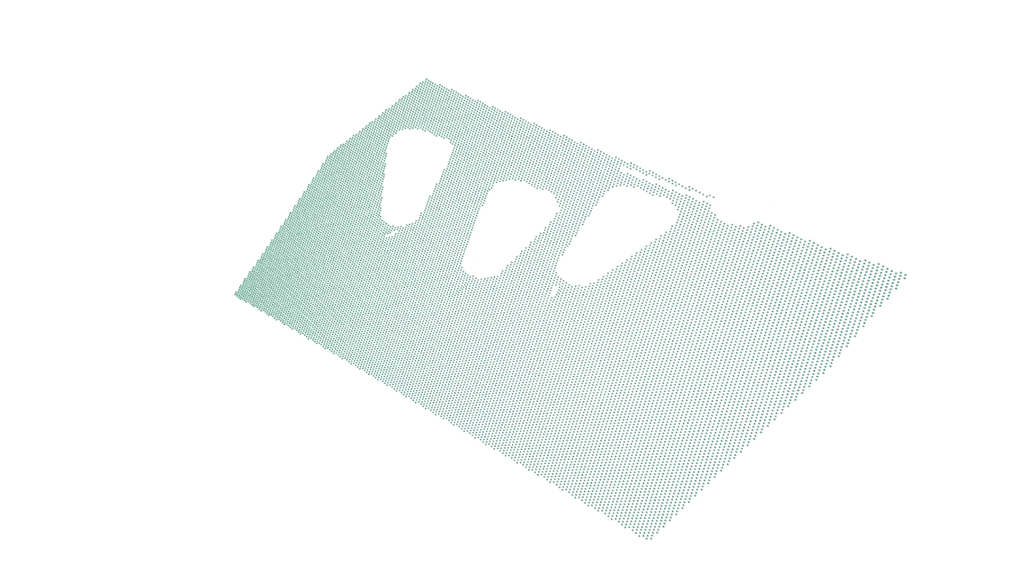
The Solution: This is the most intuitive plane filter for robotics. You define a 3D coordinate and a vector. The SDK handles the heavy lifting of calculating the proximity for every point in the cloud.
The Code
from telekinesis import vitreous
from datatypes import datatypes, io
import pathlib
import numpy as np

# Optional for logging
from loguru import logger

DATA_DIR = pathlib.Path("path/to/telekinesis-data")

# Load point cloud
filepath = str(DATA_DIR / "point_clouds" / "can_vertical_3_downsampled.ply")
point_cloud = io.load_point_cloud(filepath=filepath)
logger.success(f"Loaded point cloud with {len(point_cloud.positions)} points")

# Execute operation
# Define plane using point and normal from coefficients
plane_coefficients = [0.028344755192329624, -0.5747207168510667, -0.8178585895344518, 555.4890362620131]
a, b, c, d = plane_coefficients
plane_point = -d / (a**2 + b**2 + c**2) * np.array([a, b, c])

# Filter point cloud using plane defined by point and normal
filtered_point_cloud = vitreous.filter_point_cloud_using_plane_defined_by_point_normal_proximity(
  point_cloud=point_cloud,
  plane_point=plane_point,
  plane_normal=[a, b, c],
  distance_threshold=50.0,
)
logger.success("Filtered points using plane defined by point and normal")
This example begins by importing the necessary modules for point cloud processing, numerical operations, data handling, and optional logging. The key modules include vitreous, datatypes, io, numpy, pathlib, and loguru.
from telekinesis import vitreous
from datatypes import datatypes, io
import pathlib
import numpy as np

# Optional for logging
from loguru import logger
Next, a point cloud is loaded from a .ply file. Logging confirms the number of points in the cloud, ensuring that the data is ready for processing and analysis.
DATA_DIR = pathlib.Path("path/to/telekinesis-data")

# Load point cloud
filepath = str(DATA_DIR / "point_clouds" / "can_vertical_3_downsampled.ply")
point_cloud = io.load_point_cloud(filepath=filepath)
logger.success(f"Loaded point cloud with {len(point_cloud.positions)} points")
Finally, the filter_point_cloud_using_plane_defined_by_point_normal_proximity Skill is applied. A plane is first defined from coefficients, converted into a point on the plane and a normal vector. The Skill then filters out points that lie farther than a specified distance from this plane. This is especially useful in robotics pipelines for isolating surfaces, segmenting planar features, or focusing on regions of interest for manipulation, inspection, or 3D perception tasks.
# Execute operation
# Define plane using point and normal from coefficients
plane_coefficients = [0.028344755192329624, -0.5747207168510667, -0.8178585895344518, 555.4890362620131]
a, b, c, d = plane_coefficients
plane_point = -d / (a**2 + b**2 + c**2) * np.array([a, b, c])

# Filter point cloud using plane defined by point and normal
filtered_point_cloud = vitreous.filter_point_cloud_using_plane_defined_by_point_normal_proximity(
  point_cloud=point_cloud,
  plane_point=plane_point,
  plane_normal=[a, b, c],
  distance_threshold=50.0,
)
logger.success("Filtered points using plane defined by point and normal")
3. Plane Splitting Filter: The ‘Digital Guillotine’ for Industrial Scene Segmentation
Filter reference: Vitreous Documentation Page
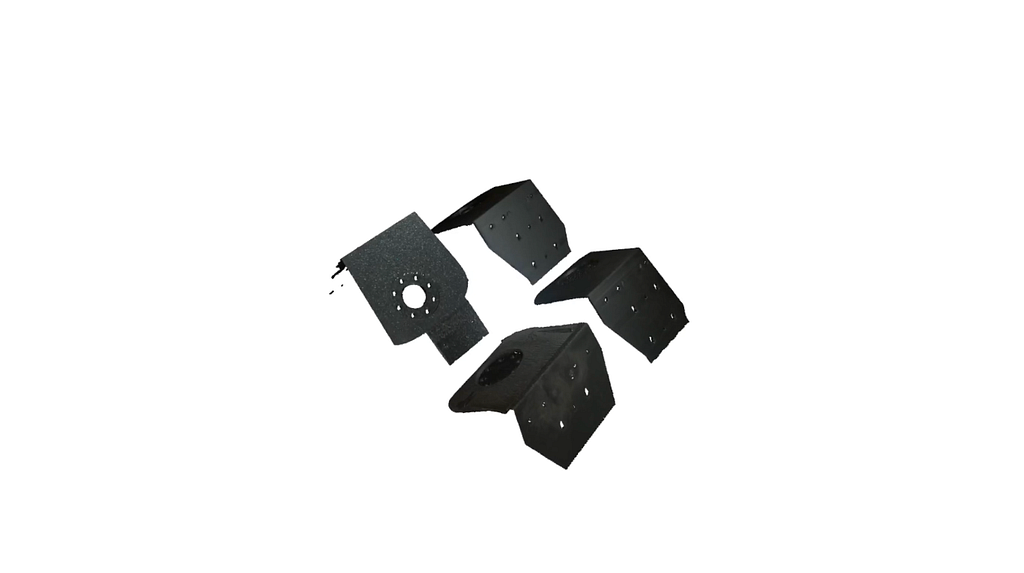
The Problem: You need to delete everything below the conveyor belt or behind a safety shield in a single, high-performance operation.
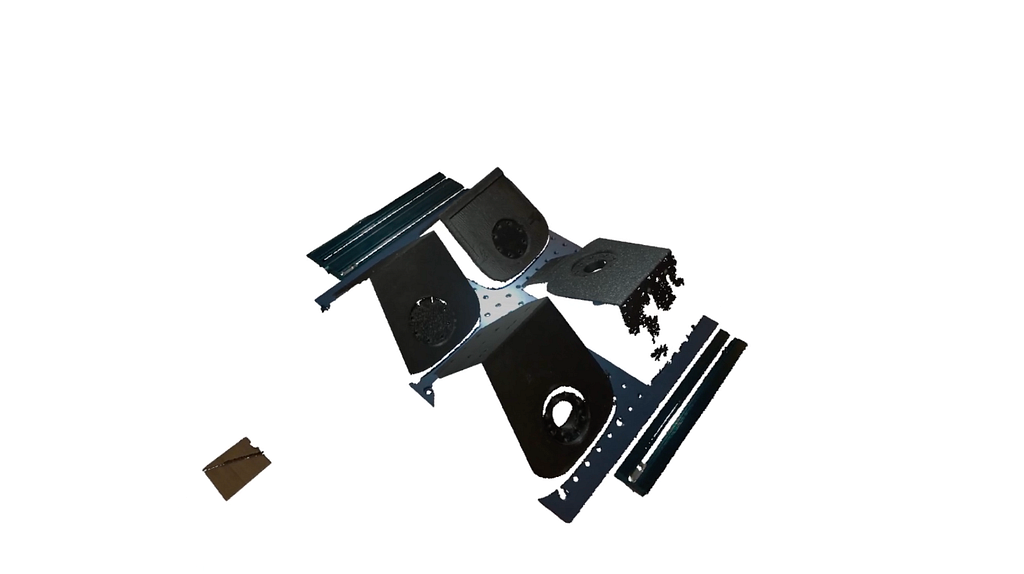
The Solution: Think of this as a “Spatial Guillotine.” It bisects the world into two halves and discards one. It is computationally much lighter than clustering because it relies on a simple dot-product check for every point.
The Code
from telekinesis import vitreous
from datatypes import datatypes, io
import pathlib

# Optional for logging
from loguru import logger

DATA_DIR = pathlib.Path("path/to/telekinesis-data")

# Load point cloud
filepath = str(DATA_DIR / "point_clouds" / "mounts_3_raw.ply")
point_cloud = io.load_point_cloud(filepath=filepath)
logger.success(f"Loaded point cloud with {len(point_cloud.positions)} points")

# Execute operation
filtered_point_cloud = vitreous.filter_point_cloud_using_plane_splitting(
  point_cloud=point_cloud,
  plane_coefficients=[0, 0, 1, -547],
  keep_positive_side=True,
)
logger.success("Filtered points using plane splitting")
The code begins by importing necessary modules for point cloud processing, data handling, and optional logging. Key modules here include vitreous, datatypes, io, pathlib, and loguru.
from telekinesis import vitreous
from datatypes import datatypes, io
import pathlib

# Optional for logging
from loguru import logger
A point cloud is then loaded from a .ply file, and logging is used to verify the number of points, ensuring the dataset is ready for processing.
DATA_DIR = pathlib.Path("path/to/telekinesis-data")

# Load point cloud
filepath = str(DATA_DIR / "point_clouds" / "mounts_3_raw.ply")
point_cloud = io.load_point_cloud(filepath=filepath)
logger.success(f"Loaded point cloud with {len(point_cloud.positions)} points")
The main operation uses the filter_point_cloud_using_plane_splitting Skill. A plane is defined using general plane coefficients, and the Skill retains only the points on the specified side of the plane. This is particularly useful in robotics pipelines for segmenting a workspace, isolating parts of interest, or removing background points from sensor data before downstream perception or manipulation tasks.
# Execute operation
filtered_point_cloud = vitreous.filter_point_cloud_using_plane_splitting(
  point_cloud=point_cloud,
  plane_coefficients=[0, 0, 1, -547],
  keep_positive_side=True,
)
logger.success("Filtered points using plane splitting")
4. Bounding Box (AABB) Filter: Rapid Workspace Cropping and ROI Extraction
Filter reference: Vitreous Documentation Page
The Problem: The “Frustum” of a Zivid or Mech-Mind sensor often captures the ceiling, the floor, and the robot’s own gantry.
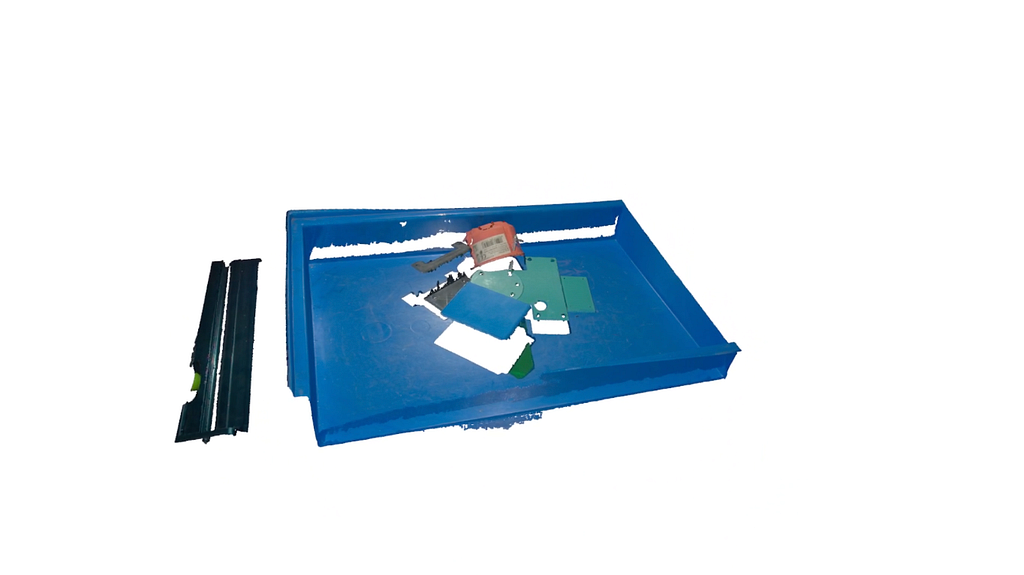
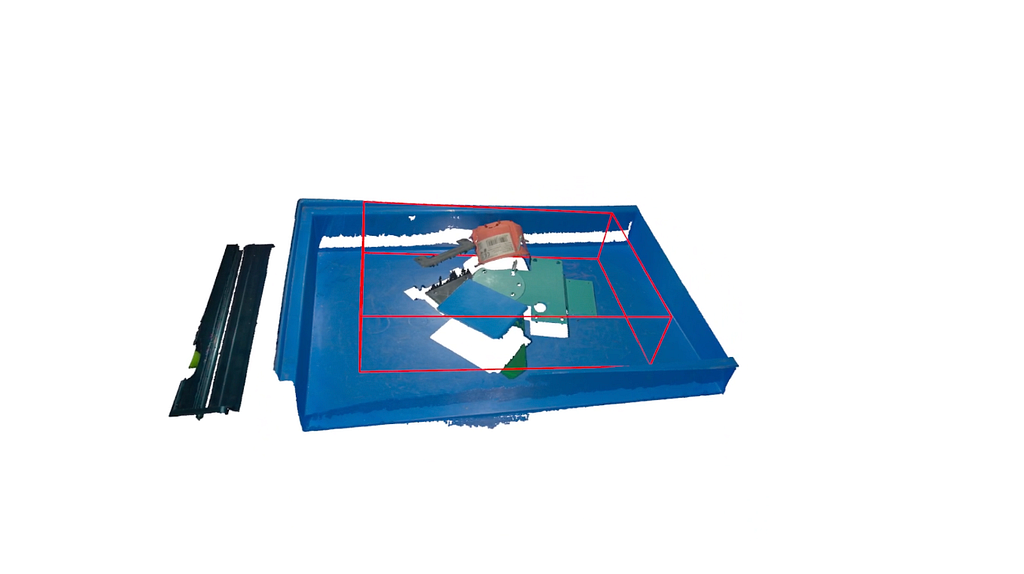
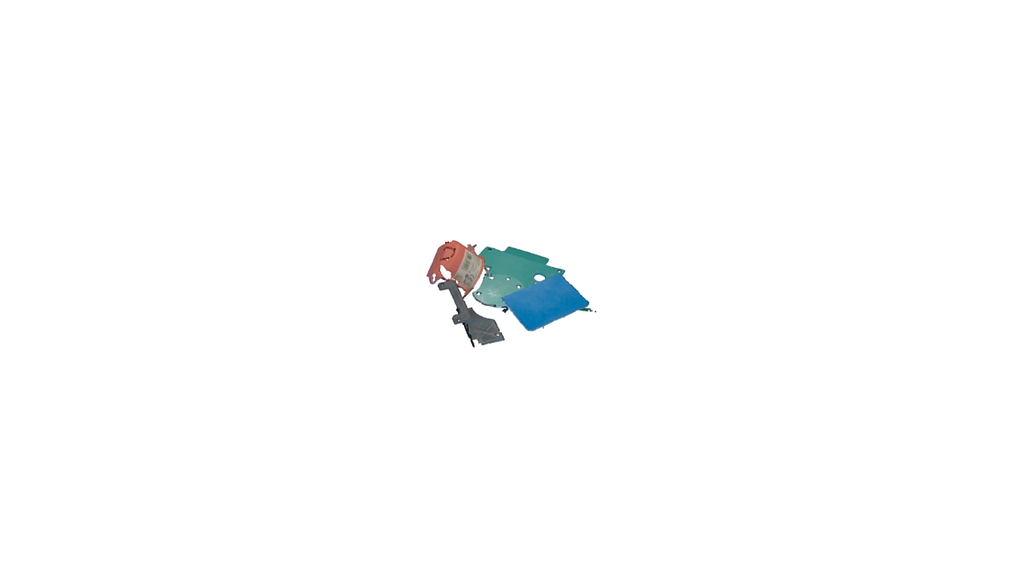
The Solution: The Axis-Aligned Bounding Box (AABB) is the fastest way to crop. It uses min/max XYZ values to create a “safety cube” around your workspace. If a point isn’t in the box, it’s gone before the next line of code runs.
The Code
from telekinesis import vitreous
from datatypes import datatypes, io
import pathlib
import numpy as np

# Optional for logging
from loguru import logger

DATA_DIR = pathlib.Path("path/to/telekinesis-data")

# Load point cloud
filepath = str(DATA_DIR / "point_clouds" / "plastic_2_raw.ply")
point_cloud = io.load_point_cloud(filepath=filepath)
logger.success(f"Loaded point cloud with {len(point_cloud.positions)} points")

# Execute operation
# Create Box
x_min, y_min, z_min, x_max, y_max, z_max = np.array([-163, -100, 470, 150, 100, 544])
center = np.array(
  [[(x_min + x_max) / 2, (y_min + y_max) / 2, (z_min + z_max) / 2]],
  dtype=np.float32,
)
half_size = np.array(
  [[(x_max - x_min) / 2, (y_max - y_min) / 2, (z_max - z_min) / 2]],
  dtype=np.float32,
)
colors = [(255, 0, 0)]
bbox = datatypes.Boxes3D(half_size=half_size, center=center, colors=colors)

# Filter point cloud using bounding box
filtered_point_cloud = vitreous.filter_point_cloud_using_bounding_box(
  point_cloud=point_cloud, bbox=bbox
)

logger.success(
  f"Filtered {len(filtered_point_cloud.positions)} points using bounding box"
)
First, the required modules are imported: vitreous for point cloud operations, datatypes and io for data handling, numpy for numerical calculations, pathlib for file paths, and loguru for optional logging.
from telekinesis import vitreous
from datatypes import datatypes, io
import pathlib
import numpy as np

# Optional for logging
from loguru import logger
Next, a point cloud is loaded from a .ply file. This represents the 3D scene or object to be processed. Logging confirms the number of points loaded, which is useful for verifying that the data is intact.
DATA_DIR = pathlib.Path("path/to/telekinesis-data")

# Load point cloud
filepath = str(DATA_DIR / "point_clouds" / "plastic_2_raw.ply")
point_cloud = io.load_point_cloud(filepath=filepath)
logger.success(f"Loaded point cloud with {len(point_cloud.positions)} points")
Finally, the filter_point_cloud_using_bounding_box Skill is applied. A 3D axis-aligned bounding box (AABB) is created using minimum and maximum coordinates, calculating its center and half-size. This bounding box is then used to extract only the points inside the defined volume. This Skill is particularly useful in robotics pipelines to isolate objects of interest, focus processing on a specific region, or remove irrelevant background points, such as in industrial pick-and-place, inspection, or mobile robotics navigation tasks. Logging confirms how many points remain after filtering.
# Execute operation
# Create Box
x_min, y_min, z_min, x_max, y_max, z_max = np.array([-163, -100, 470, 150, 100, 544])
center = np.array(
  [[(x_min + x_max) / 2, (y_min + y_max) / 2, (z_min + z_max) / 2]],
  dtype=np.float32,
)
half_size = np.array(
  [[(x_max - x_min) / 2, (y_max - y_min) / 2, (z_max - z_min) / 2]],
  dtype=np.float32,
)
colors = [(255, 0, 0)]
bbox = datatypes.Boxes3D(half_size=half_size, center=center, colors=colors)

# Filter point cloud using bounding box
filtered_point_cloud = vitreous.filter_point_cloud_using_bounding_box(
  point_cloud=point_cloud, bbox=bbox
)

logger.success(
  f"Filtered {len(filtered_point_cloud.positions)} points using bounding box"
)
5. Oriented Bounding Box (OBB) Filter: Precision 6DoF Cropping for Rotated Workspaces
Filter reference: Vitreous Documentation Page
The Problem: In the real world, bins aren’t always perfectly aligned with the camera’s axes. A standard box crop on a 45-degree tilted bin will capture useless “triangles” of the floor.
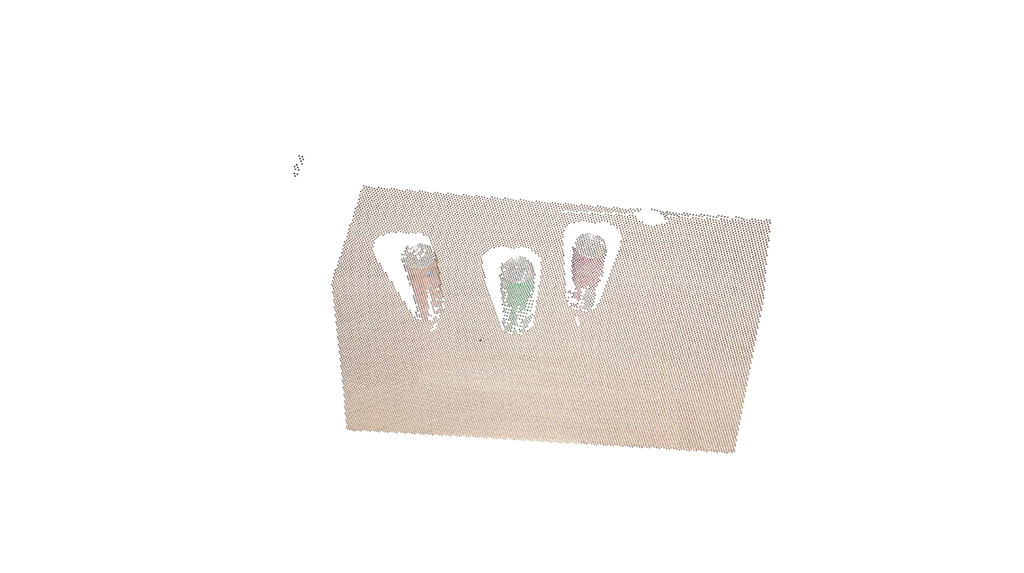
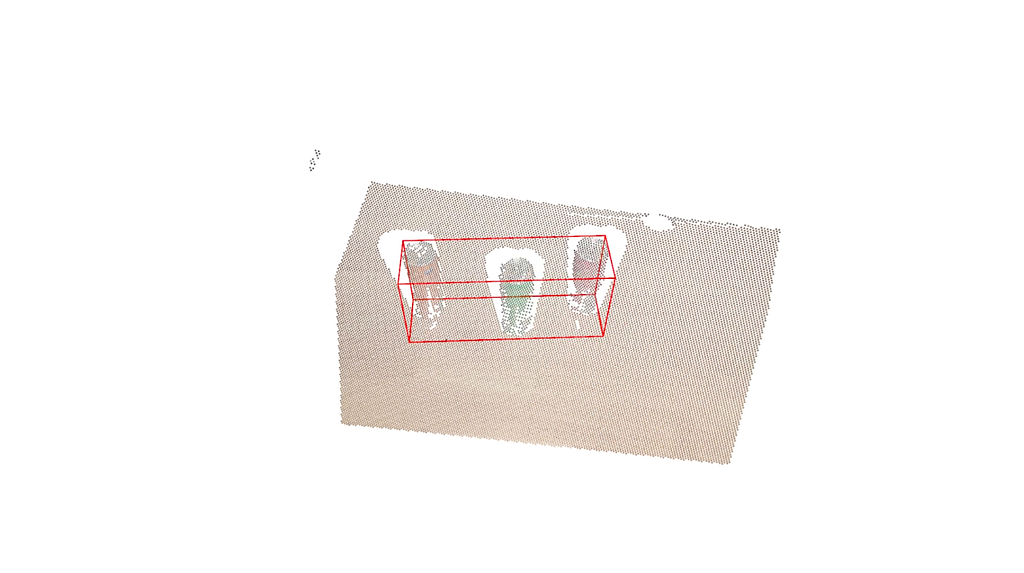
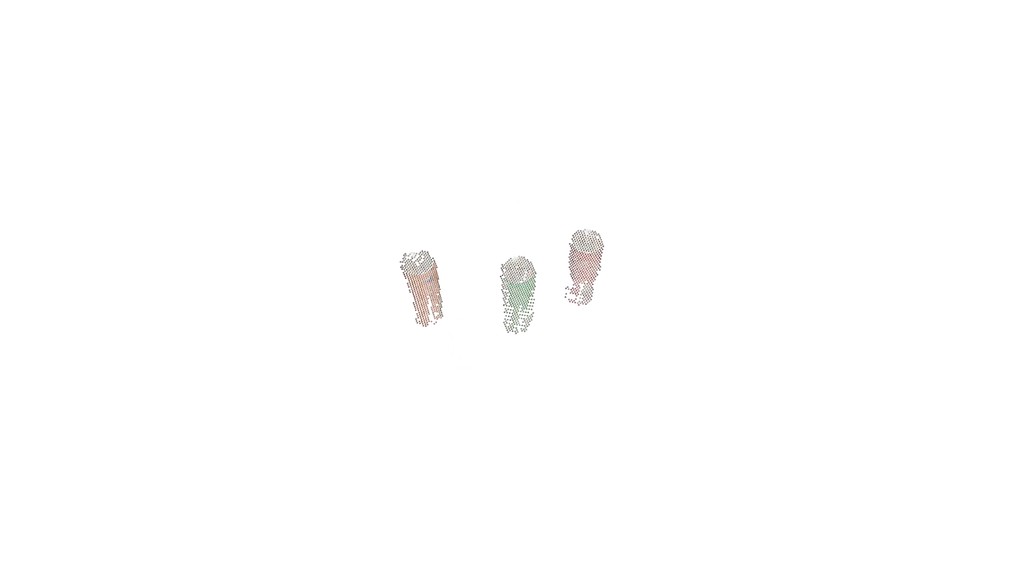
The Solution: The OBB allows you to rotate the crop volume. By aligning the box exactly with the bin’s dimensions and rotation, you ensure that 100% of the remaining points belong to the parts you intend to pick.
The Code
from telekinesis import vitreous
from datatypes import datatypes, io
import pathlib
import numpy as np

# Optional for logging
from loguru import logger

DATA_DIR = pathlib.Path("path/to/telekinesis-data")

# Load point cloud
filepath = str(DATA_DIR / "point_clouds" / "can_vertical_3_downsampled.ply")
point_cloud = io.load_point_cloud(filepath=filepath)
logger.success(f"Loaded point cloud with {len(point_cloud.positions)} points")

# Execute operation
x_min = -205.65248652
y_min = -112.59310319
z_min = 554.42936219
x_max = 121.88022318
y_max = -17.60647882
z_max = 698.54912862
rot_x = -38.1245801
rot_y = -7.89877607
rot_z = -7.74440359

half_size = np.array(
  [[(x_max - x_min) / 2, (y_max - y_min) / 2, (z_max - z_min) / 2]],
  dtype=np.float32,
)
center = np.array(
  [[(x_min + x_max) / 2, (y_min + y_max) / 2, (z_min + z_max) / 2]],
  dtype=np.float32,
)
rotation_in_euler_angles = np.array([[rot_x, rot_y, rot_z]], dtype=np.float32)
oriented_bbox = datatypes.Boxes3D(
  half_size=half_size,
  center=center,
  rotation_in_euler_angles=rotation_in_euler_angles,
)

# Filter point cloud using oriented bounding box
filtered_point_cloud = vitreous.filter_point_cloud_using_oriented_bounding_box(
  point_cloud=point_cloud, oriented_bbox=oriented_bbox
)
logger.success("Filtered points using oriented bounding box")
The example begins by importing the required modules for point cloud manipulation, data handling, numerical operations, and logging. These include vitreous, datatypes, io, numpy, pathlib, and loguru.
from telekinesis import vitreous
from datatypes import datatypes, io
import pathlib
import numpy as np

# Optional for logging
from loguru import logger
Next, a point cloud is loaded from a .ply file. This point cloud represents the 3D geometry of an object or scene and is the input for the filtering operation. Logging is used to confirm the number of points successfully loaded.
DATA_DIR = pathlib.Path("path/to/telekinesis-data")

# Load point cloud
filepath = str(DATA_DIR / "point_clouds" / "can_vertical_3_downsampled.ply")
point_cloud = io.load_point_cloud(filepath=filepath)
logger.success(f"Loaded point cloud with {len(point_cloud.positions)} points")
Finally, the filter_point_cloud_using_oriented_bounding_box Skill is applied. An oriented bounding box is defined by its center, half-size, and rotation in Euler angles. This bounding box can be rotated in 3D space, allowing precise cropping of the point cloud along any orientation. The Skill filters out points outside the oriented box, which is particularly useful in robotics and industrial pipelines for isolating objects in arbitrary poses, performing localized analysis, or preparing data for tasks like registration, pose estimation, and manipulation.
# Execute operation
x_min = -205.65248652
y_min = -112.59310319
z_min = 554.42936219
x_max = 121.88022318
y_max = -17.60647882
z_max = 698.54912862
rot_x = -38.1245801
rot_y = -7.89877607
rot_z = -7.74440359

half_size = np.array(
  [[(x_max - x_min) / 2, (y_max - y_min) / 2, (z_max - z_min) / 2]],
  dtype=np.float32,
)
center = np.array(
  [[(x_min + x_max) / 2, (y_min + y_max) / 2, (z_min + z_max) / 2]],
  dtype=np.float32,
)
rotation_in_euler_angles = np.array([[rot_x, rot_y, rot_z]], dtype=np.float32)
oriented_bbox = datatypes.Boxes3D(
  half_size=half_size,
  center=center,
  rotation_in_euler_angles=rotation_in_euler_angles,
)

# Filter point cloud using oriented bounding box
filtered_point_cloud = vitreous.filter_point_cloud_using_oriented_bounding_box(
  point_cloud=point_cloud, oriented_bbox=oriented_bbox
)
logger.success("Filtered points using oriented bounding box")
Recommended 3D Filtering Pipeline for Robotics
- Pass-Through/AABB: Crop the background to save CPU/GPU cycles.
- Voxel Downsampling: Normalize density for predictable processing time.
- Statistical Outlier Removal (SOR): Clean “snow” and metallic noise.
- Plane Splitting/Proximity: Remove the conveyor or bin floor.
- Oriented Bounding Box (OBB): Isolate the final ROI for 6D pose estimation.
Join the Telekinesis Robotics Community
To learn more about Telekinesis, here are some resources to get started:
Github examples can be obtained here:
GitHub – telekinesis-ai/telekinesis-examples
We’re building a community of developers, researchers, and robotics enthusiasts who want to help grow the Telekinesis Skill Library. If you’re working on robotics, computer vision, or Physical AI and have a Skill you’d like to share or contribute, we’d love to collaborate.
Join the conversation on our Discord community, share ideas, and help shape the future of agentic Physical AI:
Join the Telekinesis Discord Server!
How to Denoise Industrial 3D Point Clouds in Python: 3D Filtering with Vitreous from Telekinesis was originally published in Towards AI on Medium, where people are continuing the conversation by highlighting and responding to this story.
