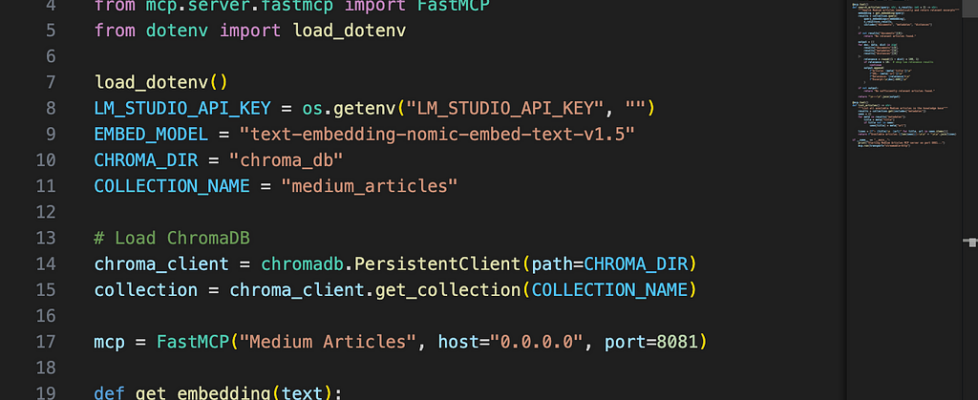
Building a Private Knowledge Base with MCP: How I Made Claude Search My Own Articles

The correct way to use Model Context Protocol — and how I got there by doing it wrong first.
A note on scope: This is an academic and experimental setup — a hands-on way to learn how MCP works with real data sources. It is not intended to replace enterprise-grade RAG platforms like Azure AI Search, AWS Kendra, or Google Vertex AI Search. If you’re building production systems, use the right tools for the job. If you’re here to learn — read on.
The Correction
In my previous article, I exposed a locally hosted LLM as an MCP server so other devices on my network could call it. It worked. But after publishing, I realised I’d used MCP in a way it wasn’t designed for.
MCP (Model Context Protocol) was built so that AI models can connect to external tools and data sources — file systems, databases, APIs, search indexes. The model is the client. The data is the server. I had it backwards — I’d wrapped the model itself as the server.
This article fixes that. Here’s what the correct pattern looks like, built from scratch, running entirely offline.
The Idea
What if Claude could search through all my Medium articles to answer questions — without any of that content ever leaving my machine?
No cloud vector database. No OpenAI embeddings API. No data sent anywhere. Just my articles, a local embedding model, a vector database running on disk, and an MCP server connecting it all to Claude Desktop.
The Stack
- Medium RSS feed — data source for my articles
- nomic-embed-text — a local embedding model running in LM Studio (~270MB)
- ChromaDB — a lightweight vector database that runs entirely on disk
- FastMCP — Python library for building MCP servers
- Claude Desktop — the MCP client (on both Mac and Windows)
- The same Apple M4 Mac with 16GB RAM from the previous article as the server
The architecture this time is correct:
Your question
      │
      ▼
Claude Desktop (MCP client)
      │  calls search_articles tool autonomously
      ▼
MCP Server (FastMCP, port 8081)
      │
      ├──► ChromaDB (semantic search)
      │         │
      │         ▼
      │    nomic-embed-text (local embeddings)
      │
      └──► Returns relevant article chunks
            │
            ▼
      Claude answers with citations
Everything to the right of Claude Desktop runs locally on the Mac. Nothing leaves the network.
What is RAG?
Before diving in, a quick explanation of what we’re building.
RAG stands for Retrieval Augmented Generation. Instead of asking an LLM to answer from its training data alone, you first retrieve relevant context from your own data source, then pass that context to the LLM along with the question. The model answers based on what you gave it, not just what it was trained on.
The classic cloud implementation uses a managed vector database (Azure AI Search, Pinecone, Weaviate) and a hosted embedding model (OpenAI, Cohere). We’re replacing all of that with local equivalents — nomic-embed-text for embeddings and ChromaDB for storage.
Step 1: Scraping the Articles
Medium doesn’t provide a bulk export, but every profile has an RSS feed. I used that to pull my 10 most recent articles with their full content.
import requests
from bs4 import BeautifulSoup
import json
import os

MEDIUM_USERNAME = "sumansaha15"
OUTPUT_DIR = "articles"
os.makedirs(OUTPUT_DIR, exist_ok=True)
def get_articles(username):
    rss_url = f"https://medium.com/feed/@{username}"
    response = requests.get(rss_url, timeout=30)
    soup = BeautifulSoup(response.content, "xml")
    items = soup.find_all("item")
    articles = []
    for item in items:
        url = item.find("link").text if item.find("link") else None
        title = item.find("title").text if item.find("title") else None
        encoded = item.find("content:encoded") or item.find("encoded")
        if url and title and encoded:
            content_soup = BeautifulSoup(encoded.text, "html.parser")
            content_parts = []
            for tag in content_soup.find_all(["p", "h1", "h2", "h3", "h4", "li"]):
                text = tag.get_text(strip=True)
                if text and len(text) > 20:
                    content_parts.append(text)
            content = "nn".join(content_parts)
            if content:
                articles.append({"url": url, "title": title, "content": content})
    return articles
def main():
    print(f"Fetching articles for @{MEDIUM_USERNAME}...")
    articles = get_articles(MEDIUM_USERNAME)
    print(f"Found {len(articles)} articles")
    output_path = os.path.join(OUTPUT_DIR, "articles.json")
    with open(output_path, "w") as f:
        json.dump(articles, f, indent=2)
    print(f"Saved to {output_path}")
if __name__ == "__main__":
    main()
Gotcha #1 — RSS only returns 10 articles. Medium’s RSS feed is paginated to the 10 most recent stories. If you have more, the older ones won’t appear. For a full knowledge base you’d need to supplement with manual URLs or a sitemap scrape. For this experiment, 10 was enough to validate the pipeline.
Step 2: Embedding and Storing in ChromaDB
This is the one-time setup step. Each article gets split into overlapping chunks of ~500 words, each chunk gets embedded by nomic-embed-text, and the embeddings are stored persistently in ChromaDB on disk.
First, install the dependencies:
python3 -m venv .venv
.venv/bin/pip install httpx "mcp[cli]" chromadb beautifulsoup4 requests lxml python-dotenv
Then download nomic-embed-text in LM Studio’s Discover tab (~270MB). Load it alongside your main chat model — LM Studio supports multiple models simultaneously.
Create embed_articles.py:
import json
import os
import httpx
import chromadb
from dotenv import load_dotenv

load_dotenv()
LM_STUDIO_API_KEY = os.getenv("LM_STUDIO_API_KEY", "")
ARTICLES_PATH = "articles/articles.json"
CHROMA_DIR = "chroma_db"
COLLECTION_NAME = "medium_articles"
EMBED_MODEL = "text-embedding-nomic-embed-text-v1.5"
CHUNK_SIZE = 500
CHUNK_OVERLAP = 50
def chunk_text(text, chunk_size=CHUNK_SIZE, overlap=CHUNK_OVERLAP):
    words = text.split()
    chunks = []
    start = 0
    while start < len(words):
        end = start + chunk_size
        chunk = " ".join(words[start:end])
        chunks.append(chunk)
        start += chunk_size - overlap
    return chunks
def get_embedding(text):
    response = httpx.post(
        "http://localhost:1234/v1/embeddings",
        headers={"Authorization": f"Bearer {LM_STUDIO_API_KEY}"},
        json={"model": EMBED_MODEL, "input": text},
        timeout=30
    )
    data = response.json()
    if "data" not in data:
        raise ValueError(f"Embedding error: {data}")
    return data["data"][0]["embedding"]
def main():
    with open(ARTICLES_PATH) as f:
        articles = json.load(f)
    print(f"Loaded {len(articles)} articles")
    client = chromadb.PersistentClient(path=CHROMA_DIR)
    try:
        client.delete_collection(COLLECTION_NAME)
        print("Cleared existing collection")
    except:
        pass
    collection = client.create_collection(COLLECTION_NAME)
    total_chunks = 0
    for i, article in enumerate(articles):
        print(f"[{i+1}/{len(articles)}] {article['title']}")
        chunks = chunk_text(article["content"])
        print(f"  {len(chunks)} chunks", end="", flush=True)
        for j, chunk in enumerate(chunks):
            embedding = get_embedding(chunk)
            collection.add(
                ids=[f"{i}_{j}"],
                embeddings=[embedding],
                documents=[chunk],
                metadatas=[{
                    "title": article["title"],
                    "url": article["url"],
                    "chunk_index": j
                }]
            )
            print(".", end="", flush=True)
        total_chunks += len(chunks)
        print(" ✓")
    print(f"nDone! Embedded {total_chunks} chunks from {len(articles)} articles")
if __name__ == "__main__":
    main()
Run it:
.venv/bin/python3 embed_articles.py
On my M4 Mac, this completed in about 2 minutes for 10 articles and 28 chunks. The chroma_db/ folder is now your persistent local vector database.
Step 3: Building the MCP Server
This is where MCP comes in. Instead of building a REST API or a custom client, we expose the ChromaDB search as an MCP tool. Any MCP-compatible client — Claude Desktop, Cursor, Continue.dev — can then call it.
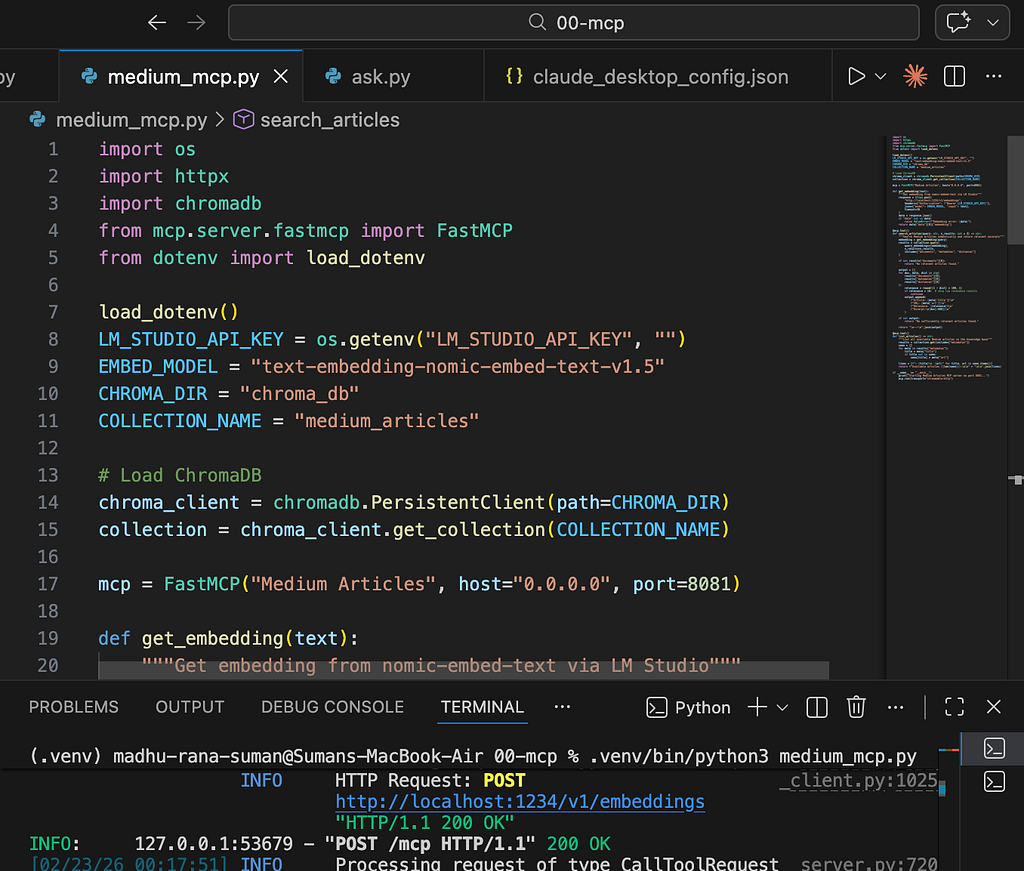
Create medium_mcp.py:
import os
import httpx
import chromadb
from mcp.server.fastmcp import FastMCP
from dotenv import load_dotenv

load_dotenv()
LM_STUDIO_API_KEY = os.getenv("LM_STUDIO_API_KEY", "")
EMBED_MODEL = "text-embedding-nomic-embed-text-v1.5"
CHROMA_DIR = "chroma_db"
COLLECTION_NAME = "medium_articles"
chroma_client = chromadb.PersistentClient(path=CHROMA_DIR)
collection = chroma_client.get_collection(COLLECTION_NAME)
mcp = FastMCP("Medium Articles", host="0.0.0.0", port=8081)
def get_embedding(text):
    response = httpx.post(
        "http://localhost:1234/v1/embeddings",
        headers={"Authorization": f"Bearer {LM_STUDIO_API_KEY}"},
        json={"model": EMBED_MODEL, "input": text},
        timeout=30
    )
    data = response.json()
    if "data" not in data:
        raise ValueError(f"Embedding error: {data}")
    return data["data"][0]["embedding"]
@mcp.tool()
def search_articles(query: str, n_results: int = 3) -> str:
    """Search Medium articles semantically and return relevant excerpts"""
    embedding = get_embedding(query)
    results = collection.query(
        query_embeddings=[embedding],
        n_results=n_results,
        include=["documents", "metadatas", "distances"]
    )
    if not results["documents"][0]:
        return "No relevant articles found."
    output = []
    for doc, meta, dist in zip(
        results["documents"][0],
        results["metadatas"][0],
        results["distances"][0]
    ):
        relevance = round((1 - dist) * 100, 1)
        if relevance < 10:
            continue
        output.append(
            f"Article: {meta['title']}n"
            f"URL: {meta['url']}n"
            f"Relevance: {relevance}%n"
            f"Excerpt:n{doc[:600]}n"
        )
    return "n---n".join(output) if output else "No sufficiently relevant articles found."
@mcp.tool()
def list_articles() -> str:
    """List all available Medium articles in the knowledge base"""
    results = collection.get(include=["metadatas"])
    seen = {}
    for meta in results["metadatas"]:
        title = meta["title"]
        if title not in seen:
            seen[title] = meta["url"]
    lines = [f"- {title}n  {url}" for title, url in seen.items()]
    return f"Available articles ({len(seen)}):nn" + "nn".join(lines)
if __name__ == "__main__":
    print("Starting Medium Articles MCP server on port 8081...")
    mcp.run(transport="streamable-http")
Run it:
.venv/bin/python3 medium_mcp.py
Starting Medium Articles MCP server on port 8081...
INFO:     Uvicorn running on http://0.0.0.0:8081
The Wrong Turn I Took (and What I Learned)
Before getting to Claude Desktop, I tried to wire everything up in a Python script called ask.py — manually calling the MCP server’s HTTP endpoint, retrieving context, injecting it into a prompt, and calling LM Studio directly.
It worked. But I hit a HTTP 406 error trying to call the MCP server from plain Python, which forced me to bypass it and query ChromaDB directly instead.
That’s when I realised: ask.py was me manually reimplementing what a proper MCP client does automatically. I was orchestrating the retrieval and prompt injection in code — which is fine, but it has nothing to do with MCP. MCP’s value is that the client decides when to call the tool, not the developer.
The right approach was to use an actual MCP client and let it handle the orchestration.
Step 4: Connecting Claude Desktop
Claude Desktop supports MCP servers natively. On Mac, edit:
~/Library/Application Support/Claude/claude_desktop_config.json
On Windows:
%APPDATA%Claudeclaude_desktop_config.json
Add:
{
  "mcpServers": {
    "medium-articles": {
      "command": "npx",
      "args": [
        "mcp-remote",
        "http://localhost:8081/mcp"
      ]
    }
  }
}
For Windows connecting to a Mac on the same network, replace localhost with the Mac’s local IP:
{
  "mcpServers": {
    "medium-articles": {
      "command": "npx",
      "args": [
        "mcp-remote",
        "http://192.168.0.39:8081/mcp"
      ]
    }
  }
}
Fully quit and restart Claude Desktop. You should see the medium-articles server listed in Developer Settings.
Gotchas I Hit Along the Way
1. Relevance thresholding matters
Without a minimum relevance threshold, ChromaDB always returns n_results regardless of quality. A query about “Azure API Management” returned an MCP article at 4.1% relevance because it mentioned HTTP. Adding a 10% threshold cleaned this up immediately — only genuinely relevant results come through.
2. Chunking affects answer quality
For longer articles, key recommendations sometimes ended up in different chunks that weren’t retrieved together. Increasing n_results from 3 to 5 improved coverage significantly for complex questions.
3. Claude Desktop on Windows needed Node.js
mcp-remote runs via npx, which requires Node.js. Claude Desktop on Windows silently failed to recognise the MCP server because npx wasn’t on the PATH it uses. A clean reinstall of both Node.js and Claude Desktop fixed it. If your MCP server doesn’t appear in Developer Settings on Windows, check Node.js first.
4. The RSS feed only returns 10 articles
Medium’s RSS feed is capped at the 10 most recent stories. My APIM best practices article — my most-read piece — wasn’t in the knowledge base because it was published earlier. When I asked about APIM security, Claude correctly said it couldn’t find relevant content rather than hallucinating. That’s good behaviour, but the limitation is worth knowing upfront.
The Result
After connecting Claude Desktop, I asked:
“What has Suman written about Azure security?”
Claude autonomously called search_articles three times, retrieved relevant chunks from ChromaDB on my Mac, and responded:
Suman has written at least two articles on Azure security:
- Secure Azure VM Access: How We Eliminated Public IPs with Bastion and Entra ID — covers using Azure Bastion combined with Entra ID to eliminate public IPs, enable SSO for admins…
- How to Assign Managed Identity to Azure App Gateway and Access Certificates from Key Vault via RBAC — focuses on a nuance with Azure Application Gateway…
I didn’t write any orchestration code. I didn’t inject any context manually. Claude decided when to search, what to search for, and how to use the results. That’s MCP working as designed.
What’s Actually Happening
You ask Claude a question
         │
         ▼
Claude decides to call search_articles("Azure security")
         │
         ▼  [MCP protocol over HTTP]
medium_mcp.py receives the tool call
         │
         ├──► get_embedding("Azure security")
         │         │
         │         ▼
         │    nomic-embed-text (LM Studio, localhost:1234)
         │    returns a 768-dimension vector
         │
         ├──► ChromaDB.query(embedding)
         │    finds nearest vectors in chroma_db/
         │    returns matching chunks + metadata
         │
         └──► Formats results with relevance scores
                   │
                   ▼  [MCP response]
Claude receives the context
         │
         ▼
Claude answers with citations
The retrieval pipeline — embedding, search, chunk retrieval — runs entirely on your Mac. Claude Desktop sends the query and receives text back. No article content, no embeddings, no personal data leaves your machine.
Why This Matters
The combination of MCP and local embeddings gives you something genuinely useful:
- Private knowledge base — your notes, articles, documents, emails, code — searchable by AI without leaving your network
- No ongoing costs — once set up, embeddings and search are free
- MCP compatibility — any MCP client can connect, not just Claude Desktop
- Extensible — swap ChromaDB for a larger vector store, add more data sources, connect multiple MCP servers
The same pattern scales. Point it at a folder of markdown notes, a local database, a set of PDFs, or an email archive. The MCP server stays the same — only the data source changes.
Final Thoughts
The previous article exposed a local LLM as an MCP server. This one uses MCP the way it was intended — as a bridge between an AI client and a private data source. The difference matters architecturally, even if both approaches produce working systems.
To be clear about what this is: an experiment, a learning exercise, a proof of concept. It won’t replace enterprise RAG platforms that offer managed infrastructure, security controls, scalability, and support. But it will teach you exactly how those systems work under the hood — and that understanding is genuinely valuable regardless of what you build next.
The full pipeline — scraping, embedding, MCP server, Claude Desktop config — is about 120 lines of Python. Sometimes the clearest way to understand a technology is to build the smallest possible version of it.
This is Part 2 of a series on local AI deployment. Part 1 covers hosting a local LLM as a network-accessible MCP server.
Building a Private Knowledge Base with MCP: How I Made Claude Search My Own Articles was originally published in Towards AI on Medium, where people are continuing the conversation by highlighting and responding to this story.
