Understanding Transfer Learning for Deep Learning

Transfer learning is a powerful technique used in Deep Learning. By harnessing the ability to reuse existing models and their knowledge of new problems, transfer learning has opened doors to training deep neural networks even with limited data. This breakthrough is especially significant in data science, where practical scenarios often need more labeled data. In this article, we delve into the depths of transfer learning, unraveling its concepts and exploring its applications in empowering data scientists to tackle complex challenges with newfound efficiency and effectiveness. Also, in this article you will also get to learn about transfer learning examples, CNN transfer learning topics.
TABLE OF CONTENT

What Is Transfer Learning?
How Transfer Learning Works?
Why Should You Use Transfer Learning?
Steps to Use Transfer Learning
Training a Model to Reuse it
Using a Pre Trained Model
Extraction of Features
Extraction of Features in Neural Networks
Models That Have Been Pre-Trained
Code Implementation of Transfer Learning with Python
Uploading Data via Kaggle API
Designing Our CNN Model with Help of Pre–Trained Model
Image Augmentation( For Preventing the Issue of Overfitting)
Training Our Model
Making Predictions
Conclusion
What Is Transfer Learning?
Transfer learning in machine learning refers to reusing a pre-trained model on a new problem. A machine uses the knowledge learned from a prior assignment to increase prediction about a new task in transfer learning. You could, for example, use the information gained during training to distinguish beverages when training a classifier to predict whether an image contains cuisine.
During transfer learning, a trained machine learning model transfers its knowledge to a different but closely linked problem to improve performance. For example, if you trained a simple classifier to predict whether an image contains a backpack, you could use the model’s training knowledge to identify other objects such as sunglasses.
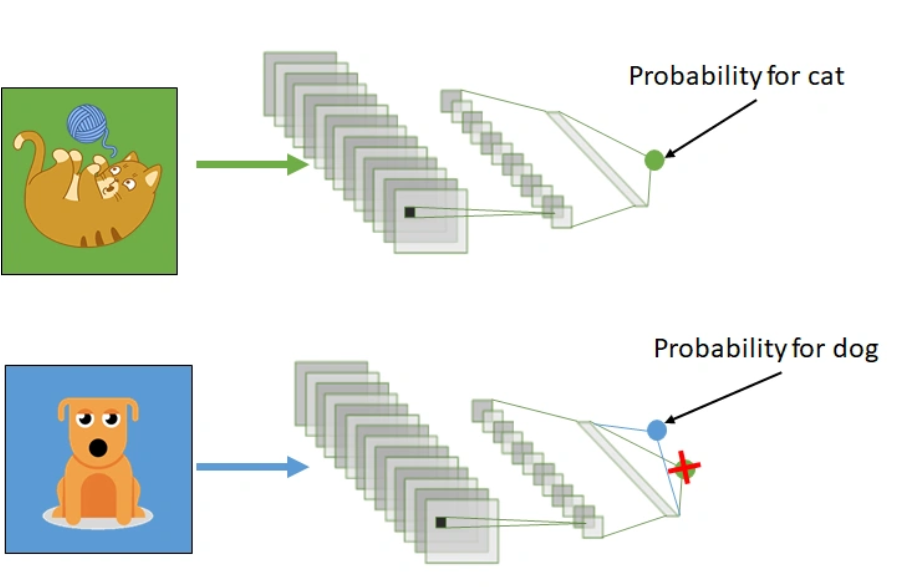
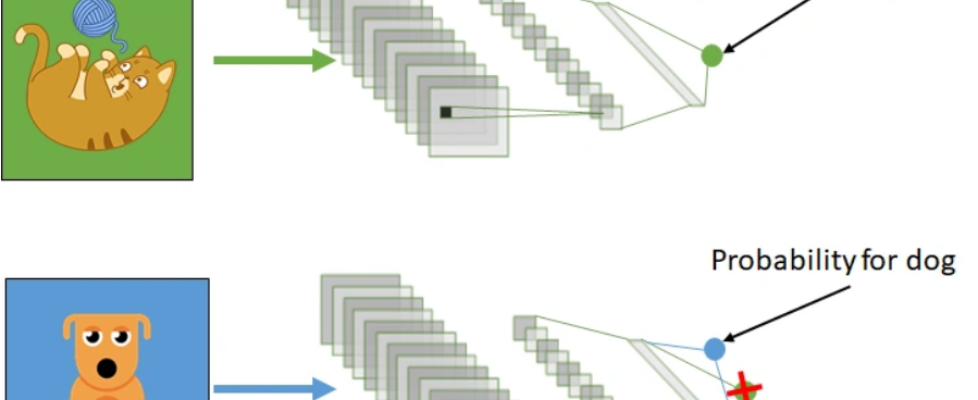
Transfer learning involves using knowledge gained from one task to enhance understanding in another. It automatically shifts weights from a network that performed task B to a network performing task A.
Due to the substantial CPU power demand, practitioners typically apply transfer learning in tasks such as computer vision and natural language processing, such as sentiment analysis.
How Transfer Learning Works?
In computer vision, neural networks typically aim to detect edges in the first layer, forms in the middle layer, and task-specific features in the latter layers.
In transfer learning in CNN, we utilize the early and central layers, while only retraining the latter layers. The model leverages labeled data from its original training task.
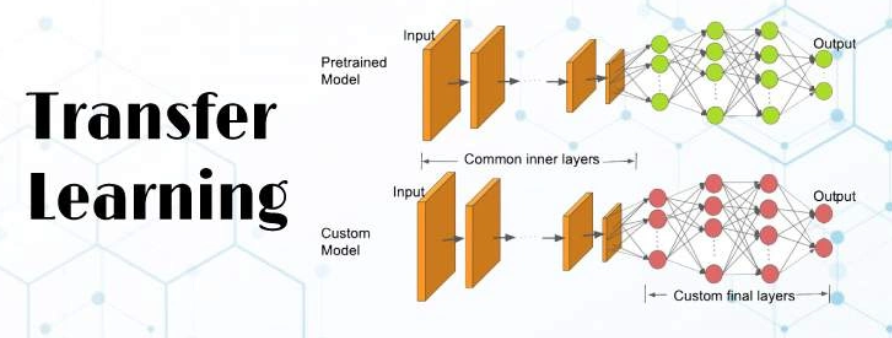
In our example, if a model originally trained to identify backpacks in images now needs to detect sunglasses, it uses its prior learning. Retraining the upper layers allows the model to distinguish sunglasses from other objects using recognized features.
Why Should You Use Transfer Learning?
Transfer learning provides several advantages, including decreased training time, enhanced neural network performance (in many cases), and the ability to work effectively with limited data.
Training a neural model from the ground up usually requires substantial data, which may not always be available. Transfer learning in CNN addresses this challenge effectively.
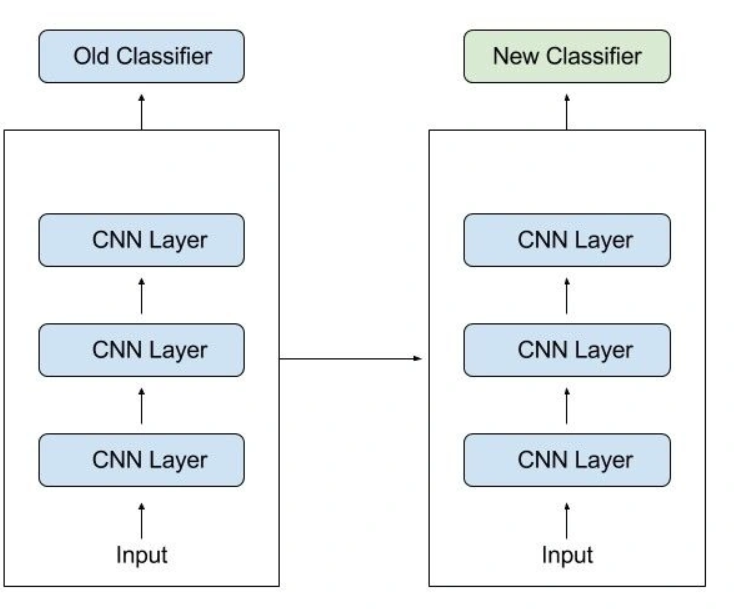
Transfer learning in CNN leverages pre-trained models to achieve strong performance with limited training data, crucial in fields like natural language processing with vast labeled datasets. It reduces training time significantly compared to building complex models from scratch, which can take days or weeks.
Steps to Use Transfer Learning
When annotated data is insufficient for training, leveraging a pre-trained model from TensorFlow trained on similar tasks is beneficial. Restoring the model and retraining specific layers allows adaptation to your task. Transfer learning in deep learning relies on general features learned in the initial task, applicable to new tasks. Ensure the model’s input size matches the original training conditions for effective transfer.
If you don’t have it, add a step to resize your input to the required size:
Training a Model to Reuse it
If you lack data for training Task A with a deep neural network, consider finding a related Task B with ample data. Train your deep neural network on Task B and transfer the learned model to solve Task A. Depending on your problem, you may use the entire model or specific layers. For consistent inputs, you can reuse the model for predictions. Alternatively, adjust and retrain task-specific layers and the output layer as needed.
Using a Pre Trained Model
The second option is to employ a model that has already been trained. There are a number of these models out there, so do some research beforehand. You determine the number of layers to reuse and retrain based on the task.
Keras consists of nine pre-trained models used in transfer learning, prediction, fine-tuning. You can find these models and some quick lessons on how to utilize them here. Many research institutions also make trained models accessible.
The most popular application of this form of transfer learning is deep learning.
Extraction of Features
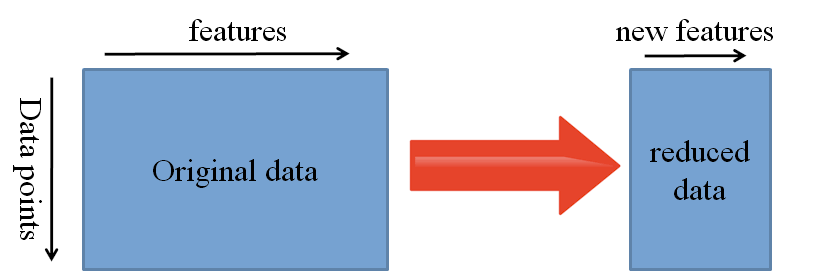
Extraction of Features in Neural Networks
Neural networks can learn which features are important and which are not. For complex tasks that require much human effort, a representation learning algorithm can quickly find a good combination of features.
The learned representation can then apply to a variety of other challenges.
Use the initial layers for feature representation, excluding the network’s task-specific output. Instead, pass data through an intermediate layer to interpret raw data as its representation. This approach is popular in computer vision for dataset reduction and efficiency with traditional algorithms.
Models That Have Been Pre-Trained
One of the popular pre-trained machine learning models available is the Inception-v3 model, developed for the ImageNet “Large Visual Recognition Challenge.” Participants in this challenge had to categorize pictures into 1,000 subcategories such as “zebra,” “Dalmatian,” and “dishwasher.”
Code Implementation of Transfer Learning with Python
Importing Libraries
import tensorflow as tf
import pandas as pd
import matplotlib.pyplot as plt
from tensorflow.keras import Model
from tensorflow.keras.layers import Conv2D, Dense, MaxPooling2D, Dropout, Flatten,GlobalAveragePooling2D
from tensorflow.keras.models import Sequential
from tensorflow.keras.preprocessing.image import ImageDataGenerator
from tensorflow.keras.callbacks import ReduceLROnPlateau
from tensorflow.keras.layers import Input, Lambda, Dense, Flatten
from tensorflow.keras.models import Model
from tensorflow.keras.applications.inception_v3 import InceptionV3
from tensorflow.keras.applications.inception_v3 import preprocess_input
from tensorflow.keras.preprocessing import image
from tensorflow.keras.preprocessing.image import ImageDataGenerator,load_img
from tensorflow.keras.models import Sequential
import numpy as np
from glob import glob
Uploading Data via Kaggle API
from google.colab import files
files.upload()
Saving kaggle.json to kaggle.json
!mkdir -p ~/.kaggle
!cp kaggle.json ~/.kaggle/
!chmod 600 ~/.kaggle/kaggle.json
!kaggle datasets download -d mohamedhanyyy/chest-ctscan-images #downloading data from kaggle API of Dataset
from zipfile import ZipFile
file_name = "chest-ctscan-images.zip"
with ZipFile(file_name,'r') as zip:
  zip.extractall()
  print('Done')
Designing Our CNN Model with Help of Pre–Trained Model
InceptionV3_model = tf.keras.applications.InceptionV3(weights='imagenet', include_top=False, input_shape=(224, 224, 3))
from tensorflow.keras import Model
from tensorflow.keras.layers import Conv2D, Dense, MaxPooling2D, Dropout, Flatten,GlobalAveragePooling2D
from tensorflow.keras.models import Sequential
# The last 15 layers fine tune
for layer in InceptionV3_model.layers[:-15]:
    layer.trainable = False
x = InceptionV3_model.output
x = GlobalAveragePooling2D()(x)
x = Flatten()(x)
x = Dense(units=512, activation='relu')(x)
x = Dropout(0.3)(x)
x = Dense(units=512, activation='relu')(x)
x = Dropout(0.3)(x)
output  = Dense(units=4, activation='softmax')(x)
model = Model(InceptionV3_model.input, output)
model.summary()
Image Augmentation( For Preventing the Issue of Overfitting)
# Use the Image Data Generator to import the images from the dataset
from tensorflow.keras.preprocessing.image import ImageDataGenerator
train_datagen = ImageDataGenerator(rescale = 1./255,
                                   shear_range = 0.2,
                                   zoom_range = 0.2,
                                   horizontal_flip = True)
test_datagen = ImageDataGenerator(rescale = 1./255)
#no flip and zoom for test datase
# Make sure you provide the same target size as initialied for the image size
training_set = train_datagen.flow_from_directory('/content/Data/train',
                                                 target_size = (224, 224),
                                                 batch_size = 32,
                                                 class_mode = 'categorical')
Training Our Model
# fit the model
# Run the cell. It will take some time to execute
r = model.fit_generator(
  training_set,
  validation_data=test_set,
  epochs=8,
  steps_per_epoch=len(training_set),
  validation_steps=len(test_set)
)
# plot the loss
plt.plot(r.history['loss'], label='train loss')
plt.plot(r.history['val_loss'], label='val loss')
plt.legend()
plt.show()
plt.savefig('LossVal_loss')
# plot the accuracy
plt.plot(r.history['accuracy'], label='train acc')
plt.plot(r.history['val_accuracy'], label='val acc')
plt.legend()
plt.show()
plt.savefig('AccVal_acc')
Making Predictions
import numpy as np
y_pred = np.argmax(y_pred, axis=1)
y_pred
The above code executes and shows the respective output for classification using transfer learning in deep learning below the embedded notebook.
Conclusion
In conclusion, understanding transfer learning is crucial for data scientists venturing into deep learning. It equips them to leverage pre-trained models and extract valuable knowledge from existing data, enabling them to solve complex problems with limited resources.
Hope you like the article and get understanding about the transfer learning, with transfer learning example, CNN transfer learning and transfer learning in machine learning.
