The Hidden Mathematics Behind a Speaking 3D AI Avatar in Three.js

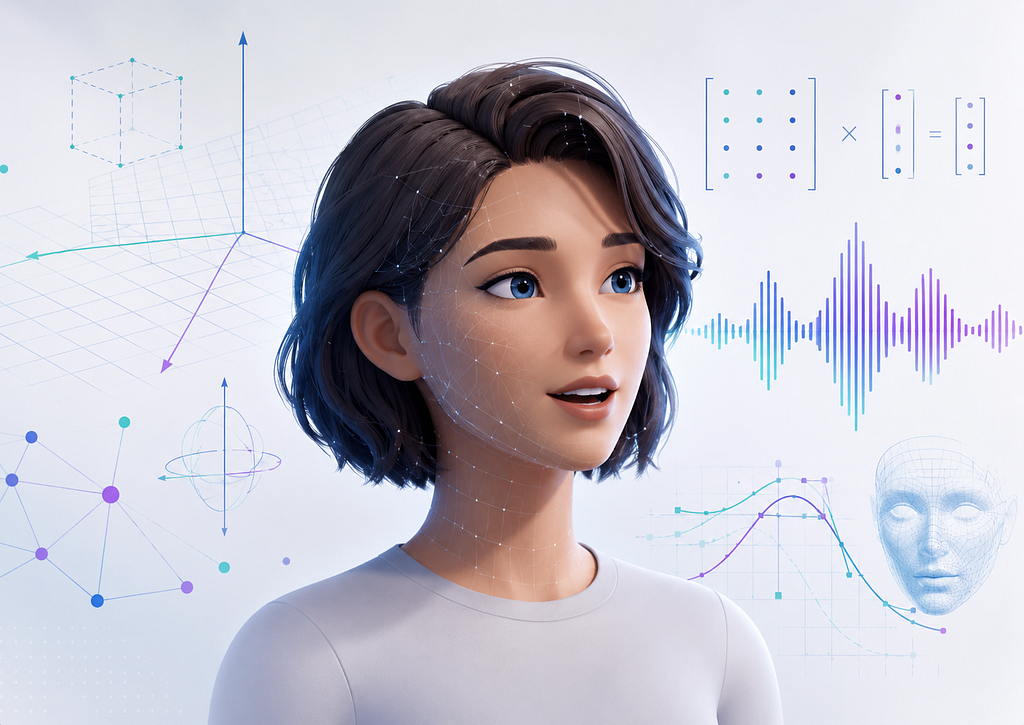
When users see a 3D avatar speaking inside a browser, the experience feels simple: the avatar listens, responds, moves its face, blinks, gestures, and maintains eye contact.
But under the hood, a serious amount of mathematics is working continuously.
A Three.js-based avatar is not just a 3D model rendered on a canvas. It is a real-time mathematical system. Every frame involves geometry, linear algebra, interpolation, rotations, projections, animation blending, audio signal analysis, probability, and timing synchronization.
In this article, I will explain the advanced mathematical and statistical concepts involved in building a 3D avatar for a conversational AI web app — especially one that can speak, animate, react to context, and deliver a more human-like user experience.
The use case I am considering is a Next.js and Three.js based healthtech conversational AI platform where users interact with a 3D avatar through chat and audio. The avatar can speak, perform facial expressions, lip-sync responses, use gestures, and animate based on the emotional or contextual meaning of the conversation.
1. The 3D Avatar Is Built on Coordinate Geometry
Every 3D avatar begins with points in space.
A vertex of a 3D model can be represented as:
v = [x, y, z]
For example, a point on the avatar’s nose might be:
v = [0.02, 1.64, 0.11]
Here:
x = horizontal position
y = vertical position
z = depth
A complete avatar mesh may contain thousands of such vertices. The face, eyes, lips, shoulders, hands, hair, and clothing are all represented using 3D coordinates.
In Three.js, every object exists inside a 3D coordinate system. To render a model, Three.js must know where every object is located relative to:
1. The model’s local coordinate system
2. The world coordinate system
3. The camera coordinate system
4. The final 2D screen coordinate system
This transformation pipeline is one of the most important mathematical foundations of 3D rendering.
2. Vectors: The Language of Position, Direction, and Motion
A vector represents both magnitude and direction.
In a 3D avatar app, vectors are used for:
Position
Direction
Velocity
Acceleration
Eye gaze
Head orientation
Camera movement
Bone direction
Light direction
Gesture movement
A 3D vector is written as:
v = [x, y, z]
If the avatar’s head is at:
h = [0, 1.6, 0]
and the user’s camera target is at:
t = [0, 1.6, 2]
then the direction from the head to the target is:
d = t — h
So:
d = [0, 1.6, 2] — [0, 1.6, 0]
d = [0, 0, 2]
This direction vector can be normalized:
d_normalized = d / ||d||
where:
||d|| = sqrt(x² + y² + z²)
For [0, 0, 2]:
||d|| = sqrt(⁰² + ⁰² + ²²) = 2
So:
d_normalized = [0, 0, 2] / 2 = [0, 0, 1]
This tells the avatar to look straight forward along the z-axis.
In a conversational avatar, vector math can be used to make the character look toward the user, turn toward a speaker, lean forward, or point toward UI elements.
3. Dot Product: Measuring Where the Avatar Is Looking
The dot product tells us how aligned two directions are.
For two vectors:
a = [a₁, a₂, a₃]
b = [b₁, b₂, b₃]
the dot product is:
a · b = a₁b₁ + a₂b₂ + a₃b₃
It is also related to the angle between the vectors:
a · b = ||a|| ||b|| cos(θ)
If both vectors are normalized:
a · b = cos(θ)
This is useful for checking whether the avatar is looking at the user.
Example:
avatar_forward = [0, 0, 1]
direction_to_user = [0.3, 0, 0.95]
Normalize direction_to_user:
||direction_to_user|| = sqrt(0.³² + ⁰² + 0.9⁵²) = sqrt(0.09 + 0.9025) = sqrt(0.9925) ≈ 0.996
So:
direction_to_user_normalized ≈ [0.301, 0, 0.954]
Now:
avatar_forward · direction_to_user_normalized = [0, 0, 1] · [0.301, 0, 0.954] = 0.954
Since:
cos(θ) = 0.954
θ ≈ 17.4°
This means the avatar is almost looking at the user.
In a real avatar system, this can be used to decide whether the avatar should rotate its eyes, head, or full body.
4. Cross Product: Finding Perpendicular Directions
The cross product produces a vector perpendicular to two other vectors.
For:
a = [a₁, a₂, a₃]
b = [b₁, b₂, b₃]
the cross product is:
a × b = [
a₂b₃ — a₃b₂,
a₃b₁ — a₁b₃,
a₁b₂ — a₂b₁
]
In a 3D avatar, cross products are used for:
Finding surface normals
Calculating rotation axes
Camera orientation
Lighting
Bone alignment
Gesture direction
For example, if the avatar needs to rotate from its current facing direction to the user’s direction, the cross product can provide the axis of rotation.
rotation_axis = current_forward × target_direction
This is especially useful when building natural head-turning behavior.
5. Matrices: Moving the Avatar Through Space
In 3D graphics, matrices are used to transform objects.
The most common transformations are:
Translation: moving an object
Rotation: turning an object
Scaling: resizing an object
Projection: converting 3D into 2D screen space
A 3D point is often represented using homogeneous coordinates:
v = [x, y, z, 1]
A transformation matrix is usually a 4×4 matrix:
M = [
[m₁₁, m₁₂, m₁₃, m₁₄],
[m₂₁, m₂₂, m₂₃, m₂₄],
[m₃₁, m₃₂, m₃₃, m₃₄],
[m₄₁, m₄₂, m₄₃, m₄₄]
]
The transformed point is:
v’ = Mv
In a Three.js scene, an avatar’s final position may be calculated using:
Final Transform = Projection Matrix × View Matrix × Model Matrix × Vertex
This is usually called the MVP pipeline:
clip_position = P × V × M × vertex
where:
M = Model matrix
V = View matrix
P = Projection matrix
For an avatar:
Model matrix: places the avatar in the world
View matrix: represents the camera
Projection matrix: maps 3D space to 2D screen
Every visible vertex of the avatar passes through this pipeline before appearing on the user’s screen.
6. Perspective Projection: Turning 3D Into a 2D Screen
A 3D avatar exists in 3D space, but the user views it on a 2D screen.
Perspective projection creates the illusion of depth.
A simplified projection equation is:
x_screen = f × x / z
y_screen = f × y / z
where:
f = focal length
z = depth
If an object is farther away, z becomes larger, so the projected screen coordinates become smaller. This is why distant objects look smaller.
Example:
Point A = [1, 1, 2]
Point B = [1, 1, 10]
f = 1
For Point A:
x_screen = 1 × 1 / 2 = 0.5
y_screen = 1 × 1 / 2 = 0.5
For Point B:
x_screen = 1 × 1 / 10 = 0.1
y_screen = 1 × 1 / 10 = 0.1
The farther point appears smaller.
In a conversational avatar app, perspective projection affects how close, intimate, or distant the avatar feels. A health assistant avatar may feel more empathetic when framed like a real face-to-face consultation rather than like a distant game character.
7. Euler Angles: Simple but Risky Rotations
Euler angles represent rotation using three angles:
Rotation around X-axis: pitch
Rotation around Y-axis: yaw
Rotation around Z-axis: roll
For a conversational avatar:
Pitch: nodding up and down
Yaw: turning left and right
Roll: tilting the head sideways
Example:
Head rotation = [pitch, yaw, roll] = [10°, 25°, 0°]
This means the avatar looks slightly upward and turns 25 degrees sideways.
Euler angles are intuitive, but they have a major problem: gimbal lock.
Gimbal lock happens when two rotation axes align, causing a loss of one degree of freedom. In avatar animation, this can create unnatural or broken rotations.
That is why advanced 3D animation systems often use quaternions.
8. Quaternions: Smooth 3D Rotations Without Gimbal Lock
A quaternion is a mathematical object used to represent 3D rotation.
A quaternion has four components:
q = w + xi + yj + zk
or:
q = [w, x, y, z]
A rotation by angle θ around a normalized axis:
u = [uₓ, uᵧ, u_z]
can be represented as:
q = [
cos(θ/2),
uₓ sin(θ/2),
uᵧ sin(θ/2),
u_z sin(θ/2)
]
Example:
Suppose the avatar’s head should rotate 30 degrees around the y-axis.
θ = 30° = π/6
u = [0, 1, 0]
Then:
q = [
cos(π/12),
0 × sin(π/12),
1 × sin(π/12),
0 × sin(π/12)
]
Approximate values:
cos(π/12) ≈ 0.966
sin(π/12) ≈ 0.259
So:
q ≈ [0.966, 0, 0.259, 0]
This quaternion represents a smooth 30-degree yaw rotation.
In a speaking avatar, quaternions are useful for:
Smooth head turns
Eye gaze
Shoulder rotations
Hand gestures
Spine movement
Camera orbiting
Blending between animations
They are especially important when the avatar must smoothly shift attention from one UI element to another or from idle mode to speaking mode.
9. Interpolation: The Mathematics of Smooth Motion
A digital avatar does not jump instantly from one pose to another. It transitions smoothly.
This is done using interpolation.
The simplest interpolation is linear interpolation, or lerp:
lerp(a, b, t) = a + (b — a)t
where:
a = start value
b = end value
t = value between 0 and 1
Example:
The avatar’s mouth openness changes from 0.1 to 0.8:
a = 0.1
b = 0.8
t = 0.5
Then:
lerp(0.1, 0.8, 0.5) = 0.1 + (0.8–0.1) × 0.5 = 0.1 + 0.35 = 0.45
So halfway through the animation, the mouth openness is 0.45.
For rotations, we usually use spherical linear interpolation, or slerp:
slerp(q₁, q₂, t)
where q₁ and q₂ are quaternions.
Slerp is better than lerp for rotations because it moves along the shortest smooth rotational path on a sphere.
This is important for natural-looking head turns, eye movements, body gestures, and transitions between idle, speaking, listening, and thinking animations.
10. Easing Functions: Making Animation Feel Human
Linear movement often looks robotic.
Humans rarely move at constant speed. We accelerate at the beginning and decelerate near the end.
That is why animation systems use easing functions.
A simple ease-in-out function is:
ease(t) = 3t² — 2t³
where:
0 ≤ t ≤ 1
Example:
If t = 0.5:
ease(0.5) = 3(0.5)² — 2(0.5)³ = 3(0.25) — 2(0.125) = 0.75–0.25 = 0.5
If t = 0.2:
ease(0.2) = 3(0.04) — 2(0.008) = 0.12–0.016 = 0.104
At the beginning, the eased value is smaller than the linear value, so motion starts slowly.
If t = 0.8:
ease(0.8) = 3(0.64) — 2(0.512) = 1.92–1.024 = 0.896
Near the end, the movement slows into place.
For a healthtech conversational avatar, easing matters because sudden movements can feel unnatural or distracting. Soft head nods, slow blinks, gentle hand gestures, and calm posture transitions can make the assistant feel more trustworthy and empathetic.
11. Skeletal Animation: Bones, Hierarchies, and Transformation Chains
A 3D avatar is usually controlled by a skeleton.
The skeleton contains bones such as:
Head
Neck
Spine
Shoulders
Upper arms
Forearms
Hands
Jaw
Eyes
Fingers
Each bone has a transformation relative to its parent.
For example:
Head transform = Neck transform × Local head transform
Neck transform = Spine transform × Local neck transform
Arm transform = Shoulder transform × Local arm transform
Mathematically:
T_world_child = T_world_parent × T_local_child
This hierarchical structure is what allows natural movement.
If the torso turns slightly, the neck and head move with it. If the shoulder rotates, the arm follows. If the jaw bone rotates, the lower mouth opens.
In a conversational avatar, skeletal animation can control:
Head nodding
Jaw movement
Shoulder gestures
Hand movement
Breathing motion
Posture shifts
Idle animation
The important point is that the avatar is not just moving isolated objects. It is moving a connected mathematical hierarchy.
12. Skinning: How Mesh Vertices Follow Bones
The avatar’s visible surface is called a mesh. The skeleton is invisible. Skinning connects the mesh to the skeleton.
Each vertex can be influenced by one or more bones.
The final vertex position is calculated using weighted bone transforms:
v’ = Σᵢ wᵢ (Bᵢ v)
where:
v’ = final transformed vertex
v = original vertex
wᵢ = weight of bone i
Bᵢ = transform matrix of bone i
Σᵢ wᵢ = 1
Example:
A vertex near the jaw may be influenced by two bones:
Jaw bone weight = 0.8
Head bone weight = 0.2
Then:
v’ = 0.8(B_jaw v) + 0.2(B_head v)
This allows the vertex to move mostly with the jaw but still remain attached naturally to the face.
For facial animation, skinning is essential. Without it, the avatar’s mouth, cheeks, eyebrows, and eyelids would not deform naturally.
13. Blendshapes: The Mathematics of Facial Expressions
Blendshapes, also called morph targets, are widely used for facial animation.
A neutral face is stored as a base mesh:
V_base
Different expressions are stored as shape variations:
V_smile
V_blink
V_mouth_open
V_brow_raise
The final face is calculated as:
V_final = V_base + Σᵢ αᵢ ΔVᵢ
where:
ΔVᵢ = V_expression_i — V_base
αᵢ = expression weight between 0 and 1
Example:
V_final = V_base + 0.7 ΔV_smile + 0.4 ΔV_mouth_open + 0.2 ΔV_brow_raise
This means:
70% smile
40% mouth open
20% eyebrow raise
In a conversational avatar, blendshapes can represent:
Smile
Blink
Jaw open
Mouth wide
Mouth narrow
Lip press
Lip pucker
Brow raise
Frown
Concern
Surprise
Empathy
For a healthtech AI assistant, this is especially important. The avatar should not simply speak words. It should visually respond to context.
For example:
User: “I am feeling anxious today.”
Avatar expression:
– Slight brow concern: 0.35
– Soft eye focus: 0.45
– Smile: 0.10
– Head tilt: 0.20
A medical or wellness assistant should avoid exaggerated cartoon emotion. Subtle values are usually better.
14. Visemes: Mapping Speech Sounds to Mouth Shapes
A phoneme is a unit of sound.
A viseme is a visual mouth shape corresponding to one or more phonemes.
For example:
/p/, /b/, /m/ → closed lips
/a/ → open mouth
/o/ → rounded mouth
/f/, /v/ → teeth-lip contact
A speaking avatar needs to convert audio or text into timed viseme weights.
A simplified viseme sequence may look like:
[
{ time: 0.00, viseme: “closed”, weight: 0.8 },
{ time: 0.10, viseme: “open”, weight: 0.6 },
{ time: 0.22, viseme: “wide”, weight: 0.5 },
{ time: 0.35, viseme: “rounded”, weight: 0.7 }
]
The final mouth shape can be calculated using weighted blendshapes:
M(t) = Σᵢ wᵢ(t) Vᵢ
where:
M(t) = mouth shape at time t
wᵢ(t) = weight of viseme i at time t
Vᵢ = viseme blendshape
For example, at time t = 0.25:
M(0.25) = 0.5 V_wide + 0.3 V_open + 0.2 V_neutral
This allows smooth transitions between mouth shapes.
The challenge is synchronization. The mouth should not move after the speech has already happened. It should align with the audio waveform.
15. Audio Signal Processing: Amplitude, Frequency, and Timing
A speaking avatar may use generated speech from a text-to-speech system.
To make the avatar feel alive, the system can analyze the audio signal.
A digital audio signal is a sequence:
x[n]
where:
n = sample index
x[n] = amplitude at sample n
If the sample rate is:
44,100 Hz
then there are 44,100 samples per second.
A simple measure of loudness is RMS amplitude:
RMS = sqrt((1/N) Σₙ x[n]²)
Example:
Suppose a small audio window has samples:
x = [0.2, -0.3, 0.4, -0.1]
Then:
RMS = sqrt((1/4)(0.²² + (-0.3)² + 0.⁴² + (-0.1)²)) = sqrt((1/4)(0.04 + 0.09 + 0.16 + 0.01)) = sqrt(0.075) ≈ 0.274
This RMS value can control mouth openness:
mouth_open = clamp(k × RMS, 0, 1)
If:
k = 2.5
then:
mouth_open = 2.5 × 0.274 = 0.685
This is a simple way to make the avatar’s mouth react to speech volume.
However, amplitude alone is not enough for high-quality lip sync. A better system uses phoneme or viseme timestamps from the TTS engine. RMS-based animation can still be useful as a backup or enhancement layer.
16. Fourier Transform: When Frequency Analysis Becomes Useful
Fourier transform decomposes a signal into frequencies.
For a digital signal, the Discrete Fourier Transform is:
X[k] = Σₙ₌₀ᴺ⁻¹ x[n] e^(-i2πkn/N)
where:
x[n] = time-domain audio signal
X[k] = frequency-domain representation
N = number of samples
k = frequency bin
In a 3D avatar app, Fourier transform is not required for basic animation. But it can be useful for advanced audio-reactive behavior.
Examples:
Low frequencies → chest/body vibration
Mid frequencies → mouth movement intensity
High frequencies → sharper consonant activity
Energy peaks → eyebrow or head micro-movement
For example, define frequency band energy:
E_band = Σₖ |X[k]|²
If high-frequency energy suddenly increases, it may indicate sharper speech components such as “s”, “t”, or “k” sounds.
This can influence subtle facial motion:
lip_tension = normalize(E_high)
jaw_open = normalize(E_mid)
body_resonance = normalize(E_low)
This is not a replacement for phoneme-based lip sync, but it can add liveliness to speech-driven animation.
17. Time Synchronization: Matching Audio, Text, and Animation
A conversational avatar must synchronize several timelines:
Audio playback time
Viseme timeline
Facial expression timeline
Gesture timeline
Subtitle/text timeline
User interaction timeline
Let:
t_audio = current audio playback time
t_anim = current animation time
A synchronization error can be measured as:
error = t_anim — t_audio
If:
error > 0
the animation is ahead of audio.
If:
error < 0
the animation is behind audio.
A simple correction can be:
t_anim_corrected = t_anim — λ(t_anim — t_audio)
where:
λ = correction factor between 0 and 1
Example:
t_anim = 2.10 seconds
t_audio = 2.00 seconds
λ = 0.2
Then:
t_anim_corrected = 2.10–0.2(2.10–2.00) = 2.10–0.02 = 2.08
The animation is gently pulled back toward the audio instead of snapping suddenly.
This matters because even a small mismatch between speech and lip movement can make the avatar feel artificial.
18. Inverse Kinematics: Natural Gestures and Body Movement
Forward kinematics means computing the final position of a hand from shoulder, elbow, and wrist rotations.
Inverse kinematics does the opposite.
It asks:
Given a target hand position, what should the shoulder and elbow rotations be?
This is useful when the avatar points to something, places a hand near the chest, waves, or gestures toward a UI card.
For a simple two-bone arm:
Upper arm length = L₁
Forearm length = L₂
Distance to target = d
Using the law of cosines:
cos(θ) = (L₁² + L₂² — d²) / (2L₁L₂)
where θ can represent the elbow angle.
Example:
L₁ = 0.35
L₂ = 0.30
d = 0.50
Then:
cos(θ) = (0.3⁵² + 0.3⁰² — 0.5⁰²) / (2 × 0.35 × 0.30) = (0.1225 + 0.09–0.25) / 0.21 = -0.0375 / 0.21 ≈ -0.1786
So:
θ = arccos(-0.1786) ≈ 100.3°
This gives a mathematically valid elbow bend to reach the target.
In a conversational avatar, inverse kinematics helps gestures feel intentional instead of pre-baked and repetitive.
19. Probability and State Machines: Choosing the Right Animation
A conversational avatar should not always use the same gesture.
If the user asks a serious health question, the avatar may need to look calm and focused. If the user says something positive, the avatar may smile gently. If the user is waiting, the avatar may blink, breathe, or shift posture.
This can be modeled using states:
Listening
Thinking
Speaking
Explaining
Empathetic
Idle
Error / fallback
A simple state transition model can be written as:
P(Sₜ₊₁ | Sₜ, Cₜ)
where:
Sₜ = current avatar state
Cₜ = conversation context
Sₜ₊₁ = next avatar state
Example:
P(Empathetic | User expresses anxiety) = 0.75
P(Explaining | User asks medical question) = 0.80
P(Idle | No input for 5 seconds) = 0.90
This allows the avatar to behave with controlled variation.
A simple probabilistic gesture selector:
Gesture candidates:
small nod: 0.45
soft blink: 0.30
hand emphasis: 0.15
head tilt: 0.10
The total probability is:
0.45 + 0.30 + 0.15 + 0.10 = 1.00
This prevents robotic repetition.
For healthtech, randomness should be constrained. The avatar should feel natural, but never unpredictable in a way that reduces trust.
20. Statistical Smoothing: Preventing Jitter
Real-time systems often produce noisy values.
For example:
Audio amplitude
Emotion score
User attention score
Face tracking input
Microphone signal
Network latency
If these raw values directly control the avatar, the animation may jitter.
A common solution is exponential smoothing:
sₜ = αxₜ + (1 — α)sₜ₋₁
where:
xₜ = new raw value
sₜ = smoothed value
α = smoothing factor
Example:
previous smoothed mouth_open = 0.30
new raw mouth_open = 0.80
α = 0.25
Then:
sₜ = 0.25(0.80) + 0.75(0.30) = 0.20 + 0.225 = 0.425
Instead of jumping from 0.30 to 0.80, the mouth openness moves smoothly to 0.425.
This is useful for:
Lip sync smoothing
Blink timing
Emotion transitions
Head movement
Audio-driven gestures
Latency compensation
21. Markov Chains: Natural Idle Behavior
A Markov chain models transitions between states where the next state depends on the current state.
For avatar idle behavior:
States:
I = Idle
B = Blink
N = Nod
L = Look around
S = Small smile
A transition matrix might be:
[I, B, N, L, S]
I [ 0.60, 0.20, 0.05, 0.10, 0.05 ]
B [ 0.80, 0.10, 0.02, 0.05, 0.03 ]
N [ 0.75, 0.10, 0.05, 0.05, 0.05 ]
L [ 0.70, 0.15, 0.05, 0.05, 0.05 ]
S [ 0.80, 0.10, 0.02, 0.03, 0.05 ]
Each row sums to 1.
This avoids repetitive idle loops. The avatar can blink, pause, slightly move, return to neutral, and occasionally smile.
For a health assistant, this can create a calm presence without distracting the user.
22. Bezier Curves: Smooth Gestures and Camera Paths
Bezier curves are often used for smooth paths.
A quadratic Bezier curve is:
B(t) = (1 — t)²P₀ + 2(1 — t)tP₁ + t²P₂
where:
P₀ = start point
P₁ = control point
P₂ = end point
0 ≤ t ≤ 1
Example:
The avatar’s hand moves from rest position to an explaining gesture:
P₀ = [0.2, 1.1, 0.0]
P₁ = [0.35, 1.3, 0.1]
P₂ = [0.45, 1.2, 0.2]
At t = 0.5:
B(0.5) = (0.5)²P₀ + 2(0.5)(0.5)P₁ + (0.5)²P₂ = 0.25P₀ + 0.5P₁ + 0.25P₂
For x-coordinate:
x = 0.25(0.2) + 0.5(0.35) + 0.25(0.45) = 0.05 + 0.175 + 0.1125 = 0.3375
For y-coordinate:
y = 0.25(1.1) + 0.5(1.3) + 0.25(1.2) = 0.275 + 0.65 + 0.30 = 1.225
For z-coordinate:
z = 0.25(0.0) + 0.5(0.1) + 0.25(0.2) = 0 + 0.05 + 0.05 = 0.10
So:
B(0.5) = [0.3375, 1.225, 0.10]
This produces a graceful hand path instead of a mechanical straight line.
23. Lighting Mathematics: Making the Avatar Look Real
A 3D avatar must be lit correctly.
A simple diffuse lighting model uses the dot product:
I = max(0, N · L)
where:
I = light intensity
N = surface normal
L = light direction
If the surface faces the light, the dot product is high. If it faces away, the value is low or zero.
Example:
N = [0, 0, 1]
L = [0, 0, 1]
Then:
N · L = 1
The surface is fully lit.
If:
L = [1, 0, 0]
Then:
N · L = 0
The light is coming from the side, so the surface receives less direct light.
For a healthtech avatar, lighting is not only visual polish. It affects perception. Soft, balanced lighting can make the avatar feel calmer, warmer, and more trustworthy.
24. Latency Mathematics: Keeping the Conversation Responsive
A real conversational avatar depends on many systems:
Speech recognition
LLM response generation
Text-to-speech
Audio streaming
Animation playback
Three.js rendering
Network transfer
Browser performance
Total perceived latency can be estimated as:
L_total = L_STT + L_LLM + L_TTS + L_network + L_animation + L_render
Example:
L_STT = 300 ms
L_LLM = 900 ms
L_TTS = 400 ms
L_network = 150 ms
L_animation = 50 ms
L_render = 16 ms
Then:
L_total = 300 + 900 + 400 + 150 + 50 + 16 = 1816 ms
That is around:
1.8 seconds
For a conversational product, this is noticeable.
A better experience may stream partial responses:
Start thinking animation immediately
Start speech when first audio chunk is ready
Animate mouth as audio streams
Continue generating remaining response
Mathematically, the goal is not only to reduce total latency but also to reduce perceived waiting time.
25. Frame Rate and Delta Time
Three.js usually renders frames in a loop.
If the app runs at 60 FPS:
frame_time = 1 / 60 ≈ 0.0167 seconds = 16.7 ms
Animation should use delta time:
position_new = position_old + velocity × Δt
Example:
velocity = 0.5 units/second
Δt = 0.0167 seconds
Then:
movement = 0.5 × 0.0167 = 0.00835 units
Using delta time ensures animation speed remains consistent even if frame rate fluctuates.
Without delta time, the avatar may move faster on powerful devices and slower on weaker devices.
26. Putting It All Together: A Speaking Avatar Pipeline
A practical pipeline for a conversational Three.js avatar may look like this:
1. User speaks or types a message
2. Speech is converted to text if needed
3. The AI model generates a response
4. The response is classified by context and emotion
5. Text-to-speech generates audio
6. TTS provides phoneme or viseme timestamps
7. Audio starts streaming to the browser
8. Viseme weights animate the mouth
9. Blendshapes animate facial expressions
10. Skeletal animation controls head and body gestures
11. Interpolation smooths all transitions
12. Quaternions control rotations
13. State machines select behavior
14. Three.js renders the final avatar every frame
Mathematically, the avatar at time t can be thought of as:
Avatar(t) = Render(
Geometry,
Skeleton(t),
Blendshapes(t),
Materials,
Lighting,
Camera(t)
)
The animation state can be represented as:
A(t) = f(C(t), S(t), E(t), V(t), G(t))
where:
C(t) = conversation context
S(t) = speech/audio state
E(t) = emotion state
V(t) = viseme state
G(t) = gesture state
This is why a high-quality 3D avatar is not just a UI component. It is a real-time mathematical system connected to language, audio, emotion, rendering, and interaction.
27. Why This Matters for AI-First Healthtech
In a healthtech AI platform, the avatar’s role is sensitive.
It should not feel like a game character randomly moving on screen. It should behave like a calm, attentive, supportive digital assistant.
That requires mathematics.
Mathematics controls whether:
The avatar looks at the user naturally
The lips match the speech
The face expresses empathy subtly
The gestures match the explanation
The camera framing feels human
The lighting feels trustworthy
The animation remains smooth on different devices
The system hides latency gracefully
A poorly animated avatar can reduce trust.
A mathematically well-designed avatar can make the experience feel more natural, more understandable, and more emotionally comfortable.
This is especially important when users are discussing health, symptoms, wellness, anxiety, recovery, or personal concerns.
Conclusion
A Three.js-based speaking avatar may look like a visual layer on top of an AI chatbot, but it is much more than that.
Behind the experience are advanced mathematical concepts:
Vectors
Dot products
Cross products
Matrices
Perspective projection
Euler angles
Quaternions
Interpolation
Easing functions
Skeletal animation
Skinning
Blendshapes
Visemes
Audio signal processing
Fourier transform
Inverse kinematics
Bezier curves
Probability
Markov chains
Statistical smoothing
Latency modeling
Frame-time calculations
Lighting equations
The most important insight is this:
A conversational 3D avatar is where mathematics becomes human experience.
The equations are invisible to the user, but they decide whether the avatar feels robotic, distracting, trustworthy, empathetic, or alive.
For AI-first products, especially in healthtech, this hidden mathematics can become a real product advantage.
If you are building AI-first products, 3D avatars, or healthtech interfaces, follow me for more deep dives on conversational UX, Three.js, real-time AI systems, and human-centered product engineering.
The Hidden Mathematics Behind a Speaking 3D AI Avatar in Three.js was originally published in Towards AI on Medium, where people are continuing the conversation by highlighting and responding to this story.
