The Hidden Cost in Every AI Agent You’ve Ever Built

And how GPT-5.4’s Tool Search is the first real fix for it.
Here’s something I don’t see talked about enough in the AI/ML space.
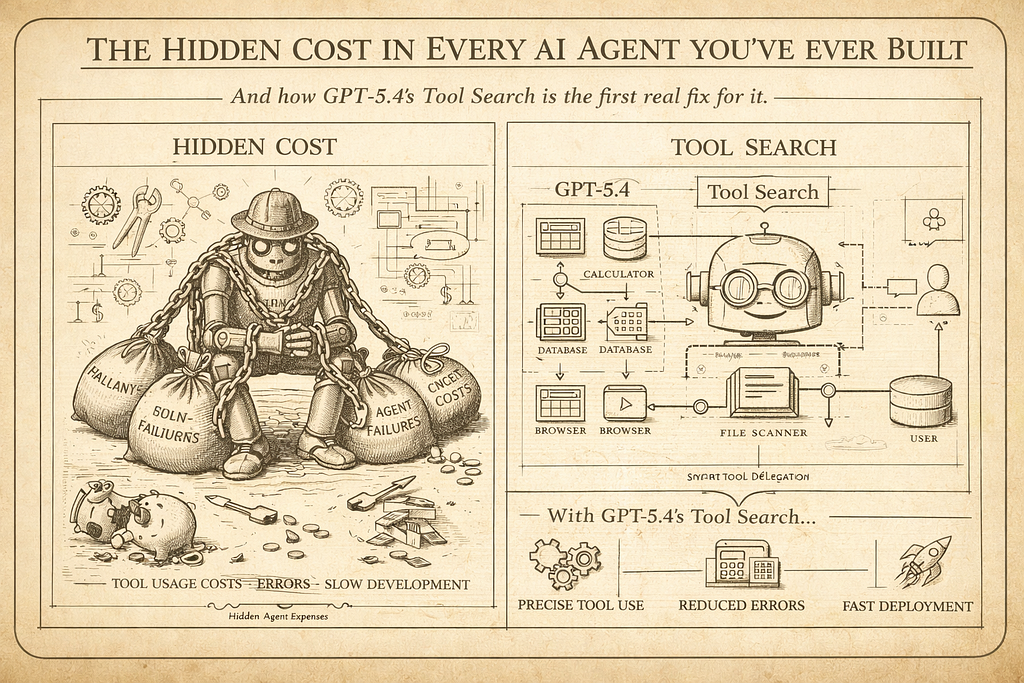
Every time you build an agent — doesn’t matter if it’s LangGraph, CrewAI, AutoGen, custom orchestration — you’re doing something quietly expensive in the background. You’re stuffing every tool definition into the context window upfront. Every function schema, every description, every parameter list. All of it. Before the model has even read your user’s message.
Most of the time, the agent uses maybe two or three of those tools. But you paid for all forty.
This isn’t a minor inefficiency. It’s a structural problem baked into how LLM-based agents have worked since the beginning. And until recently, nobody really had a clean solution for it.
GPT-5.4 shipped something two weeks ago that I think genuinely changes this. It’s called Tool Search, and the more I’ve dug into how it works, the more I think it has real implications for how we should be designing agents going forward — not just for OpenAI workflows, but as a pattern.
First, let’s understand the actual problem
Picture a mid-complexity production agent. Something realistic — a data analysis assistant that can query databases, run Python, fetch external APIs, read files, search documentation, send notifications, manage tasks. Maybe 40–60 tools total.
With static tool loading (which is how every agent framework works today), all 60 tool definitions go into the system prompt on every single call. Even if the user just asked “summarize this CSV.” You’re paying for the Slack notification schema, the task management functions, the database query definitions — all of it — on a request that only needed the Python executor.
The math adds up fast. A typical tool definition runs 100–300 tokens when you include name, description, and parameter schema. Multiply that by 60 tools and you’re burning 6,000–18,000 tokens per call just on tool overhead. In a 10-step agentic workflow, that’s potentially 180,000 tokens of overhead that contributed nothing to the actual task.
OpenAI tested this directly. Across 250 tasks with 36 MCP servers enabled — a realistic enterprise agent scenario — static loading versus Tool Search showed a 47% reduction in total token usage. Same accuracy. Half the cost.
What Tool Search actually does
The concept is cleaner than it sounds.
Instead of loading all tool definitions upfront, you send the model a lightweight index — just names and brief descriptions. No parameter schemas, no full definitions. The model reads the user’s request, figures out which tool or tools it actually needs, and then fetches the full definition for just those tools on demand.
It’s the difference between giving someone a full encyclopedia before they ask a question versus giving them a table of contents and letting them pull the relevant chapter.
The per-step dynamic retrieval is where the cumulative token savings in agentic systems really add up. A 10-step workflow with 80 statically loaded tools per step versus 5 dynamically retrieved tools per step represents an 8x reduction in tool definition tokens across the workflow.
Here’s the concrete math from real production scenarios: a typical request with static loading might run 20,100 total tokens when you factor in tool definitions plus RAG context plus the actual conversation. With dynamic loading, that drops to around 6,600 tokens — a 67% cut on tool-heavy requests. The 47% benchmark figure is the average across varied workloads including shorter prompts where tool overhead is proportionally smaller.
One more thing worth noting: when new tools are discovered by the model, they are injected at the end of the context window to preserve the prompt cache. Whoever designed this was thinking about production cost optimization, not just the feature demo.
How it actually works in code
There are two ways to use Tool Search in GPT-5.4 — server-side and client-side. Server-side is simpler; the model fetches tool definitions itself. Client-side gives you more control; your application intercepts the search call and returns the appropriate tools.
The key primitive is defer_loading: true on any function or MCP server you want excluded from upfront loading.
Here’s what a namespace-based setup looks like:
from openai import OpenAI
client = OpenAI()
# Define a namespace — a logical grouping of related tools
crm_namespace = {
    "type": "namespace",
    "name": "crm",
    "description": "CRM tools for customer lookup and order management.",
    "tools": [
        {
            "type": "function",
            "name": "get_customer_profile",
            "description": "Fetch a customer profile by customer ID.",
            # No defer_loading — this one loads upfront (it's cheap and common)
            "parameters": {
                "type": "object",
                "properties": {"customer_id": {"type": "string"}},
                "required": ["customer_id"],
            },
        },
        {
            "type": "function",
            "name": "list_open_orders",
            "description": "List open orders for a customer ID.",
            "defer_loading": True,  # Only loads if the model determines it's needed
            "parameters": {
                "type": "object",
                "properties": {"customer_id": {"type": "string"}},
                "required": ["customer_id"],
            },
        },
    ],
}

response = client.responses.create(
    model="gpt-5.4",
    input="List open orders for customer CUST-12345.",
    tools=[crm_namespace],
)
The model sees list_open_orders exists (from the namespace description), decides it needs it for this request, fetches the full schema, and calls it. A request that only needed get_customer_profile never loaded list_open_orders at all.
OpenAI recommends namespaces and MCP servers over bare deferred functions. The reason is practical: models have primarily been trained to search those surfaces, and token savings are usually more material there.
The cache tension nobody’s talking about
Here’s a wrinkle I found buried in the documentation that’s actually important for production use.
Tool Search and prompt caching work against each other when tool definitions are part of your cached prefix. Dynamic tool sets break cache consistency — the tool section changes per request, which means your cache keeps missing.
You can work around this by structuring prompts so system instructions (cached) are separate from dynamically assembled tool definitions (not cached), but it requires careful prompt architecture.
The practical takeaway: if you’re building an agent where tool usage is highly variable per request, Tool Search wins. If you’re running a narrow-purpose agent where the same two or three tools get called on almost every request, prompt caching might be the better lever. For complex multi-purpose agents, you’re probably doing both — static caching for your system prompt and core tools, dynamic loading for the long tail.
What this means for how you design agents
This is where I want to go beyond just “here’s a new API feature” and get into the architectural implication.
The way we’ve been building agents has been constrained by a technical limitation we mostly stopped noticing. You stuff everything in upfront because that’s the only option. Which means you either keep your tool set small (manageable cost, limited capability) or you build something expensive that pays for tools it never uses.
Tool Search breaks that constraint. And when a constraint disappears, you should rethink the architecture, not just use the new feature in the old design.
A few things this opens up:
Larger, richer tool libraries. You’ve always known you could build a more capable agent with 80 tools instead of 20. You just couldn’t afford the token overhead. Now the economics change. The agent that dynamically knows about everything it can do — but only loads what it needs — is genuinely feasible.
Hybrid model routing. Some architectures use a small model for tool search and routing (cheap) and a large model for the actual task completion (capable), combining the benefits of both approaches. This is a real pattern now. GPT-4o mini figures out what tools are needed, GPT-5.4 executes. You get intelligence where you need it and efficiency where you don’t.
Tool pruning becomes more valuable, not less. Pruning and tool search are complementary. Pruning reduces the pool of potential tools available at session initialization; tool search dynamically selects from within that pool per request. Running both gives you session-level efficiency plus request-level efficiency. Think of pruning as the outer filter (role-based, context-based) and Tool Search as the inner filter (request-based).
The description quality problem
One thing that deserves its own callout: Tool Search is entirely dependent on how well you describe your tools.
With static loading, a mediocre description might still work because the model sees the full parameter schema and can reason its way to the right call. With dynamic loading, the model makes the decision of whether to even fetch a tool based solely on its name and description. A vague description means the tool doesn’t get loaded when it should. A misleading one means the wrong tool gets loaded.
GPT-5.4 has been trained on examples with variable, dynamically assembled tool sets — it doesn’t expect tool definitions to be exhaustive, and it handles tool sets of varying sizes gracefully, without degrading when only 3 tools are available. But that training is working with what you give it. Garbage descriptions in, garbage retrieval out.
If you’re migrating existing agents to use Tool Search, I’d budget time specifically for auditing and rewriting your tool descriptions before you go to production. It will matter more than you expect.
Is this only for OpenAI?
Strictly speaking, Tool Search as an API feature is GPT-5.4 exclusive right now. But the pattern — lightweight tool index, load full definitions on demand, verify before executing — is not model-specific. It’s an architectural approach you can implement manually in any orchestration framework today with a retrieval step in your agent loop.
What GPT-5.4 does is make this native and model-aware, so the model actually reasons about dynamic tool contexts during training rather than treating them as a weird edge case. That’s a meaningful difference in reliability. But if you’re on Claude or Gemini or a self-hosted stack, this pattern is still worth implementing in your orchestration layer.
The direction the industry is heading is clear: agents are getting larger tool libraries, and static upfront loading doesn’t scale. Dynamic retrieval is where this ends up, one way or another.
The part nobody says out loud
We’ve been building agents under a quiet assumption for years: the context window is the agent’s working memory, and tools are just another thing that occupies space in it.
Tool Search challenges that assumption. It treats tools less like context and more like a library — something you reference on demand rather than carry with you everywhere. That’s a different mental model. And I think it’s a better one.
The agents that feel genuinely capable — the ones that don’t constantly feel like they’re bumping up against limitations — are going to be the ones that can draw on a rich library of capabilities without paying for all of them on every call.
GPT-5.4 makes that concrete for the first time. The 47% token reduction is a headline number. The real story is what it lets you build.
If this kind of architectural breakdown is useful, follow me — I write about multi-agent systems, RAG pipelines, and the parts of the AI tooling landscape that are worth actually understanding.
References [1] OpenAI Tool Search API Documentation — developers.openai.com [2] GPT-5.4 Complete Guide, ALM Corp — almcorp.com [3] What Is Tool Search? MindStudio — mindstudio.ai/blog/what-is-tool-search-gpt-5–4-token-efficiency [4] GPT-5.4 Release, Digital Applied — digitalapplied.com/blog/gpt-5–4-computer-use-tool-search-benchmarks-pricing
The Hidden Cost in Every AI Agent You’ve Ever Built was originally published in Towards AI on Medium, where people are continuing the conversation by highlighting and responding to this story.
