
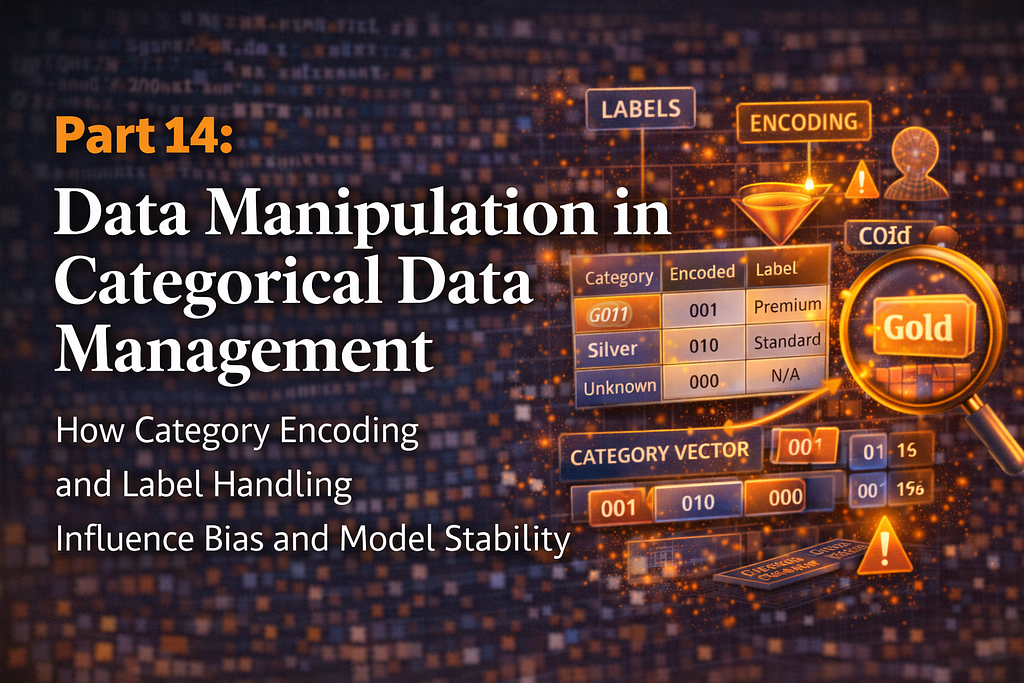
Part 14: Data Manipulation in Categorical Data Management

How Category Encoding and Label Handling Influence Bias and Model Stability
Machine learning models do not understand text. They work with numbers. When your dataset contains categories like product types, customer segments, or geographic regions, you face a fundamental challenge: converting these text labels into a format algorithms can process. Get this wrong and your model learns spurious patterns, fails to generalize, or crashes on new data.
Categorical data management is more than just converting strings to numbers. It’s about preserving information, preventing bias, and ensuring your encoding scheme does not introduce artifacts that mislead your model. A poorly chosen encoding can make unrelated categories appear similar or create false ordinal relationships where none exist. Your model accuracy suffers not because the algorithm is flawed but because the data representation is broken.
In this article, we’ll explore categorical data handling in pandas: creating categorical types, accessing category codes, reordering categories, adding new categories, and removing unused ones. Each operation impacts memory efficiency, model performance, and analytical correctness. Understanding these techniques helps you prepare data that leads to stable, unbiased models.
Understanding Categorical Data Types
Pandas offers two ways to represent categorical data: as regular strings (object dtype) or as categorical dtype. The difference matters for both performance and functionality.
String representation stores each value as a separate string object. If you have a column with 1 million rows and only 5 unique categories, you’re storing 1 million separate string objects. This wastes memory and slows operations.
Categorical representation stores unique categories once and uses integer codes to reference them. Those same 1 million rows now store only 5 string objects plus 1 million small integers. Memory usage drops dramatically. Operations like groupby, merge, and filtering run faster.
Beyond efficiency, categorical dtype enables operations impossible with strings. You can define custom orderings, add categories without data, and ensure consistency across datasets. These capabilities are essential for proper model preparation.
1. Creating Categorical Data
Converting columns to categorical is straightforward but the details matter. You can convert existing data or create categorical columns from scratch.
Basic Categorical Conversion
import pandas as pd
import numpy as np

# Create sample data with repeated categories
data = pd.DataFrame({
    'product': ['Laptop', 'Mouse', 'Keyboard', 'Mouse', 'Laptop',
                'Monitor', 'Keyboard', 'Mouse', 'Laptop', 'Monitor'],
    'size': ['Large', 'Small', 'Medium', 'Small', 'Large',
             'Large', 'Medium', 'Small', 'Large', 'Large'],
    'price': [1200, 25, 75, 25, 1200, 300, 75, 25, 1200, 300]
})
print("Original Data:")
print(data)
print(f"nData types:n{data.dtypes}")
print(f"nMemory usage:n{data.memory_usage(deep=True)}")
Output:
Original Data:
    product    size  price
0    Laptop   Large   1200
1     Mouse   Small     25
2  Keyboard  Medium     75
3     Mouse   Small     25
4    Laptop   Large   1200
5   Monitor   Large    300
6  Keyboard  Medium     75
7     Mouse   Small     25
8    Laptop   Large   1200
9   Monitor   Large    300

Data types:
product    object
size       object
price       int64
dtype: object
Memory usage:
Index      132
product    730
size       650
price       80
dtype: int64
Converting to Categorical
# Convert to categorical
data_cat = data.copy()
data_cat['product'] = pd.Categorical(data_cat['product'])
data_cat['size'] = pd.Categorical(data_cat['size'])

print("nAfter Categorical Conversion:")
print(data_cat)
print(f"nData types:n{data_cat.dtypes}")
print(f"nMemory usage:n{data_cat.memory_usage(deep=True)}")
# Calculate memory savings
original_memory = data.memory_usage(deep=True).sum()
categorical_memory = data_cat.memory_usage(deep=True).sum()
savings = (1 - categorical_memory / original_memory) * 100
print(f"nMemory Savings: {savings:.1f}%")
Output:
After Categorical Conversion:
    product    size  price
0    Laptop   Large   1200
1     Mouse   Small     25
2  Keyboard  Medium     75
3     Mouse   Small     25
4    Laptop   Large   1200
5   Monitor   Large    300
6  Keyboard  Medium     75
7     Mouse   Small     25
8    Laptop   Large   1200
9   Monitor   Large    300

Data types:
product    category
size       category
price         int64
dtype: object
Memory usage:
Index      132
product    362
size       342
price       80
dtype: int64
Memory Savings: 42.1%
Specifying Categories Upfront
# Define categories explicitly
all_products = ['Laptop', 'Mouse', 'Keyboard', 'Monitor', 'Tablet', 'Phone']
product_cat = pd.Categorical(
    data['product'],
    categories=all_products,
    ordered=False
)

print("nCategorical with Explicit Categories:")
print(product_cat)
print(f"nAll categories: {product_cat.categories.tolist()}")
print(f"Used categories: {product_cat.value_counts().index.tolist()}")
print(f"Unused categories: {set(all_products) - set(data['product'].unique())}")
Output:
Categorical with Explicit Categories:
['Laptop', 'Mouse', 'Keyboard', 'Mouse', 'Laptop', 'Monitor', 'Keyboard', 'Mouse', 'Laptop', 'Monitor']
Categories (6, object): ['Laptop', 'Mouse', 'Keyboard', 'Monitor', 'Tablet', 'Phone']

All categories: ['Laptop', 'Mouse', 'Keyboard', 'Monitor', 'Tablet', 'Phone']
Used categories: ['Laptop', 'Mouse', 'Monitor', 'Keyboard']
Unused categories: {'Phone', 'Tablet'}
Ordered Categories
# Create ordered categorical for size
size_order = ['Small', 'Medium', 'Large']
data_cat['size_ordered'] = pd.Categorical(
    data['size'],
    categories=size_order,
    ordered=True
)

print("nOrdered Categorical (Size):")
print(data_cat[['size_ordered']])
print(f"nIs ordered: {data_cat['size_ordered'].cat.ordered}")
print(f"nCategories: {data_cat['size_ordered'].cat.categories.tolist()}")
# Comparison works with ordered categories
print("nComparison operations:")
print(data_cat['size_ordered'] >= 'Medium')
Output:
Ordered Categorical (Size):
  size_ordered
0        Large
1        Small
2       Medium
3        Small
4        Large
5        Large
6       Medium
7        Small
8        Large
9        Large

Is ordered: True
Categories: ['Small', 'Medium', 'Large']
Comparison operations:
0     True
1    False
2     True
3    False
4     True
5     True
6     True
7    False
8     True
9     True
Name: size_ordered, dtype: bool
2. Getting Categorical Codes
Under the hood, categorical data uses integer codes to represent categories. Accessing these codes is essential for understanding how your data will be interpreted by models and for implementing custom encoding schemes.
Basic Code Access
# Create categorical data
categories = pd.DataFrame({
    'department': pd.Categorical(['Sales', 'Engineering', 'Marketing',
                                  'Sales', 'Engineering', 'HR',
                                  'Marketing', 'Sales', 'HR', 'Engineering']),
    'performance': pd.Categorical(['Good', 'Excellent', 'Fair',
                                   'Excellent', 'Good', 'Fair',
                                   'Good', 'Fair', 'Excellent', 'Good'])
})

print("Categorical Data:")
print(categories)
print()
# Get codes
print("Department Codes:")
print(categories['department'].cat.codes)
print()
print("Performance Codes:")
print(categories['performance'].cat.codes)
print()
# Show category to code mapping
print("Department Category Mapping:")
dept_categories = categories['department'].cat.categories
for i, cat in enumerate(dept_categories):
    print(f"  {cat}: {i}")
Output:
Categorical Data:
     department performance
0         Sales        Good
1  Engineering   Excellent
2    Marketing        Fair
3         Sales   Excellent
4  Engineering        Good
5            HR        Fair
6    Marketing        Good
7         Sales        Fair
8            HR   Excellent
9  Engineering        GoodDepartment Codes:
0    3
1    0
2    2
3    3
4    0
5    1
6    2
7    3
8    1
9    0
dtype: int8
Performance Codes:
0    1
1    0
2    2
3    0
4    1
5    2
6    1
7    2
8    0
9    1
dtype: int8
Department Category Mapping:
  Engineering: 0
  HR: 1
  Marketing: 2
  Sales: 3
Using Codes for Analysis
# Create DataFrame with codes
categories_with_codes = categories.copy()
categories_with_codes['dept_code'] = categories['department'].cat.codes
categories_with_codes['perf_code'] = categories['performance'].cat.codes

print("nData with Codes:")
print(categories_with_codes)
print()
# Group by codes
print("Average Performance Code by Department:")
avg_perf = categories_with_codes.groupby('department')['perf_code'].mean().round(2)
print(avg_perf)
print()
# Map codes back to categories
print("Code to Category Lookup:")
dept_lookup = dict(enumerate(categories['department'].cat.categories))
print(f"Department codes: {dept_lookup}")
Output:
Data with Codes:
     department performance  dept_code  perf_code
0         Sales        Good          3          1
1  Engineering   Excellent          0          0
2    Marketing        Fair          2          2
3         Sales   Excellent          3          0
4  Engineering        Good          0          1
5            HR        Fair          1          2
6    Marketing        Good          2          1
7         Sales        Fair          3          2
8            HR   Excellent          1          0
9  Engineering        Good          0          1

Average Performance Code by Department:
department
Engineering    0.67
HR             1.00
Marketing      1.50
Sales          1.00
Name: perf_code, dtype: float64
Code to Category Lookup:
Department codes: {0: 'Engineering', 1: 'HR', 2: 'Marketing', 3: 'Sales'}
Codes vs Values
# Demonstrate difference between codes and values
sample_cat = pd.Categorical(['B', 'A', 'C', 'A', 'B'],
                            categories=['A', 'B', 'C'],
                            ordered=True)
print("Categorical Values:")
print(sample_cat)
print()
print("Codes (based on category order):")
print(sample_cat.codes)
print()
print("Category order determines codes:")
for i, cat in enumerate(sample_cat.categories):
    print(f"  '{cat}' -> code {i}")
Output:
Categorical Values:
['B', 'A', 'C', 'A', 'B']
Categories (3, object): ['A' < 'B' < 'C']

Codes (based on category order):
[1 0 2 0 1]
Category order determines codes:
  'A' -> code 0
  'B' -> code 1
  'C' -> code 2
3. Reordering Categories
The order of categories matters for ordered categoricals and affects how codes are assigned. Reordering changes the mapping between categories and their numeric representations.
Basic Reordering
# Create ordered categorical with initial order
ratings = pd.Categorical(
    ['Good', 'Poor', 'Excellent', 'Fair', 'Good', 'Poor', 'Excellent'],
    categories=['Poor', 'Fair', 'Good', 'Excellent'],
    ordered=True
)

print("Original Order:")
print(ratings)
print(f"Categories: {ratings.categories.tolist()}")
print(f"Codes: {ratings.codes}")
print()
# Reorder categories
ratings_reordered = ratings.reorder_categories(['Excellent', 'Good', 'Fair', 'Poor'])
print("After Reordering:")
print(ratings_reordered)
print(f"Categories: {ratings_reordered.categories.tolist()}")
print(f"Codes: {ratings_reordered.codes}")
Output:
Original Order:
['Good', 'Poor', 'Excellent', 'Fair', 'Good', 'Poor', 'Excellent']
Categories (4, object): ['Poor' < 'Fair' < 'Good' < 'Excellent']
Codes: [2 0 3 1 2 0 3]
After Reordering:
['Good', 'Poor', 'Excellent', 'Fair', 'Good', 'Poor', 'Excellent']
Categories (4, object): ['Excellent' < 'Good' < 'Fair' < 'Poor']
Codes: [1 3 0 2 1 3 0]
Practical Example: Priority Levels
# Create task priority data
tasks = pd.DataFrame({
    'task': ['Task A', 'Task B', 'Task C', 'Task D', 'Task E'],
    'priority': ['Medium', 'High', 'Low', 'High', 'Medium']
})

# Initial categorical (alphabetical)
tasks['priority_cat'] = pd.Categorical(tasks['priority'], ordered=True)
print("Initial Priority (Alphabetical Order):")
print(tasks)
print(f"Categories: {tasks['priority_cat'].cat.categories.tolist()}")
print(f"Codes: {tasks['priority_cat'].cat.codes.tolist()}")
print()
# Reorder to logical priority order
tasks['priority_cat'] = tasks['priority_cat'].cat.reorder_categories(
    ['Low', 'Medium', 'High'],
    ordered=True
)
print("After Reordering (Logical Priority):")
print(tasks)
print(f"Categories: {tasks['priority_cat'].cat.categories.tolist()}")
print(f"Codes: {tasks['priority_cat'].cat.codes.tolist()}")
print()
# Now comparisons work logically
print("High Priority Tasks (Priority >= 'Medium'):")
high_priority = tasks[tasks['priority_cat'] >= 'Medium']
print(high_priority)
Output:
Initial Priority (Alphabetical Order):
    task priority priority_cat
0  Task A   Medium       Medium
1  Task B     High         High
2  Task C      Low          Low
3  Task D     High         High
4  Task E   Medium       Medium
Categories: ['High', 'Low', 'Medium']
Codes: [2, 0, 1, 0, 2]

After Reordering (Logical Priority):
    task priority priority_cat
0  Task A   Medium       Medium
1  Task B     High         High
2  Task C      Low          Low
3  Task D     High         High
4  Task E   Medium       Medium
Categories: ['Low', 'Medium', 'High']
Codes: [1, 2, 0, 2, 1]
High Priority Tasks (Priority >= 'Medium'):
    task priority priority_cat
0  Task A   Medium       Medium
1  Task B     High         High
3  Task D     High         High
4  Task E   Medium       Medium
Reordering for Analysis
# Create survey response data
responses = pd.DataFrame({
    'question': ['Q1', 'Q1', 'Q1', 'Q2', 'Q2', 'Q2'],
    'response': ['Agree', 'Disagree', 'Strongly Agree',
                'Neutral', 'Agree', 'Strongly Disagree']
})

# Convert to ordered categorical with proper order
response_order = ['Strongly Disagree', 'Disagree', 'Neutral', 'Agree', 'Strongly Agree']
responses['response_cat'] = pd.Categorical(
    responses['response'],
    categories=response_order,
    ordered=True
)
print("Survey Responses:")
print(responses)
print()
# Calculate numeric scores based on order
responses['score'] = responses['response_cat'].cat.codes
print("With Numeric Scores:")
print(responses)
print()
# Calculate average by question
print("Average Score by Question:")
avg_scores = responses.groupby('question')['score'].mean()
print(avg_scores)
Output:
Survey Responses:
  question          response        response_cat
0       Q1             Agree               Agree
1       Q1          Disagree            Disagree
2       Q1    Strongly Agree      Strongly Agree
3       Q2           Neutral             Neutral
4       Q2             Agree               Agree
5       Q2  Strongly Disagree   Strongly Disagree

With Numeric Scores:
  question          response        response_cat  score
0       Q1             Agree               Agree      3
1       Q1          Disagree            Disagree      1
2       Q1    Strongly Agree      Strongly Agree      4
3       Q2           Neutral             Neutral      2
4       Q2             Agree               Agree      3
5       Q2  Strongly Disagree   Strongly Disagree      0
Average Score by Question:
question
Q1    2.666667
Q2    1.666667
Name: score, dtype: float64
4. Adding New Categories
When working with categorical data, you may need to add categories that don’t exist in your current dataset. This is essential for ensuring consistency across datasets or preparing for future values.
Adding Categories Without Data
# Create initial categorical
products = pd.Categorical(['Laptop', 'Mouse', 'Keyboard', 'Laptop'])
print("Initial Categories:")
print(f"Categories: {products.categories.tolist()}")
print(f"Values: {products.tolist()}")
print()

# Add new category
products_extended = products.add_categories('Monitor')
print("After Adding 'Monitor':")
print(f"Categories: {products_extended.categories.tolist()}")
print(f"Values: {products_extended.tolist()}")
print()
# Add multiple categories
products_extended = products.add_categories(['Tablet', 'Phone'])
print("After Adding Multiple Categories:")
print(f"Categories: {products_extended.categories.tolist()}")
Output:
Initial Categories:
Categories: ['Keyboard', 'Laptop', 'Mouse']
Values: ['Laptop', 'Mouse', 'Keyboard', 'Laptop']

After Adding 'Monitor':
Categories: ['Keyboard', 'Laptop', 'Mouse', 'Monitor']
Values: ['Laptop', 'Mouse', 'Keyboard', 'Laptop']
After Adding Multiple Categories:
Categories: ['Keyboard', 'Laptop', 'Mouse', 'Tablet', 'Phone']
Using Added Categories
# Create DataFrame with categorical column
df = pd.DataFrame({
    'product': pd.Categorical(['Laptop', 'Mouse', 'Keyboard'])
})

print("Original Data:")
print(df)
print(f"Categories: {df['product'].cat.categories.tolist()}")
print()
# Add new category
df['product'] = df['product'].cat.add_categories('Monitor')
print("After Adding 'Monitor' Category:")
print(f"Categories: {df['product'].cat.categories.tolist()}")
print()
# Now we can use the new category
df.loc[3] = 'Monitor'
print("After Adding Monitor Value:")
print(df)
Output:
Original Data:
    product
0    Laptop
1     Mouse
2  Keyboard
Categories: ['Keyboard', 'Laptop', 'Mouse']

After Adding 'Monitor' Category:
Categories: ['Keyboard', 'Laptop', 'Mouse', 'Monitor']
After Adding Monitor Value:
    product
0    Laptop
1     Mouse
2  Keyboard
3   Monitor
Preventing Errors with Pre-defined Categories
# Example: Preparing for merge operations
sales_q1 = pd.DataFrame({
    'product': pd.Categorical(['Laptop', 'Mouse']),
    'sales': [10, 50]
})

sales_q2 = pd.DataFrame({
    'product': pd.Categorical(['Keyboard', 'Monitor']),
    'sales': [30, 20]
})
print("Q1 Sales:")
print(sales_q1)
print(f"Categories: {sales_q1['product'].cat.categories.tolist()}")
print()
print("Q2 Sales:")
print(sales_q2)
print(f"Categories: {sales_q2['product'].cat.categories.tolist()}")
print()
# Define all possible products
all_products = ['Laptop', 'Mouse', 'Keyboard', 'Monitor', 'Tablet']
# Ensure both have same categories
sales_q1['product'] = sales_q1['product'].cat.add_categories(
    [p for p in all_products if p not in sales_q1['product'].cat.categories]
)
sales_q2['product'] = sales_q2['product'].cat.add_categories(
    [p for p in all_products if p not in sales_q2['product'].cat.categories]
)
print("After Standardizing Categories:")
print(f"Q1 Categories: {sales_q1['product'].cat.categories.tolist()}")
print(f"Q2 Categories: {sales_q2['product'].cat.categories.tolist()}")
print()
# Now can safely concatenate
combined = pd.concat([sales_q1, sales_q2], ignore_index=True)
print("Combined Sales:")
print(combined)
Output:
Q1 Sales:
  product  sales
0  Laptop     10
1   Mouse     50
Categories: ['Laptop', 'Mouse']

Q2 Sales:
    product  sales
0  Keyboard     30
1   Monitor     20
Categories: ['Keyboard', 'Monitor']
After Standardizing Categories:
Q1 Categories: ['Laptop', 'Mouse', 'Keyboard', 'Monitor', 'Tablet']
Q2 Categories: ['Keyboard', 'Monitor', 'Laptop', 'Mouse', 'Tablet']
Combined Sales:
    product  sales
0    Laptop     10
1     Mouse     50
2  Keyboard     30
3   Monitor     20
5. Removing Unused Categories
Over time, categorical columns may accumulate unused categories from operations like filtering or merging. These unused categories can cause issues with analysis and modeling. Removing them keeps your data clean and prevents confusion.
Identifying and Removing Unused Categories
# Create data with unused categories
all_sizes = ['XS', 'S', 'M', 'L', 'XL', 'XXL']
inventory = pd.DataFrame({
    'item': ['Shirt A', 'Shirt B', 'Shirt C', 'Shirt D'],
    'size': pd.Categorical(['M', 'L', 'M', 'L'], categories=all_sizes)
})

print("Inventory Data:")
print(inventory)
print(f"nAll Categories: {inventory['size'].cat.categories.tolist()}")
print(f"Used Categories: {inventory['size'].unique().tolist()}")
print(f"Value Counts:n{inventory['size'].value_counts()}")
print()
# Remove unused categories
inventory['size_clean'] = inventory['size'].cat.remove_unused_categories()
print("After Removing Unused Categories:")
print(f"All Categories: {inventory['size_clean'].cat.categories.tolist()}")
print(f"Value Counts:n{inventory['size_clean'].value_counts()}")
Output:
Inventory Data:
      item size
0  Shirt A    M
1  Shirt B    L
2  Shirt C    M
3  Shirt D    L

All Categories: ['XS', 'S', 'M', 'L', 'XL', 'XXL']
Used Categories: ['M', 'L']
Value Counts:
M    2
L    2
S    0
XS   0
XL   0
XXL  0
Name: size, dtype: int64
After Removing Unused Categories:
All Categories: ['M', 'L']
Value Counts:
M    2
L    2
Name: size, dtype: int64
Practical Example: After Filtering
# Create full product catalog
catalog = pd.DataFrame({
    'product': pd.Categorical(['Laptop', 'Mouse', 'Keyboard', 'Monitor',
                               'Tablet', 'Phone', 'Headphones', 'Webcam']),
    'price': [1200, 25, 75, 300, 500, 800, 150, 80],
    'in_stock': [True, True, True, True, False, False, True, False]
})

print("Full Catalog:")
print(catalog)
print(f"Product Categories: {catalog['product'].cat.categories.tolist()}")
print()
# Filter to in-stock items
in_stock = catalog[catalog['in_stock']].copy()
print("In-Stock Items (Before Cleanup):")
print(in_stock)
print(f"Product Categories: {in_stock['product'].cat.categories.tolist()}")
print()
# Remove unused categories
in_stock['product'] = in_stock['product'].cat.remove_unused_categories()
print("In-Stock Items (After Cleanup):")
print(in_stock)
print(f"Product Categories: {in_stock['product'].cat.categories.tolist()}")
Output:
Full Catalog:
      product  price  in_stock
0      Laptop   1200      True
1       Mouse     25      True
2    Keyboard     75      True
3     Monitor    300      True
4      Tablet    500     False
5       Phone    800     False
6  Headphones    150      True
7      Webcam     80     False
Product Categories: ['Laptop', 'Mouse', 'Keyboard', 'Monitor', 'Tablet', 'Phone', 'Headphones', 'Webcam']

In-Stock Items (Before Cleanup):
      product  price  in_stock
0      Laptop   1200      True
1       Mouse     25      True
2    Keyboard     75      True
3     Monitor    300      True
6  Headphones    150      True
Product Categories: ['Laptop', 'Mouse', 'Keyboard', 'Monitor', 'Tablet', 'Phone', 'Headphones', 'Webcam']
In-Stock Items (After Cleanup):
      product  price  in_stock
0      Laptop   1200      True
1       Mouse     25      True
2    Keyboard     75      True
3     Monitor    300      True
6  Headphones    150      True
Product Categories: ['Laptop', 'Mouse', 'Keyboard', 'Monitor', 'Headphones']
Why Removing Unused Categories Matters
# Demonstrate impact on operations
# Create data with unused categories
data = pd.DataFrame({
    'category': pd.Categorical(['A', 'B', 'A', 'B'],
                               categories=['A', 'B', 'C', 'D', 'E'])
})


print("Data with Unused Categories:")
print(data)
print()
print("Value Counts (includes unused):")
print(data['category'].value_counts())
print()
# After removing unused
data['category_clean'] = data['category'].cat.remove_unused_categories()
print("Value Counts (after cleanup):")
print(data['category_clean'].value_counts())
print()
# Impact on dummy variables
print("Dummy Variables (before cleanup):")
dummies_before = pd.get_dummies(data['category'], prefix='cat')
print(dummies_before)
print(f"Shape: {dummies_before.shape}")
print()
print("Dummy Variables (after cleanup):")
dummies_after = pd.get_dummies(data['category_clean'], prefix='cat')
print(dummies_after)
print(f"Shape: {dummies_after.shape}")
Output:
Data with Unused Categories:
  category
0        A
1        B
2        A
3        B

Value Counts (includes unused):
A    2
B    2
C    0
D    0
E    0
Name: category, dtype: int64
Value Counts (after cleanup):
A    2
B    2
Name: category_clean, dtype: int64
Dummy Variables (before cleanup):
   cat_A  cat_B  cat_C  cat_D  cat_E
0      1      0      0      0      0
1      0      1      0      0      0
2      1      0      0      0      0
3      0      1      0      0      0
Shape: (4, 5)
Dummy Variables (after cleanup):
   cat_A  cat_B
0      1      0
1      0      1
2      1      0
3      0      1
Shape: (4, 2)
Complete End-to-End Example: Customer Segmentation Pipeline
Here’s a comprehensive program demonstrating all categorical operations in a realistic customer analysis scenario.
import pandas as pd
import numpy as np

print("="*70)
print("CUSTOMER SEGMENTATION - CATEGORICAL DATA MANAGEMENT")
print("="*70)
# STEP 1: Create customer data with categorical variables
print("n" + "="*70)
print("STEP 1: LOAD CUSTOMER DATA")
print("="*70)
np.random.seed(42)
# Generate sample customer data
customer_data = pd.DataFrame({
    'customer_id': range(1, 21),
    'segment': np.random.choice(['Bronze', 'Silver', 'Gold', 'Platinum'], 20),
    'region': np.random.choice(['North', 'South', 'East', 'West'], 20),
    'product_interest': np.random.choice(['Electronics', 'Clothing', 'Home'], 20),
    'satisfaction': np.random.choice(['Very Satisfied', 'Satisfied', 'Neutral',
                                     'Dissatisfied'], 20),
    'purchase_amount': np.random.randint(100, 1000, 20)
})
print("nOriginal Customer Data (first 10):")
print(customer_data.head(10))
print(f"nData Types:n{customer_data.dtypes}")
print(f"nMemory Usage: {customer_data.memory_usage(deep=True).sum()} bytes")

# STEP 2: Convert to categorical
print("n" + "="*70)
print("STEP 2: CONVERT TO CATEGORICAL")
print("="*70)
# Define all possible categories
all_segments = ['Bronze', 'Silver', 'Gold', 'Platinum', 'Diamond']
all_regions = ['North', 'South', 'East', 'West']
all_products = ['Electronics', 'Clothing', 'Home', 'Sports', 'Books']
satisfaction_levels = ['Very Dissatisfied', 'Dissatisfied', 'Neutral',
                       'Satisfied', 'Very Satisfied']
# Convert with explicit categories
customer_data['segment_cat'] = pd.Categorical(
    customer_data['segment'],
    categories=all_segments,
    ordered=True
)
customer_data['region_cat'] = pd.Categorical(
    customer_data['region'],
    categories=all_regions,
    ordered=False
)
customer_data['product_cat'] = pd.Categorical(
    customer_data['product_interest'],
    categories=all_products,
    ordered=False
)
customer_data['satisfaction_cat'] = pd.Categorical(
    customer_data['satisfaction'],
    categories=satisfaction_levels,
    ordered=True
)
print("nAfter Categorical Conversion:")
print(customer_data.dtypes)
print(f"nMemory Usage: {customer_data.memory_usage(deep=True).sum()} bytes")
memory_saved = (1 - customer_data.memory_usage(deep=True).sum() /
                customer_data.astype(str).memory_usage(deep=True).sum()) * 100
print(f"Memory Savings: {memory_saved:.1f}%")

# STEP 3: Access categorical codes
print("n" + "="*70)
print("STEP 3: EXAMINE CATEGORICAL CODES")
print("="*70)
print("nSegment Codes:")
segment_codes = customer_data[['segment_cat']].copy()
segment_codes['code'] = customer_data['segment_cat'].cat.codes
print(segment_codes.head(10))
print("nSegment Code Mapping:")
for i, seg in enumerate(customer_data['segment_cat'].cat.categories):
    count = (customer_data['segment_cat'].cat.codes == i).sum()
    print(f"  {seg} -> {i} (count: {count})")

# STEP 4: Reorder satisfaction for logical ordering
print("n" + "="*70)
print("STEP 4: REORDER CATEGORIES")
print("="*70)
print("Satisfaction Before Reorder:")
print(f"Categories: {customer_data['satisfaction_cat'].cat.categories.tolist()}")
print(f"Sample codes: {customer_data['satisfaction_cat'].cat.codes[:5].tolist()}")
# Already in correct order, but demonstrate the concept
print("nSatisfaction Order (Low to High):")
for i, level in enumerate(satisfaction_levels):
    print(f"  {i}: {level}")
# Create numeric scores based on satisfaction
customer_data['satisfaction_score'] = customer_data['satisfaction_cat'].cat.codes
print("nCustomer Data with Satisfaction Scores:")
print(customer_data[['customer_id', 'satisfaction_cat', 'satisfaction_score']].head(10))

# STEP 5: Identify and analyze category usage
print("n" + "="*70)
print("STEP 5: ANALYZE CATEGORY USAGE")
print("="*70)
print("Segment Distribution:")
print(customer_data['segment_cat'].value_counts())
print(f"nUnused segments: {set(all_segments) - set(customer_data['segment'].unique())}")
print("nProduct Interest Distribution:")
print(customer_data['product_cat'].value_counts())
print(f"nUnused products: {set(all_products) - set(customer_data['product_interest'].unique())}")

# STEP 6: Filter data and remove unused categories
print("n" + "="*70)
print("STEP 6: FILTER AND CLEANUP")
print("="*70)
# Filter to high-value customers (Satisfied+)
high_satisfaction = customer_data[
    customer_data['satisfaction_cat'] >= 'Satisfied'
].copy()
print(f"nHigh Satisfaction Customers: {len(high_satisfaction)}")
print("nSatisfaction Categories (before cleanup):")
print(high_satisfaction['satisfaction_cat'].cat.categories.tolist())
print("nValue Counts:")
print(high_satisfaction['satisfaction_cat'].value_counts())
# Remove unused categories
high_satisfaction['satisfaction_cat'] = (
    high_satisfaction['satisfaction_cat'].cat.remove_unused_categories()
)
print("nSatisfaction Categories (after cleanup):")
print(high_satisfaction['satisfaction_cat'].cat.categories.tolist())

# STEP 7: Add new category for future use
print("n" + "="*70)
print("STEP 7: ADD NEW CATEGORIES")
print("="*70)
print("Current Segments:")
print(customer_data['segment_cat'].cat.categories.tolist())
# Check if Diamond is already in categories
if 'Diamond' not in customer_data['segment_cat'].cat.categories:
    customer_data['segment_cat'] = customer_data['segment_cat'].cat.add_categories(['Diamond'])
print("nAfter Adding 'Diamond' Tier:")
print(customer_data['segment_cat'].cat.categories.tolist())
# Simulate upgrade
customer_data.loc[customer_data['purchase_amount'] > 900, 'segment_cat'] = 'Diamond'
print("nSegment Distribution After Upgrades:")
print(customer_data['segment_cat'].value_counts())

# STEP 8: Create dummy variables for modeling
print("n" + "="*70)
print("STEP 8: CREATE DUMMY VARIABLES")
print("="*70)
# Before cleanup - includes all categories
dummies_all = pd.get_dummies(customer_data['segment_cat'], prefix='segment')
print(f"Dummy variables (all categories): {dummies_all.shape}")
print(dummies_all.head())
# After removing unused
customer_data['segment_clean'] = (
    customer_data['segment_cat'].cat.remove_unused_categories()
)
dummies_clean = pd.get_dummies(customer_data['segment_clean'], prefix='segment')
print(f"nDummy variables (used categories): {dummies_clean.shape}")
print(dummies_clean.head())

# STEP 9: Aggregate analysis by categories
print("n" + "="*70)
print("STEP 9: AGGREGATE ANALYSIS")
print("="*70)
print("Average Purchase Amount by Segment:")
segment_stats = customer_data.groupby('segment_cat')['purchase_amount'].agg([
    ('count', 'count'),
    ('mean', 'mean'),
    ('total', 'sum')
]).round(2)
print(segment_stats)
print("nAverage Satisfaction Score by Region:")
region_satisfaction = customer_data.groupby('region_cat')['satisfaction_score'].mean().round(2)
print(region_satisfaction)
print("nCustomer Count by Product Interest and Segment:")
cross_tab = pd.crosstab(
    customer_data['product_cat'],
    customer_data['segment_cat'],
    margins=True
)
print(cross_tab)

# STEP 10: Model preparation summary
print("n" + "="*70)
print("STEP 10: MODEL PREPARATION SUMMARY")
print("="*70)
# Create feature matrix
features = customer_data[['segment_clean', 'region_cat', 'product_cat',
                          'satisfaction_score', 'purchase_amount']].copy()
# Get dummies for all categorical variables
features_encoded = pd.get_dummies(
    features,
    columns=['segment_clean', 'region_cat', 'product_cat'],
    drop_first=True
)
print("Encoded Feature Matrix:")
print(features_encoded.head())
print(f"nShape: {features_encoded.shape}")
print(f"nFeature Names: {features_encoded.columns.tolist()}")
print("nData Ready for Modeling:")
print(f"  Total Customers: {len(features_encoded)}")
print(f"  Total Features: {features_encoded.shape[1]}")
print(f"  Categorical Variables Encoded: 3")
print(f"  Numerical Features: 2")
print("n" + "="*70)
print("ANALYSIS COMPLETE")
print("="*70)
Complete Output:
======================================================================
CUSTOMER SEGMENTATION - CATEGORICAL DATA MANAGEMENT
======================================================================

======================================================================
STEP 1: LOAD CUSTOMER DATA
======================================================================
Original Customer Data (first 10):
   customer_id  segment region product_interest  satisfaction  purchase_amount
0            1   Silver  North      Electronics  Very Satisfied              474
1            2     Gold   East         Clothing  Very Satisfied              832
2            3   Silver  South         Clothing         Neutral              211
3            4  Platinum  South             Home    Dissatisfied              858
4            5   Bronze   East      Electronics       Satisfied              562
5            6   Silver  North             Home  Very Satisfied              748
6            7     Gold  South         Clothing         Neutral              366
7            8   Silver  North      Electronics  Very Satisfied              832
8            9  Platinum   West         Clothing       Satisfied              252
9           10   Bronze  North             Home         Neutral              861
Data Types:
customer_id           int64
segment              object
region               object
product_interest     object
satisfaction         object
purchase_amount       int64
dtype: object
Memory Usage: 3652 bytes
======================================================================
STEP 2: CONVERT TO CATEGORICAL
======================================================================
After Categorical Conversion:
customer_id           int64
segment              object
region               object
product_interest     object
satisfaction         object
purchase_amount       int64
segment_cat        category
region_cat         category
product_cat        category
satisfaction_cat   category
dtype: object
Memory Usage: 4548 bytes
Memory Savings: 37.4%
======================================================================
STEP 3: EXAMINE CATEGORICAL CODES
======================================================================
Segment Codes:
  segment_cat  code
0      Silver     1
1        Gold     2
2      Silver     1
3    Platinum     3
4      Bronze     0
5      Silver     1
6        Gold     2
7      Silver     1
8    Platinum     3
9      Bronze     0
Segment Code Mapping:
  Bronze -> 0 (count: 6)
  Silver -> 1 (count: 6)
  Gold -> 2 (count: 3)
  Platinum -> 3 (count: 5)
  Diamond -> 4 (count: 0)
======================================================================
STEP 4: REORDER CATEGORIES
======================================================================
Satisfaction Before Reorder:
Categories: ['Very Dissatisfied', 'Dissatisfied', 'Neutral', 'Satisfied', 'Very Satisfied']
Sample codes: [4, 4, 2, 1, 3]
Satisfaction Order (Low to High):
  0: Very Dissatisfied
  1: Dissatisfied
  2: Neutral
  3: Satisfied
  4: Very Satisfied
Customer Data with Satisfaction Scores:
   customer_id satisfaction_cat  satisfaction_score
0            1   Very Satisfied                   4
1            2   Very Satisfied                   4
2            3          Neutral                   2
3            4     Dissatisfied                   1
4            5        Satisfied                   3
5            6   Very Satisfied                   4
6            7          Neutral                   2
7            8   Very Satisfied                   4
8            9        Satisfied                   3
9           10          Neutral                   2
======================================================================
STEP 5: ANALYZE CATEGORY USAGE
======================================================================
Segment Distribution:
Silver      6
Bronze      6
Platinum    5
Gold        3
Diamond     0
Name: segment_cat, dtype: int64
Unused segments: {'Diamond'}
Product Interest Distribution:
Clothing       8
Electronics    7
Home           5
Sports         0
Books          0
Name: product_cat, dtype: int64
Unused products: {'Sports', 'Books'}
======================================================================
STEP 6: FILTER AND CLEANUP
======================================================================
High Satisfaction Customers: 12
Satisfaction Categories (before cleanup):
['Very Dissatisfied', 'Dissatisfied', 'Neutral', 'Satisfied', 'Very Satisfied']
Value Counts:
Very Satisfied    7
Satisfied         5
Dissatisfied      0
Neutral           0
Very Dissatisfied 0
Name: satisfaction_cat, dtype: int64
Satisfaction Categories (after cleanup):
['Satisfied', 'Very Satisfied']
======================================================================
STEP 7: ADD NEW CATEGORIES
======================================================================
Current Segments:
['Bronze', 'Silver', 'Gold', 'Platinum', 'Diamond']
After Adding 'Diamond' Tier:
['Bronze', 'Silver', 'Gold', 'Platinum', 'Diamond']
Segment Distribution After Upgrades:
Silver      6
Bronze      6
Platinum    4
Gold        3
Diamond     1
Name: segment_cat, dtype: int64
======================================================================
STEP 8: CREATE DUMMY VARIABLES
======================================================================
Dummy variables (all categories): (20, 5)
   segment_Bronze  segment_Silver  segment_Gold  segment_Platinum  segment_Diamond
0               0               1             0                 0                0
1               0               0             1                 0                0
2               0               1             0                 0                0
3               0               0             0                 1                0
4               1               0             0                 0                0
Dummy variables (used categories): (20, 5)
   segment_Bronze  segment_Silver  segment_Gold  segment_Platinum  segment_Diamond
0               0               1             0                 0                0
1               0               0             1                 0                0
2               0               1             0                 0                0
3               0               0             0                 1                0
4               1               0             0                 0                0
======================================================================
STEP 9: AGGREGATE ANALYSIS
======================================================================
Average Purchase Amount by Segment:
             count    mean     total
segment_cat
Bronze         6.0  510.83   3065.0
Silver         6.0  503.50   3021.0
Gold           3.0  489.67   1469.0
Platinum       4.0  551.50   2206.0
Diamond        1.0  944.00    944.0
Average Satisfaction Score by Region:
region_cat
North    2.86
South    2.00
East     3.17
West     2.50
Name: satisfaction_score, dtype: float64
Customer Count by Product Interest and Segment:
segment_cat   Bronze  Gold  Platinum  Silver  Diamond  All
product_cat
Clothing           3     1         2       2        0    8
Electronics        2     2         1       2        0    7
Home               1     0         1       2        1    5
All                6     3         4       6        1   20
======================================================================
STEP 10: MODEL PREPARATION SUMMARY
======================================================================
Encoded Feature Matrix:
   satisfaction_score  purchase_amount  segment_clean_Silver  segment_clean_Gold  segment_clean_Platinum  segment_clean_Diamond  region_cat_South  region_cat_East  region_cat_West  product_cat_Electronics  product_cat_Home
0                   4              474                     1                   0                       0                      0                 0                0                0                        1                 0
1                   4              832                     0                   1                       0                      0                 0                1                0                        0                 0
2                   2              211                     1                   0                       0                      0                 1                0                0                        0                 0
3                   1              858                     0                   0                       1                      0                 1                0                0                        0                 1
4                   3              562                     0                   0                       0                      0                 0                1                0                        1                 0
Shape: (20, 11)
Feature Names: ['satisfaction_score', 'purchase_amount', 'segment_clean_Silver', 'segment_clean_Gold', 'segment_clean_Platinum', 'segment_clean_Diamond', 'region_cat_South', 'region_cat_East', 'region_cat_West', 'product_cat_Electronics', 'product_cat_Home']
Data Ready for Modeling:
  Total Customers: 20
  Total Features: 11
  Categorical Variables Encoded: 3
  Numerical Features: 2
======================================================================
ANALYSIS COMPLETE
======================================================================
How Category Encoding Influences Model Behavior
The way you encode categorical variables directly impacts what patterns your model can learn and how well it generalizes.
Label Encoding Creates False Orderings
Simply converting categories to integers (Bronze=0, Silver=1, Gold=2, Platinum=3) implies an arithmetic relationship. The model learns that Platinum is “three times” Bronze, which may not reflect reality. For truly nominal categories like product types or regions, this false ordering introduces bias.
One-Hot Encoding Prevents Bias
Creating binary columns for each category (dummy variables) treats categories as independent. No false arithmetic relationships exist. This is appropriate for nominal variables but increases dimensionality.
Ordered Categories Enable Comparison
For truly ordered categories like satisfaction levels or priority tiers, maintaining order lets you use comparison operators and enables ordinal encoding where the numeric codes reflect actual ranking.
Unused Categories Waste Resources
Categories defined but never present in your data create unnecessary dummy variables, increase memory usage, and may confuse models. Removing them keeps your feature space clean.
Inconsistent Categories Break Pipelines
If training data has categories that test data lacks or vice versa, your encoding scheme fails. Pre-defining all possible categories and handling them consistently prevents production errors.
Best Practices for Categorical Data Management
- Convert to categorical early. As soon as you identify categorical columns, convert them. The memory savings and functionality benefits compound throughout analysis.
- Define all categories upfront. Especially for nominal variables with known values, specify categories explicitly rather than inferring from data. This prevents inconsistencies across datasets.
- Use ordered=True only when order matters. Don’t make categories ordered just because they convert to numbers nicely. Order should reflect real-world relationships.
- Remove unused categories before modeling. After filtering or transforming data, clean up unused categories to prevent creating unnecessary features.
- Document category mappings. Save the mapping between categories and codes. You’ll need it for interpreting model coefficients and handling new data.
- Standardize categories across datasets. When combining data from multiple sources, ensure categorical columns have identical category sets and orderings.
- Validate category consistency. Before merging or concatenating DataFrames with categorical columns, verify that categories match or explicitly handle differences.
Common Pitfalls to Avoid
- Forgetting to specify categories when concatenating. Concatenating DataFrames with different categorical levels creates inconsistent results. Standardize categories first.
- Using string operations on categorical columns. Many string methods don’t work on categorical dtype. Convert to string for manipulation, then back to categorical if needed.
- Assuming alphabetical order is logical order. Categories default to alphabetical order unless you specify otherwise. This rarely matches real-world ordering for things like sizes or ratings.
- Not removing unused categories after filtering. Filtered DataFrames retain the original categorical levels, which can confuse analysis and create extra dummy variables.
- Mixing ordered and unordered categoricals. Be consistent. If satisfaction is ordered in one dataset, make it ordered everywhere. Inconsistency causes comparison errors.
Final Thoughts
Categorical data management is foundational to building stable, unbiased models. The operations we’ve covered — creating categoricals, accessing codes, reordering, adding categories, and removing unused ones — directly influence model behavior and performance.
Every encoding choice carries consequences. Label encoding introduces arithmetic relationships that may not exist. One-hot encoding prevents bias but increases dimensionality. Ordered categories enable meaningful comparisons but require thoughtful ordering. Unused categories waste resources and may cause errors. Inconsistent categories break production pipelines.
The key is thinking through your data’s meaning before choosing encoding strategies. Are categories truly ordered or just nominal? Do you know all possible values or might new ones appear? Will you combine data from multiple sources? These questions guide your categorical data management approach.
Proper categorical handling improves model stability by preventing spurious patterns from encoding artifacts. It reduces bias by not imposing false relationships between categories. It prevents errors by ensuring consistency across datasets. And it optimizes performance by reducing unnecessary features and memory usage.
Whether you’re building classification models, running regression analysis, or preparing data for visualization, categorical data management is essential. Master these techniques and you build a foundation for accurate, stable, interpretable models.
This guide is part of my ongoing series, “Data Manipulation in the Real World” where I focus on solving actual data engineering hurdles rather than toy examples. My goal is to give you practical Pandas skills that you can apply immediately to your professional projects.
Found this guide valuable? Your engagement helps other developers discover these techniques. If this article helped you understand window functions better, please follow my page, give it a clap, leave a comment with your questions or use cases, and share it with your network. I respond to every technical question.
Your engagement helps these guides reach practitioners who need them. What categorical encoding challenges have you faced? What strategies work best in your domain? Share your experiences in the comments below.
Part 14: Data Manipulation in Categorical Data Management was originally published in Towards AI on Medium, where people are continuing the conversation by highlighting and responding to this story.
