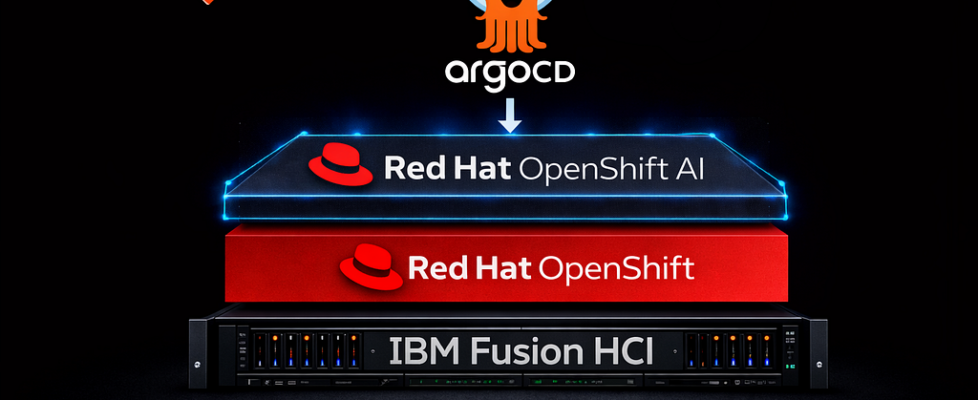
GitOps-Driven Installation of Red Hat OpenShift AI on IBM Fusion with Argo CD


Artificial Intelligence workloads are rapidly becoming a core part of modern enterprise platforms. Organizations require a scalable, Kubernetes-native platform to build, train, deploy, and manage machine learning models efficiently across hybrid cloud environments.
Red Hat OpenShift AI (RHOAI) extends Red Hat OpenShift with an enterprise-grade hybrid AI and MLOps platform, with tooling across the full AI/ML lifecycle, including training, serving, monitoring, and managing models.
IBM Fusion HCI provides the infrastructure foundation for AI workloads, while OpenShift GitOps (Argo CD) enables declarative, continuously reconciled deployments.
In this blog, we demonstrate how to install Red Hat OpenShift AI on IBM Fusion using Argo CD, ensuring a version-controlled and self-healing operator lifecycle.
This approach delivers:
- A fully GitOps-managed RHOAI operator installation
- Declarative deployment of core data science platform components
- Continuous synchronization and health monitoring through Argo CD
Why GitOps for Operator Installation?
Operators can be installed manually through the OpenShift console, but production environments require consistency across clusters.
GitOps ensures operator installation is version-controlled and automatically reconciled, making deployments predictable and auditable across environments.
Prerequisites
Before installing the Red Hat OpenShift AI Operator using OpenShift GitOps (Argo CD), ensure the following prerequisites are in place on your IBM Fusion HCI cluster.
Cluster and Platform Requirements
- IBM Fusion HCI cluster with Red Hat OpenShift Container Platform installed, running, and accessible
- At least one worker node capable of supporting AI workloads (GPU-enabled if required)
Storage Configuration
A default StorageClass must be available for provisioning persistent volumes required by OpenShift AI components (workbenches, pipelines, and model storage).
Verify storage classes:
oc get sc
If no default storage class is set, configure one using IBM Fusion Data Foundation or another supported storage provider.
Required Platform Operators
The following operators must be installed before proceeding:
- Red Hat OpenShift GitOps Operator (Argo CD) — for GitOps-driven deployment and continuous sync
- Node Feature Discovery (NFD) — to detect node hardware capabilities (such as GPUs)
- NVIDIA GPU Operator (required only if GPU-based workloads are planned) to enable GPU acceleration for training and serving
- Red Hat OpenShift Service Mesh 3 Operator (optional) — required if using KServe with service mesh–based traffic management.
Access and Permissions
- oc CLI configured and authenticated to your OpenShift cluster
- Cluster-admin or sufficient RBAC to create namespaces, roles, and Argo CD Applications
- Access to the Argo CD UI or oc apply permissions in the openshift-gitops namespace
Argo CD Access and Permissions
After verifying that all prerequisites are satisfied, ensure you can access the Argo CD instance deployed by the OpenShift GitOps operator.
Authenticate to the cluster:
oc login --token=<TOKEN> --server=<API_SERVER>
To allow the GitOps application to create required resources (namespaces, roles, rolebindings, and KServe custom resources), grant elevated permissions to the Argo CD application controller:
oc adm policy add-cluster-role-to-user cluster-admin
  -z openshift-gitops-argocd-application-controller
  -n openshift-gitops
This grants full cluster privileges to the Argo CD controller. Use with caution. This ensures the Argo CD controller can reconcile all manifests defined in this guide.
NOTE: This approach is suitable for lab or proof-of-concept environments. In production, use a dedicated ServiceAccount with scoped RBAC permissions aligned with organizational security policies.
With cluster access and Argo CD permissions configured, you can now prepare your GitOps repository for deployment.
Repository Setup
- Fork the storage-fusion repository so it can serve as your GitOps source of truth.
- Clone the forked copy of this repository:
git clone git@github.com:<your-username>/Fusion-AI.git
3. Ensure you push any changes (such as repoURL updates) back to your fork before bootstrapping.
4. Log in to your cluster:
oc login --token=<TOKEN> --server=<API_SERVER>
GitOps Repository Structure
fusion-openshift-ai/
├── README.md                            # Documentation and deployment guide
│
├── gitops/
│   ├── rhoai-application.yaml           # Argo CD Application CR
│   │
│   ├── patch/
│   │   ├── argocd-patch-rbac.yaml       # RBAC to allow Argo CD CR patching
│   │   └── argocd-resource-health-patch.yaml  # Argo CD health checks for RHOAI CRs
│   │
│   └── rhoai/
│       ├── operator.yaml                # RHOAI Operator subscription and install
│       ├── dsc.yaml                     # DataScienceCluster configuration
│       └── kustomization.yaml           # Kustomize base
Preparing Argo CD for RHOAI Installation
Before bootstrapping the installation, Argo CD must be configured to evaluate the health of RHOAI operator-managed resources correctly. By default, Argo CD does not evaluate the health of Operator Lifecycle Manager (OLM) resources, such as ClusterServiceVersion or custom resources like DataScienceCluster. Without custom health checks, the Application would remain in an Unknown state.
Apply the RBAC required to patch the Argo CD instance:
oc apply -f fusion-openshift-ai/gitops/patch/argocd-patch-rbac.yaml
Expected output:
serviceaccount/argocd-patch-sa created
clusterrole.rbac.authorization.k8s.io/argocd-patch-clusterrole created
clusterrolebinding.rbac.authorization.k8s.io/argocd-patch-clusterrolebinding created
Next, patch the Argo CD Custom Resource to enable health checks for RHOAI components:
oc patch argocd openshift-gitops
  -n openshift-gitops
  --type merge
  --patch-file fusion-openshift-ai/gitops/patch/argocd-resource-health-patch.yaml
Expected output:
argocd.argoproj.io/openshift-gitops patched
This configuration enables Argo CD to accurately evaluate Operator lifecycle resources and OpenShift AI custom resources, ensuring the Application transitions to Healthy only after the defined health conditions are met, including:
- ClusterServiceVersion = Succeeded
- DSCInitialization = Ready
- DataScienceCluster = Ready
Bootstrapping the Installation with an Argo CD Application
The installation begins with a single Argo CD Application resource defined in Git.
The entry point for the installation is the Application manifest: rhoai-application.yaml
Before applying the Application, update the source.repoURL field in rhoai-application.yaml to point to your forked repository:
spec:
  source:
    repoURL: https://github.com/<your-username>/storage-fusion.git
Ensure the repository URL matches the fork you cloned and are using as your GitOps source of truth.
To bootstrap the installation, apply the Application directly from your local repository:
oc apply -f fusion-openshift-ai/gitops/rhoai-application.yaml
Argo CD immediately begins reconciling the desired state defined in Git. The reconciliation loop continues indefinitely, ensuring configuration drift is automatically corrected.
This Application instructs Argo CD to deploy all manifests from the following Git path:
source:
  path: fusion-openshift-ai/gitops/rhoai
Sync is fully automated, meaning Argo CD will both install and continuously self-heal the platform:
syncPolicy:
  automated:
    prune: true
    selfHeal: true
Once this Application is applied, Argo CD becomes responsible for the complete RHOAI installation lifecycle, managing operator installation, RBAC setup, CR creation, and ongoing reconciliation of the platform state.
Verifying the Installation in Argo CD
After applying the Argo CD Application, verify the installation from the OpenShift console.
Navigate to: Red Hat Applications → OpenShift GitOps → Cluster Argo CD
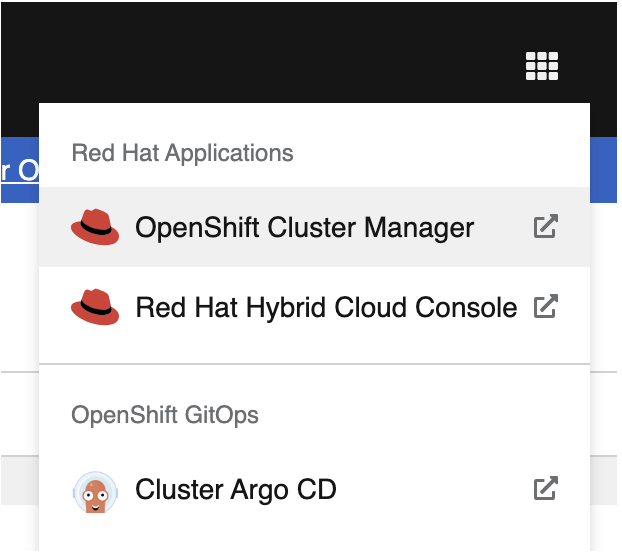
This opens the Argo CD dashboard, where the rhoai-install application appears once synchronization completes. When prompted, log in using your OpenShift (OCP) credentials via the integrated OAuth authentication.
Expected Application Status
Once synchronization completes successfully, the application should display:
- Application Name: rhoai-install
- Sync Status: Synced
- Health Status: Healthy
- All associated Kubernetes resources reconciled under GitOps management
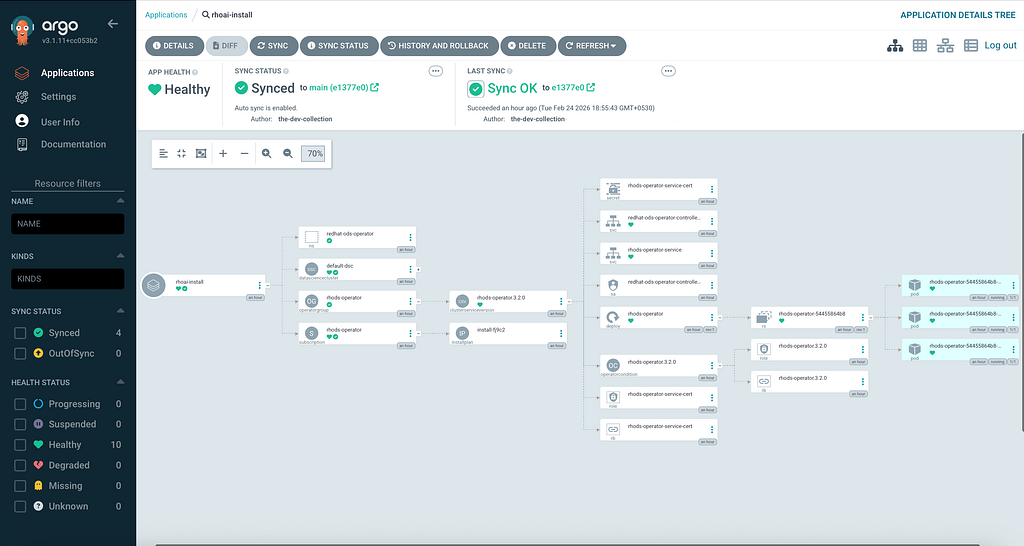
A synced and Healthy state confirms that the desired configuration stored in Git matches the live cluster state and that the OpenShift AI components are functioning as expected.
How Argo CD Drives the Installation Flow
After the Application is applied, Argo CD orchestrates the installation sequence using the manifests defined in Git.
All manifests are organized with Kustomize (kustomization.yaml), allowing Argo CD to apply resources declaratively. The operator must become ready before the DataScienceCluster resource becomes Healthy:
- Install the operator (operator.yaml)
- Initialize the platform (dsc.yaml)
Operator Installation Through GitOps
The installation begins with operator.yaml, which installs the RHOAI operator through OLM (Namespace, OperatorGroup, and Subscription). n this example, the operator installs from the fast-3.x update channel as defined in operator.yaml.
Argo CD monitors the operator installation until the ClusterServiceVersion reaches the Succeeded phase. Once the operator is ready, the DataScienceCluster custom resource triggers deployment of all dependent OpenShift AI components through the operator’s reconciliation loop.
Initializing the AI Platform with DataScienceCluster
Finally, Argo CD appliesdsc.yaml, creating the DataScienceCluster resource that triggers deployment of the full OpenShift AI platform.
From this point onward, Argo CD continuously reconciles the platform state with the desired configuration stored in Git.
Customizing OpenShift AI with DataScienceCluster Components
The DataScienceCluster specification is organized by platform components.
Each component is controlled through a simple switch called managementState:
- Managed → the component is enabled and deployed
- Removed → the component is disabled and not installed
This makes the DataScienceCluster the central place to customize exactly what gets installed in your OpenShift AI platform.
Components Enabled in This Setup (Managed)
In this configuration, the following core services are enabled:
- Dashboard — provides the OpenShift AI user interface
- Workbenches — enable notebook environments created within user projects
- KServe — activates model serving using raw deployment mode
NIM integration (if configured and supported by your RHOAI version) - Model Registry — deployed into rhoai-model-registries for managing model metadata
- TrustyAI — enables responsible AI evaluation, with restricted execution and no online access
- AI Pipelines — provides workflow and pipeline orchestration
- Ray — enables distributed compute workloads
- Training Operator — supports Kubernetes-native model training workloads
These components represent the core services typically required in production AI environments.
Components Explicitly Disabled (Removed)
Several optional operators are intentionally excluded to keep the platform lightweight:
- Feast Operator — feature store integration
- Trainer — additional training abstraction layer
- MLflow Operator — experiment tracking and model lifecycle tooling
- LlamaStack Operator — advanced LLM stack services
- Kueue — batch scheduling and queue-based workload orchestration
Marking these as Removed ensures they are not installed at all, reducing cluster overhead and operator sprawl.
Final Outcome: A Fully GitOps-Managed AI Platform on Fusion
Using this approach, Red Hat OpenShift AI is installed and managed declaratively on IBM Fusion HCI through a single Argo CD Application resource.
The entire operator and platform lifecycle, including installation, upgrades, drift correction, and component enablement, is managed declaratively through Git.
This establishes a scalable and GitOps-driven deployment model suitable for enterprise AI workloads.
GitOps-Driven Installation of Red Hat OpenShift AI on IBM Fusion with Argo CD was originally published in Towards AI on Medium, where people are continuing the conversation by highlighting and responding to this story.
