3 Game-Changing Tools for Modern Data Science

Introduction
The rise of LLMs facilitates “vibe coding,” making it fast to generate initial Python scripts. However, this ease creates a false sense of progress. Building professional-grade data products requires more than quick scripts; it demands a shift from local experimentation to scalable systems. Professional data science maturity is defined by strategic tool selection and architectural mastery that transforms raw code into business value, moving the individual from a “coder” to a “data professional.”

Table of Content
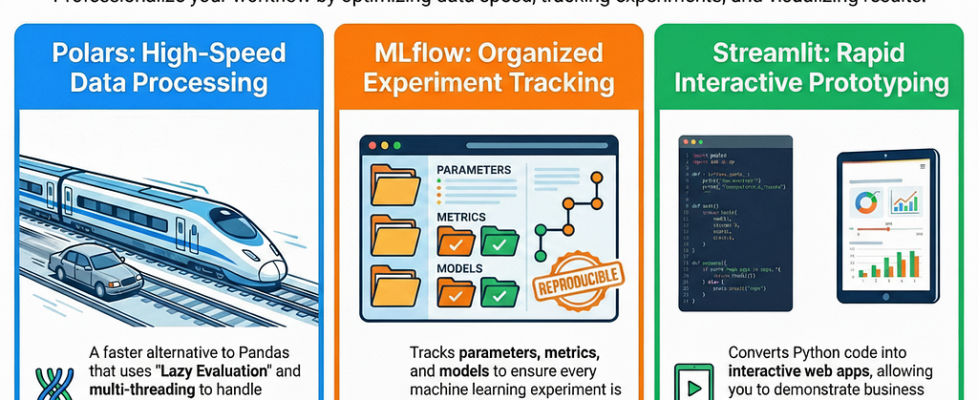
Here are three essential data science tools that are game-changers. Whether you’re coding independently or utilizing AI assistance, these tools are crucial. Even with AI code generation, the underlying Large Language Models (LLMs) may not always be aware of or trained on these specific utilities, underscoring their importance.
- Polar
- MLFlow
- Streamlit
- Conclusion
Polars: The Next Evolution in Data Manipulation
Why Polar Not Pandas
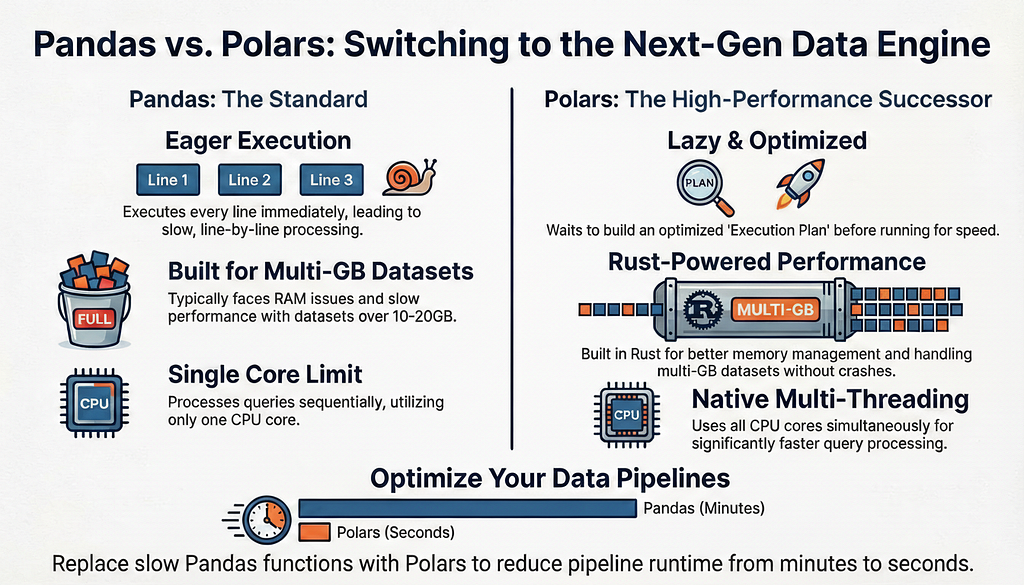
For years, Pandas has been our collective “bread and butter.” However, as an architect, I have to consider resource management. When your data scales to 10GB-20GB+, Pandas begins to choke. It is eager, resource-heavy, and often becomes a bottleneck that slows your entire pipeline.
The code snippet below is an example of how to read a .csv file and apply some operations, such as filtering, grouping by, and summing.
import polars as pl

q = (
    pl.scan_csv("docs/assets/data/iris.csv")
    .filter(pl.col("sepal_length") > 5)
    .group_by("species")
    .agg(pl.all().sum())
)

df = q.collect()
The Laziness
This is why Polars is the high-performance successor you need to adopt. Written in Rust and designed for modern hardware, it represents a paradigm shift in efficiency. The core differentiator is Lazy Evaluation. While Pandas executes every line of code immediately (eager evaluation), Polars waits until the entire expression is evaluated (lazy evaluation). It takes your entire logic and builds an “intelligent execution plan.”
The code snippet below is an example of applying a lazy operation on the dataset loaded earlier.
q3 = pl.DataFrame({"foo": ["a", "b", "c"], "bar": [0, 1, 2]}).lazy()
Instead of mindlessly following the code line-by-line, Polars analyzes the “plan” to decide who to start with and who to finish with based on available resources. It optimizes the query—much like Spark or DuckDB—ensuring that filters and transformations are executed in the most efficient order.
Tip: Don’t feel you have to migrate everything overnight.
I recommend a hybrid approach, as most Data Scientists use Pandas. Integrate Polars into your existing pipelines for specific heavy-lifting functions while keeping Pandas where it’s still convenient.
This allows you to gain hands-on experience without a total rewrite. Furthermore, because LLMs are often trained on older repositories, they default to Pandas. Manually implementing Polars is a clear signal that a professional understands modern performance optimization and multithreading.
MLFlow
Ending the “Which Model Was That?”
A junior data scientist views modelling as a task; a senior architect views it as a laboratory experiment. We have all been in the “50 models” nightmare: you spend weeks tweaking hyperparameters and feature engineering, only for a stakeholder to ask which specific configuration produced the 92% accuracy from ten days ago. If your answer involves digging through disorganized notebooks or an Excel sheet, you aren’t yet working at an enterprise level.
The code snippet below is an example of how to start importing MLFlow and set your first experiment (MLflow Quickstart)
import mlflow

mlflow.set_experiment("MLflow Quickstart")
MLFlow is the industry-standard, open-source tool for Machine Learning Operations (MLOps). It is natively integrated into major platforms like Azure and is essential for three reasons:
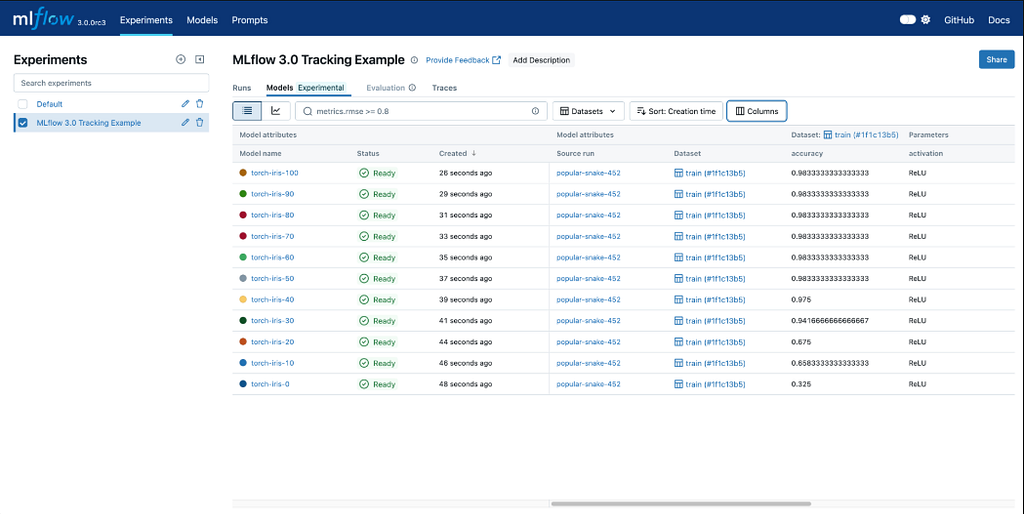
- Experiment Tracking: It serves as a digital logbook, recording all parameters, metrics, and data versions for each run.
- Model Registry: This is where you manage the lifecycle. It’s not just “a model” — it’s a versioned asset that moves through stages like Staging and Production.
- Reproducibility: This is the hallmark of seniority. It ensures that any team member can recreate your results exactly and vice versa.
The code snippet below is an example of preparing the training dataset and adding the parameters (as tags) to be able to follow it later in MLFlow UI
import pandas as pd
from sklearn import datasets
from sklearn.model_selection import train_test_split
from sklearn.linear_model import LogisticRegression
from sklearn.metrics import accuracy_score, precision_score, recall_score, f1_score

# Load the Iris dataset
X, y = datasets.load_iris(return_X_y=True)

# Split the data into training and test sets
X_train, X_test, y_train, y_test = train_test_split(
    X, y, test_size=0.2, random_state=42
)

# Define the model hyperparameters #These tags will be saved in your experiement
params = {
    "solver": "lbfgs",
    "max_iter": 1000,
    "random_state": 8888,
}
MLflow shifts data science from mere model creation to the organized, reproducible management of a production lifecycle, moving you from guesswork to governance.
The commands below are an example of how to initiate the MLFlow UI
mlflow UI --backend-store-uri sqlite:///mlruns.db
mlflow server --backend-store-uri sqlite:///mlflow.db --default-artifact-root ./artifacts --host 0.0.0.0 --port 5000
Streamlit
Demonstrate Your Work
One of the most painful realities of data science is “invisible work.” You might spend 20 hours debugging a complex pipeline or optimizing a neural network, but your stakeholder doesn’t see that. If your only output is a static PowerPoint slide, the perceived value of your work is capped.
The code snippet below illustrates how to import stremlit and develop your first webapp.
import streamlit as st

st.write("Hello World")
Streamlit is the solution to this visibility crisis. It allows you to build a Minimum Viable Product (MVP) or an interactive dashboard using only Python — no HTML, CSS, or JavaScript required.
This goes beyond simple aesthetics; it’s about accelerating the feedback cycle. Delivering your results directly within a live application allows you to immediately present findings. This crucial step helps prevent the common pitfall of missing vital user information, saving weeks of development time due to incorrect assumptions.
The code snippet below illustrates how you can render a pandas dataframe in your webapp
import pandas as pd
import streamlit as st
from numpy.random import default_rng as rng

df = pd.DataFrame(
    rng(0).standard_normal((50, 20)), columns=("col %d" % i for i in range(20))
)

st.dataframe(df)
Streamlit has evolved beyond simple internal tools. Many professionals are now using it to build and monetize “Data Products” directly on the web, charging for access to niche analytical tools. This transforms you from a cost center (the person who writes code) into a profit center (the person who builds products).
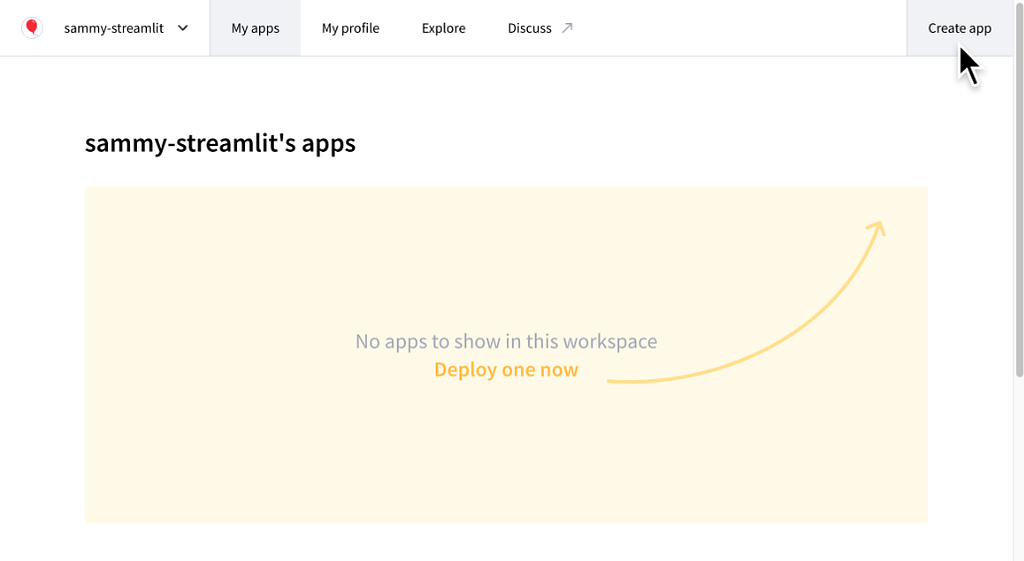
“It’s a prototype… to see if we are going in the right direction… before you dive deep and find out the user forgot to tell you a crucial detail.”
Conclusion
Your Toolbox is Your Professional Edge
In the fast-moving world of AI, the ability to “vibe code” a script is becoming a commodity. Your professional edge lies in your architectural choices:
- Polars for high-performance execution and query optimization.
- MLflow for organizing laboratory experiments into a production-ready registry.
- Streamlit for transforming “invisible” backend work into a tangible, live data product.
The industry isn’t just looking for people who can write code; it’s looking for architects who can deliver value.
In a world where AI can write the code for you, are you focusing on the tools that actually turn that code into value, or are you still just ‘vibe coding’ in a notebook?
Follow me to stay updated with my latest articles on Medium.
This is my LinkedIn profile if you’d like to stay in touch.
I have a Substack Newsletter called “AI in Energy” if you’re interested.
3 Game-Changing Tools for Modern Data Science was originally published in Towards AI on Medium, where people are continuing the conversation by highlighting and responding to this story.
