User Profile Awareness: Engineering Session-Level Personalization

How to extend the ADK to inject role-based scope and tone.
The “Who” Problem
In our previous articles, we built an agent that understands Data (Article 2) and Intent (Article 4). Now, we must tackle the final variable: The User.
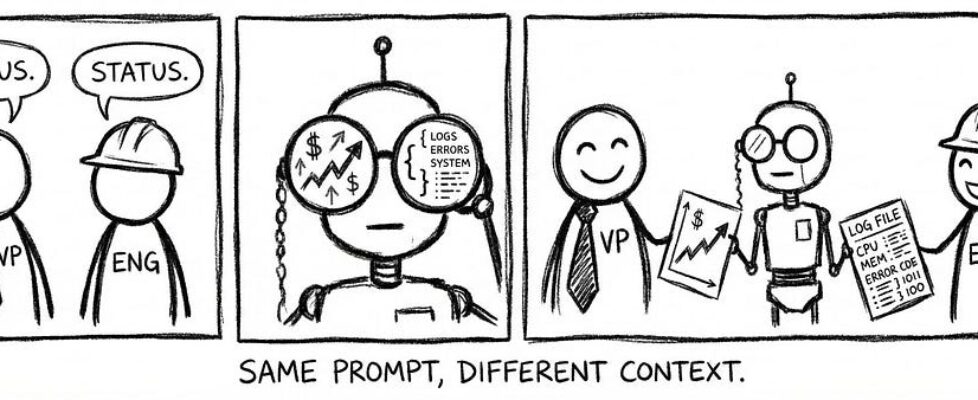
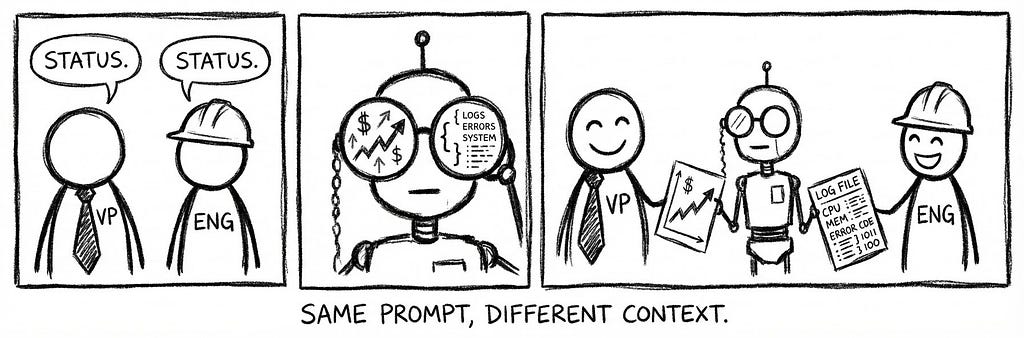
Consider a real-world scenario where two different employees type the exact same prompt: “How was performance last quarter?”
- User A is the VP of EMEA Sales. She wants a strategic summary of revenue vs. target for her region, highlighted with key variance drivers.
- User B is a Cloud Infrastructure Engineer. He wants a technical log of system uptime performance and latency metrics for the global stack.
A standard “Stateless” Agent treats these two requests as identical. It sees the word “Performance” and either guesses (hallucination) or enters a tedious game of 20 questions (“Which performance? Which region? Which dataset?”).
This friction kills adoption. According to the Nielsen Norman Group, the success of conversational interfaces hinges on “Anticipatory Design” — the system’s ability to use context to reduce the cognitive load on the user. If a VP has to type “Show me EMEA Revenue Performance” every single time, the agent is not a smart assistant; it is just a command-line interface [Anticipatory Design — NNg].
Furthermore, Microsoft Research has demonstrated that grounding LLMs in “User-Specific Context” (like role and history) significantly reduces hallucination rates. Their findings suggest that when an agent knows who is asking, it can prune the search space of potential answers, effectively eliminating irrelevant data paths before execution begins [Grounding LLMs via Context — Microsoft Research].
To solve this, we must stop treating the prompt as the sole source of truth. We need to inject Identity into the equation. The agent must “know” that User A implies Scope: Americas and Tone: Strategic, while User B implies Scope: Global and Tone: Technical.

The User Context Object (The Data)
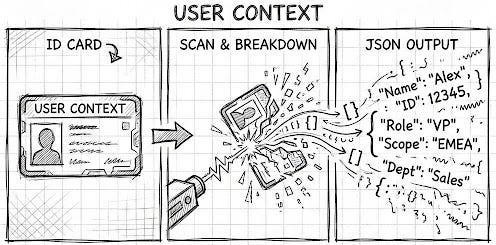
To move beyond “generic” answers, we need to formalize the user’s identity into a structured data object. We don’t just send the prompt to the LLM; we wrap the entire session in a User Context Object.
This object is a JSON schema injected into the system prompt at runtime. It serves as the “lens” through which the agent views the user’s request. We focus on two critical attributes: Scope and Role. Remember, the possibilities are endless when it comes to what can be added to the user context object, for this article, we just discuss Scope and Role.
1. The Scope (Implicit Filtering) This defines the user’s “Data Reality.” It tells the agent which slices of the database are relevant to this specific user.
- The Mechanism: If the User Context specifies “scope”: {“region”: “EMEA”}, the agent automatically appends WHERE region = ‘Americas’ to every SQL query generated during the session.
- The Benefit: The user never has to type “in Americas” again. The context handles the filtering silently. This aligns with NIST (National Institute of Standards and Technology) guidelines on Attribute-Based Access Control (ABAC), where access is determined by user attributes rather than static permissions [NIST SP 800–162].
2. The Role (Tone & Altitude) This defines the “Altitude” of the response. A “VP” needs a different level of abstraction than an “Analyst.”
- The Mechanism: The system prompt reads the “role” attribute and adjusts its “Persona Instructions.”
- If Role = “EXECUTIVE”, instructions switch to: “Prioritize synthesis, key variances, and natural language summaries. Hide raw SQL.”
- If Role = “ANALYST”, instructions switch to: “Prioritize raw data tables, outlier detection, and show the generated SQL for verification.”
The Schema Artifact Here is the JSON structure that acts as the “Driver” for this behavior:
{
  "user_id": "u_8492",
  "context": {
    "role": "VP_SALES",
    "scope": {
      "region_filter": "EMEA",
      "product_filter": "ALL"
    },
    // The schema is flexible: add Localization, Skill Level, or Accessibility here.
    "preferences": {
      "default_currency": "EUR",
      "verbose_mode": false
    }
  }
}
Role-Based “Tone” Switching (The Experience)
While Scope dictates what data the user sees, Role dictates how that data is presented. This is where the agent moves from being a simple database interface to a true “Digital Colleague.”
In our architecture, the UserContext object acts as a dynamic “System Prompt Modifier.” We use the Role attribute to swap the agent’s persona instructions at runtime.
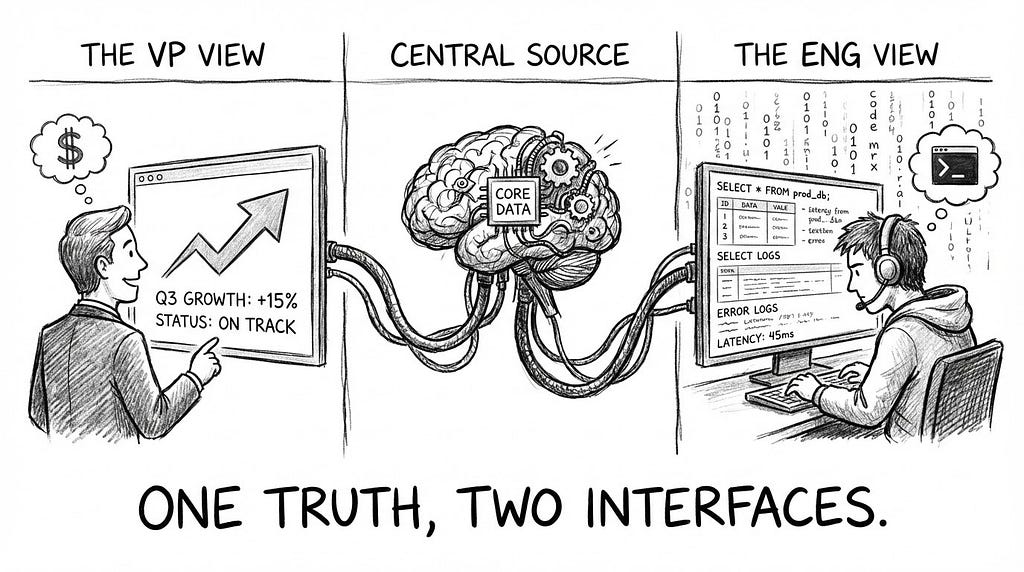
The “Chief of Staff” Metaphor Think of the agent as a skilled Chief of Staff. If a CEO asks, “How are we doing?”, the Chief of Staff provides a 30-second summary of key risks. If a Data Scientist asks the same question, they provide a spreadsheet of raw metrics. The underlying truth is the same; the interface adapts to the audience.
The Implementation: Two Views of the Same Prompt Consider the prompt: “Check sales performance.”
- The Executive View (Role=”VP”): The agent detects the executive role. It prioritizes natural language synthesis, focusing on “Variance to Plan” and “Key Drivers,” while suppressing raw SQL generation to reduce noise.
- Output: “Revenue is up 12% YoY, primarily driven by the Cloud sector in EMEA. However, margin has slipped by 20bps due to increased server costs.”
- The Analyst View (Role=”ENGINEER”): The agent detects the technical role. It explicitly shows the generated SQL for verification, presents data in a tabular format, and runs outlier detection.
- Output: “Executed Query: SELECT sum(rev) FROM cloud_sales… (Latency: 0.4s). Table attached below. Note: 3 rows contained null values in the ‘region’ column.”
The Endless Possibilities While we focus on Scope and Role here, the UserContext schema is designed to be infinitely extensible. Because it is just a JSON object, you can inject any attribute that defines your user:
- Localization: Inject “language”: “fr” to force French responses for specific regions.
- Accessibility: Inject “accessibility”: “screen_reader” to force verbose image descriptions for visually impaired users.
- Technical Proficiency: Inject “skill_level”: “novice” to force the agent to explain jargon terms automatically.
By architecting the User Context as a flexible object, we future-proof the agent. Any attribute that defines a user — from their time zone to their preferred coding style — can be used to fine-tune the model’s output [Persona-based Prompting — Microsoft Learn].
The Implementation (Session Injection)
We have defined the Why (Personalization) and the What (User Context Object). Now, we must define the How. How do we physically get this JSON object into the LLM’s brain before it answers the first question?
This is a two-step engineering process:
- Injection: Saving the user’s identity into the session state using Python.
- Interpolation: Exposing that state to the LLM via the System Prompt.
The Injection (Python)
To do this, we leverage the Google Gen AI Agent Development Kit (ADK). Specifically, we extend the DatabaseSessionService. This service is responsible for creating and managing user sessions. By overriding the create_session method, we can intercept the session startup and inject our context data directly into the state machine.
The Workflow
- The Fetch: When a user logs in, the system retrieves their profile (Role, Region, Preferences) from your application’s user_metadata table.
- The Gatherer: A helper gatherer constructs the sanitized UserContext JSON object.
- The Injection: The create_session method inserts this JSON string into the session’s state dictionary.
The Code Artifact Here is the Python implementation pattern for extending the session service:
from google.adk.sessions import DatabaseSessionService
from my_app import user_context_gatherer

class ContextAwareSessionService(DatabaseSessionService):
    """
    Extends the standard ADK session service to inject User Context
    at the moment of session creation.
    """

    async def create_session(
        self,
        *,
        app_name: str,
        user_id: str,
        state: dict = None,
        session_id: str = None,
    ):
        # 1. Initialize empty state if none exists
        if state is None:
            state = {}

        # 2. Fetch & Build the User Context (The "Lens")
        # This queries your internal User Table/LDAP
        user_context = await user_context_gatherer.build_context(user_id)

        # 3. Inject the JSON ("Identity") into the State
        state["user_context"] = user_context

        # 4. Proceed with standard session creation
        return await super().create_session(
            app_name=app_name,
            user_id=user_id,
            state=state,  # Now contains the "pre-prompt" data
            session_id=session_id,
        )
The Interpolation (Prompt Engineering)
The data is now in the session, but the LLM doesn’t see it yet. We must explicitly modify the System Instructions to look for this variable.
We configure the agent’s core prompt template to dynamically pull the user_context string from the state dictionary at runtime.
The Template Pattern:
SYSTEM INSTRUCTIONS:
You are an AI Data Analyst.
...
The following information is available about the user in a JSON string:
{user_context}

Use this information to better understand the user and their needs,
and to personalize the tone, scope, and complexity of your response.
The Runtime Result: When the “VP of Sales” logs in, the {user_context} placeholder is instantly replaced with {“role”: “VP”, “scope”: “Americas”}, fundamentally altering how the model interprets every subsequent user message.
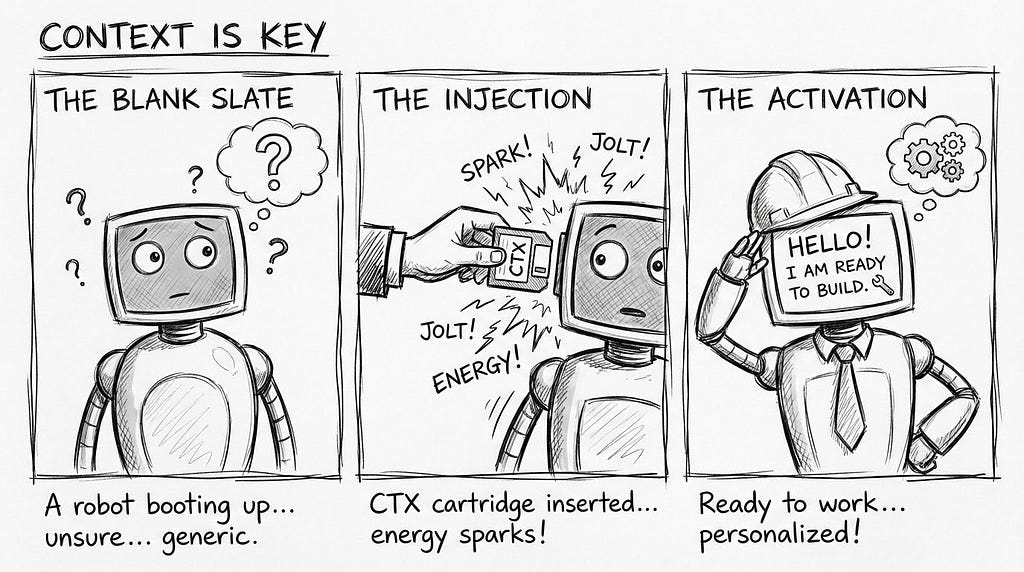
The Fully Realized Agent
We have now completed the architecture of a Cognitive Agent.
- We gave it Knowledge via the Semantic Graph (Article 2).
- We gave it Sight via the Shape Detector (Article 3).
- We gave it Conscience via Gap Analysis (Article 4).
- And finally, we gave it Empathy via User Context Awareness (Article 5).
This is no longer just a “Text-to-SQL” bot. It is a secure, role-aware, and data-grounded consultant capable of navigating the complex reality of the enterprise.
Build the Complete System
This article is part of the Cognitive Agent Architecture series. We are walking through the engineering required to move from a basic chatbot to a secure, deterministic Enterprise Consultant.
To see the full roadmap — including Semantic Graphs (The Brain), Gap Analysis (The Conscience), and Sub-Agent Ecosystems (The Organization) — check out the Master Index below:
The Cognitive Agent Architecture: From Chatbot to Enterprise Consultant
User Profile Awareness: Engineering Session-Level Personalization was originally published in Towards AI on Medium, where people are continuing the conversation by highlighting and responding to this story.
