Langchain: Example of Perstitence With Short-term momory in Postgres database

In any AI application we built using langchain it is important to keep the converstaion history, and a person should be able to continue the converstaion from where they stopped with “Context”. That is where langchain short-term memory plays a good role. This demo is for production usecase where you can save the coversation in database.
Here is the simple example using langchian version 1.2.0
(I mentioned version because different versions have differnt compatibility. )
Lets setup a simple example
1 .env
ANTHROPIC_API_KEY=
POSTGRES_USER=
POSTGRES_PASSWORD=
POSTGRES_DB=
Note: you can use openai or other llm api key as well. Here I am using Anthropic
2. Spin up the postgres container in docker (easiest to run the postgres database)
Here is the docker-compose.yml, just run “docker compose” command
version: "3.9"

services:
  postgres:
    image: postgres:16
    container_name: pg_db
    environment:
      POSTGRES_USER: ${POSTGRES_USER}
      POSTGRES_PASSWORD: ${POSTGRES_PASSWORD}
      POSTGRES_DB: ${POSTGRES_DB}
    ports:
      - "5432:5432"
    volumes:
      - pgdata:/var/lib/postgresql/data

volumes:
  pgdata:
3. Finally Run below python script to it live.
- Make sure you update correct credentials for Database and API key
"""
Short-term memory prototype using LangChain agents with PostgreSQL checkpointer.

This demonstrates how an agent maintains conversation context across
multiple interactions using the same thread_id, with state persisted in PostgreSQL.
"""

from dotenv import load_dotenv
from langchain.agents import create_agent
from langgraph.checkpoint.postgres import PostgresSaver
import os

load_dotenv()

# Build PostgreSQL connection string from environment variables
DB_URI = (
    f"postgresql://{os.getenv('POSTGRES_USER')}:"
    f"{os.getenv('POSTGRES_PASSWORD')}@"
    f"localhost:5432/"
    f"{os.getenv('POSTGRES_DB')}?sslmode=disable"
)

def get_user_info(name: str) -> str:
    """
    Tool function that returns information about a user.
    This is a simple example tool for demonstration.
    """
    return f"This is {name}"

# Define a thread_id to maintain conversation context
thread_id = "conversation-1"

print("=" * 60)
print("Short-term Memory Demo with LangChain Agent (PostgreSQL)")
print("=" * 60)
print()

# Use PostgresSaver context manager to keep connection open during entire session
with PostgresSaver.from_conn_string(conn_string=DB_URI) as checkpointer:
    # Setup database tables (creates them if they don't exist)
    checkpointer.setup()

    # Create the agent with PostgreSQL checkpointer for persistent memory
    agent = create_agent(
        model="anthropic:claude-sonnet-4-5-20250929",  # Using Anthropic Claude
        # model="gpt-5",
        tools=[get_user_info],
        checkpointer=checkpointer,
    )

    print("✅ Connected to PostgreSQL database")
    print("✅ Agent initialized with persistent memory")
    print()
    print("Type 'exit', 'close', or 'stop' to end the conversation")
    print("-" * 60)
    print()

    # Conversation loop - keep connection open during entire session
    while True:
        user_input = input("👨: ").strip()

        if user_input.lower() in ["close", "exit", "stop", "quit"]:
            print("👋 Chat ended. Goodbye!")
            break

        if not user_input:
            continue

        try:
            response = agent.invoke(
                {"messages": [{"role": "user", "content": user_input}]},
                {"configurable": {"thread_id": thread_id}},
            )

            agent_response = response["messages"][-1].content
            print(f"🤖: {agent_response}")
            print()

        except Exception as e:
            print(f"❌ Error: {e}")
            print("Please check your database connection and try again.")
            break
Output
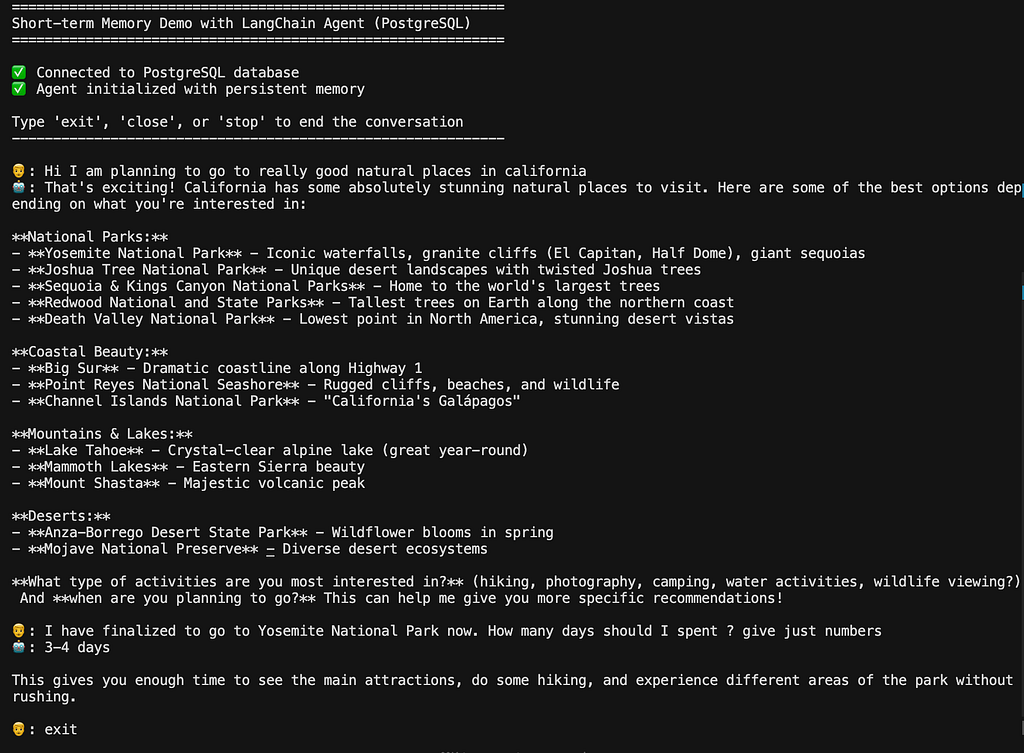
output-1
Output-2
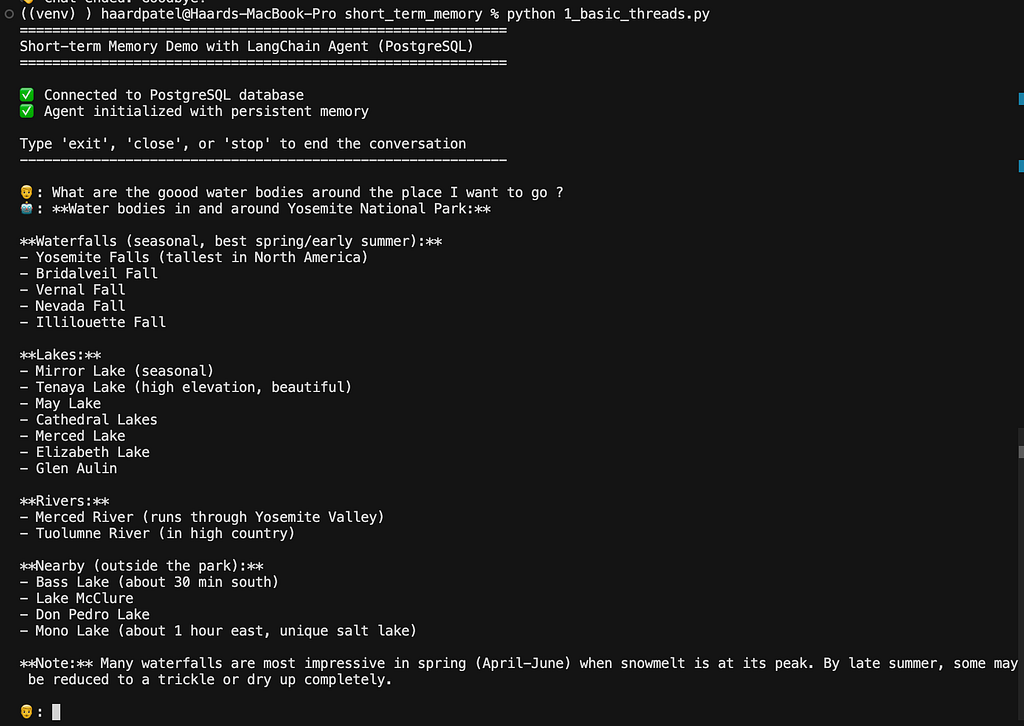
From above two output you can see that first I asked about natural places to visit in california and I finished the chat after finalizing the Yosemite. Now I continued the same conversation and it asked about any good water bodies near by and automatically gave to those near yosemite by retaining the context
(Optional) Lets Think like a Real Engineer
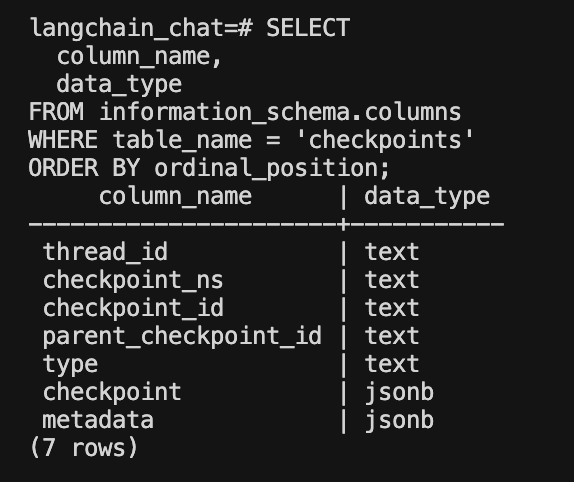
We can explore the database and tables to see how langchain create the tables and database for use automatically and manage the conversation details. Thats the all heavy lifting done by langhchain. This is the table structure and you can explore more by running different SQL queries. Here are the set the commands to reach where you can execute these SQL queries
- docker exec -it <pg_container_name> bash
- psql -U <database_user> -d <database_name>
Please comment your thoughts, doubts or experience to make great learning experience. Thank you
Langchain: Example of Perstitence With Short-term momory in Postgres database was originally published in Towards AI on Medium, where people are continuing the conversation by highlighting and responding to this story.
