5 Open-Source Projects for Books and Readers to Support via Kivach

There are many ways to read, organize your favorite books, and share your opinions about them. Numerous developers in the open-source world know this, and they’ve been creating a wide set of free tools we can use to expand our reading experience. From personal libraries to social reading, these software pieces are available for everyone.
Here, we’ll explore five tools that will make our stories even more interesting. If you find them useful, donating cryptocurrency to their teams via Kivach is an easy option. This Obyte-based platform allows anyone to send some coins to their favorite GitHub repositories. The ones ahead could be your favorites! n
BookLore
Organizing a digital book collection can quickly turn messy if we don’t have the right tools. Booklore, released in 2025 by the developer “ACX,” was created with a clear goal in mind: help people manage and enjoy their own libraries without having to guess where each book ended up. It works as a self-hosted app where your books live together, ready to browse, read, and share with others.

By using this software, you can sort titles into shelves, search by author or topic, and let the system fetch covers and details for you. It connects with popular reading formats like Kobo and OPDS feeds, which means you can access your favorite stories on several devices. A built-in reader handles EPUBs, PDFs, and comics, while tools like progress tracking, magic shelves, and personal notes offer some handy extras. Multi-user and email sharing will allow you to share with your family and friends.
The program is currently on its first version, but development is active on GitHub. Funding comes mainly from donations through Open Collective, along with individual sponsors helping cover hosting, testing devices, and ongoing improvements. If you wish to contribute some crypto, this repo is available on Kivach. n
Readest
Reading habits have changed a lot, and jumping between devices is now part of daily life. So, you’ll likely prefer that your book reader, with all your preferences and titles, can follow you. This project showed up in 2024, created by developer Huang Xin (Chrox). Its main goal is to keep your books and notes in sync wherever you read, without locking you into one device or app.
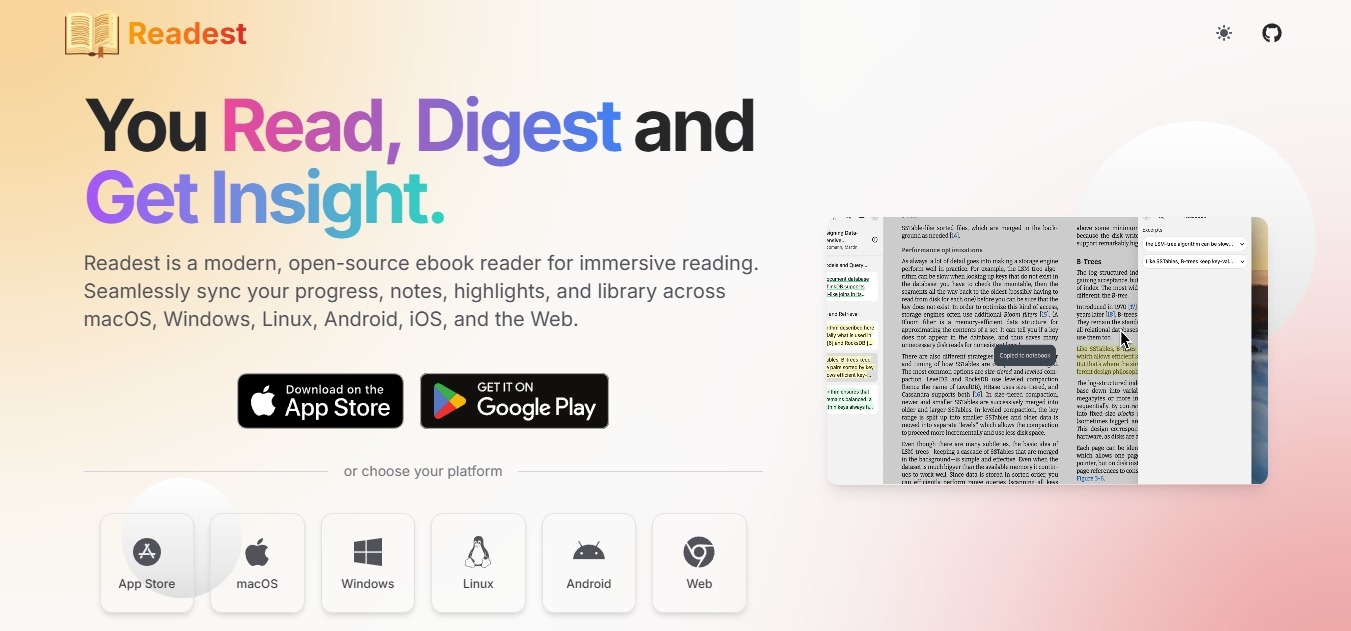
Readest supports many common formats, from EPUB and PDF to comics and text files, and gives you some useful tools as well. You can highlight passages, add notes, search inside a book, or open two texts side by side, which is handy for study or language learning. You can pick different themes, read aloud, search on Wikipedia, and translate with DeepL. No need for extra installations.
Want to contribute? Developers are welcome to do so on GitHub, while users are encouraged to share suggestions and potential new features. Monetary support comes from GitHub Sponsors and direct crypto donations. Of course, you can donate via Kivach as well. n
BookWyrm
Have you always wanted to join or start a book club, but you don’t really know how to do it? Well, BookWyrm could be what you’re looking for. Released in 2022 by “Mouse Reeve,” this decentralized software was created as a social network to read and discuss all kinds of titles with the people of your choosing. That’s a key feature here: you can join (or create) any instance you want.
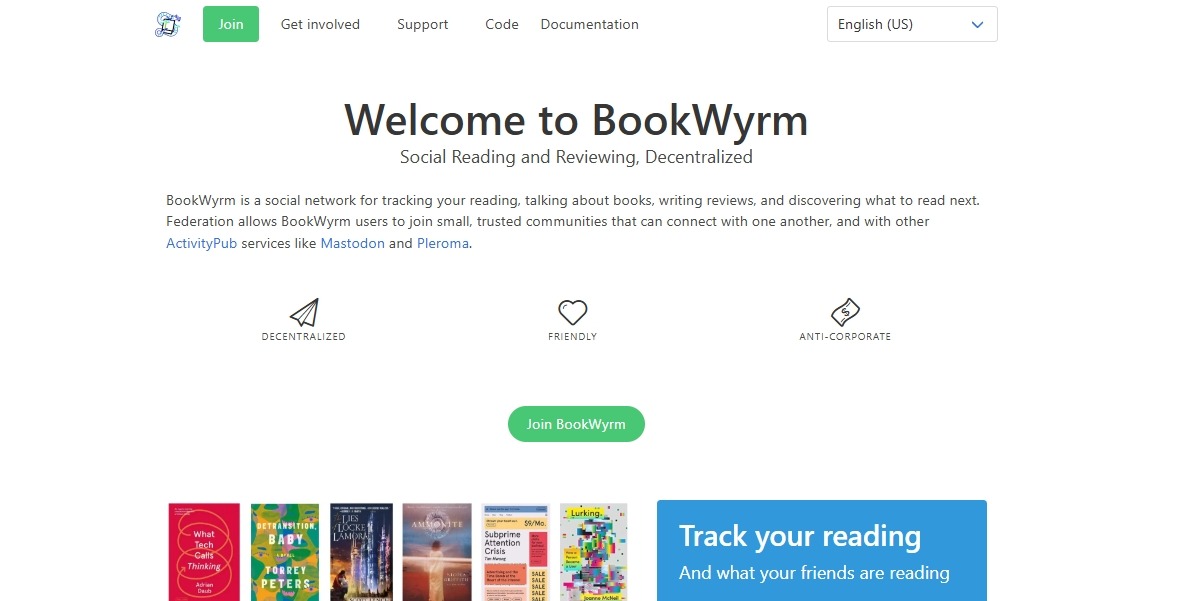
Instances on this platform are like different versions of the same software, with their own servers and their own users. There are general instances to read about everything, while there are others to read certain themes or in certain languages. Anyone can start their own instance and accept their own users, but they still can interact with each other, as well as with Mastodon, WordPress, and Pixelfed. You can post comments, reviews, and quotes, track reading activity, and help to build a decentralized database of books.
Developers can contribute with code, but the project is also looking for translators. Funding comes from sponsors via Patreon and Open Collective. If you want to financially support them, crypto is another option via Kivach. n
BookSwap (Read Cycle)
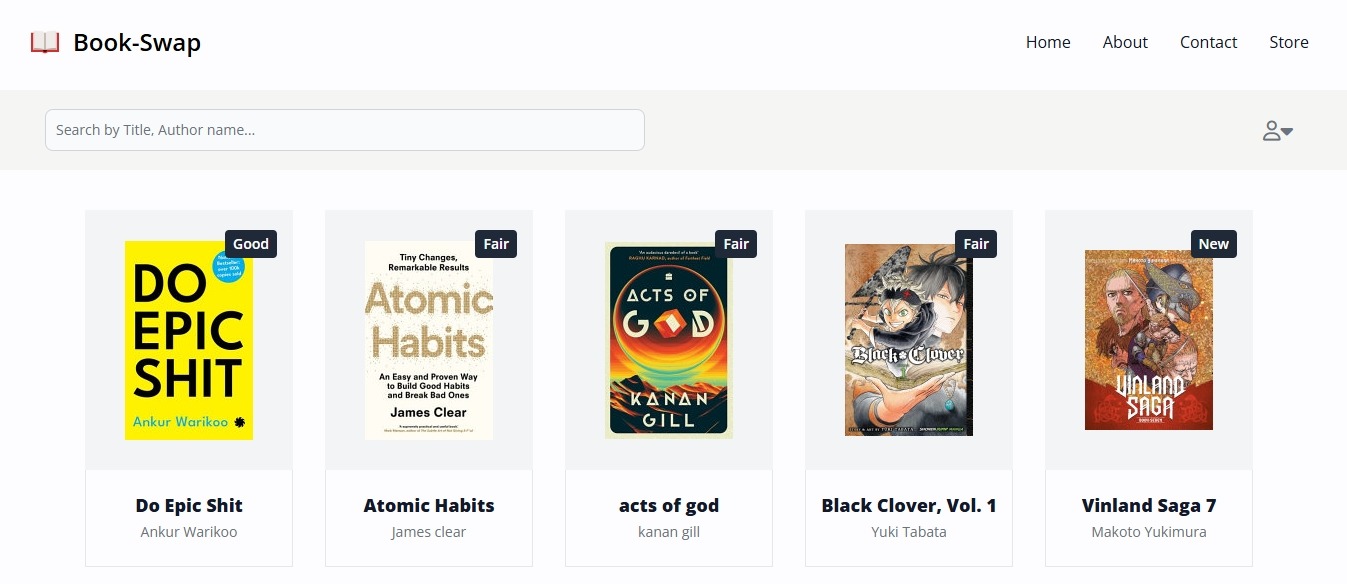
Released in 2023 by developer Rishabh Singh, BookSwap is exactly like it sounds: you can swap books with other people here. No need for installations, since it’s a user-friendly web app open to everyone. This way, you can access titles from libraries worldwide, all for free.
The process for users is easy enough. They need to visit the website, register with email and password, and access the bookstore to check the available titles. They’ll appear with covers, summaries, and even a small tag as a review, from acceptable to good. Then, profiles offer enough information (email or social media) to contact the owner and personally ask them for an exchange. After a successful exchange, the book will be taken down from the listings until the next one.
Future goals include the implementation of an internal book community with user connections. In the meantime, the software is open to collaboration on GitHub. For monetary support, you can find it on Kivach. n
Ebook2AudioBook
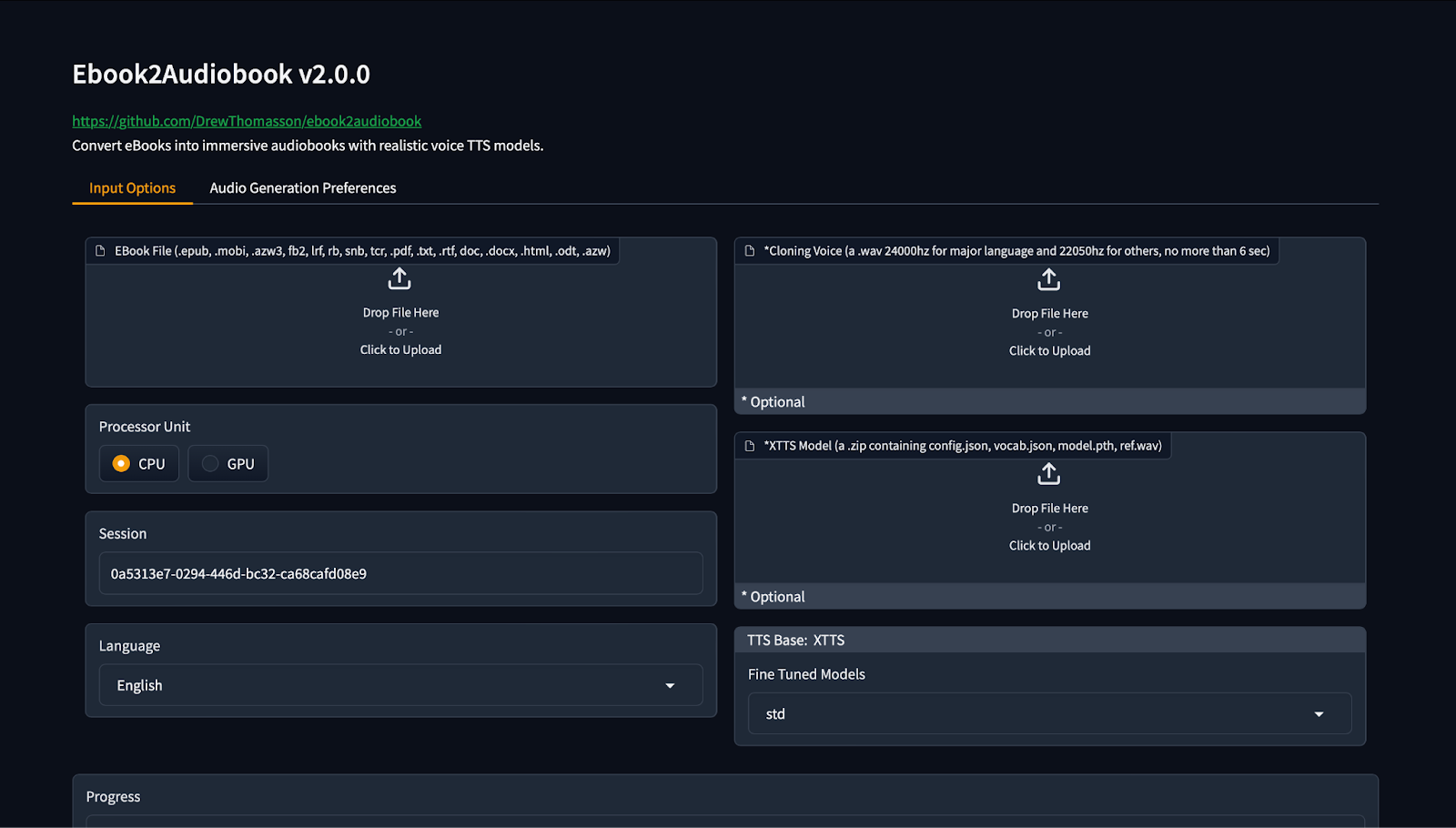
Sometimes, you might want to hear your book instead of reading it. This tool arrived in 2024, created by developer Drew Thomasson, with that exact use in mind. It can turn your existing ebooks into audiobooks to listen to at your own pace, whether you are commuting, resting your eyes, or multitasking.
The software takes common ebook formats and converts them into audio files, splitting chapters properly so navigation stays easy. You can choose different voices, adjust how the narration sounds, and even use your own voice sample if you want something more personal. It supports a huge number of languages (1,158+), which makes it useful for language learners, accessibility needs, or multilingual households. Some people use it to revive old ebooks, others to create audio versions for study notes, manuals, or long articles they prefer to hear instead of scrolling through.
Ebook2AudioBook is actively maintained, with frequent updates and community testing. Support comes mainly from individual donations through Ko-Fi, along with contributions from users who help report issues or improve the code. For cryptocurrency donations, the repo appears on Kivach as drewthomasson/ebook2audiobook. n
Donate and Claim on Kivach
If you want to send a few tokens to a project you like, the process is quite simple here. First, you’ll need a funded cryptocurrency wallet (an Obyte wallet works), visit the Kivach website, and choose the GitHub repository you want to help. Once you find the link or name on Kivach, you pick the asset and its crypto network, select the amount, and approve the transaction from your wallet.
The money doesn’t go directly to a person right away: it stays locked in a decentralized Autonomous Agent until the right developer picks it up —don’t forget to tell them!
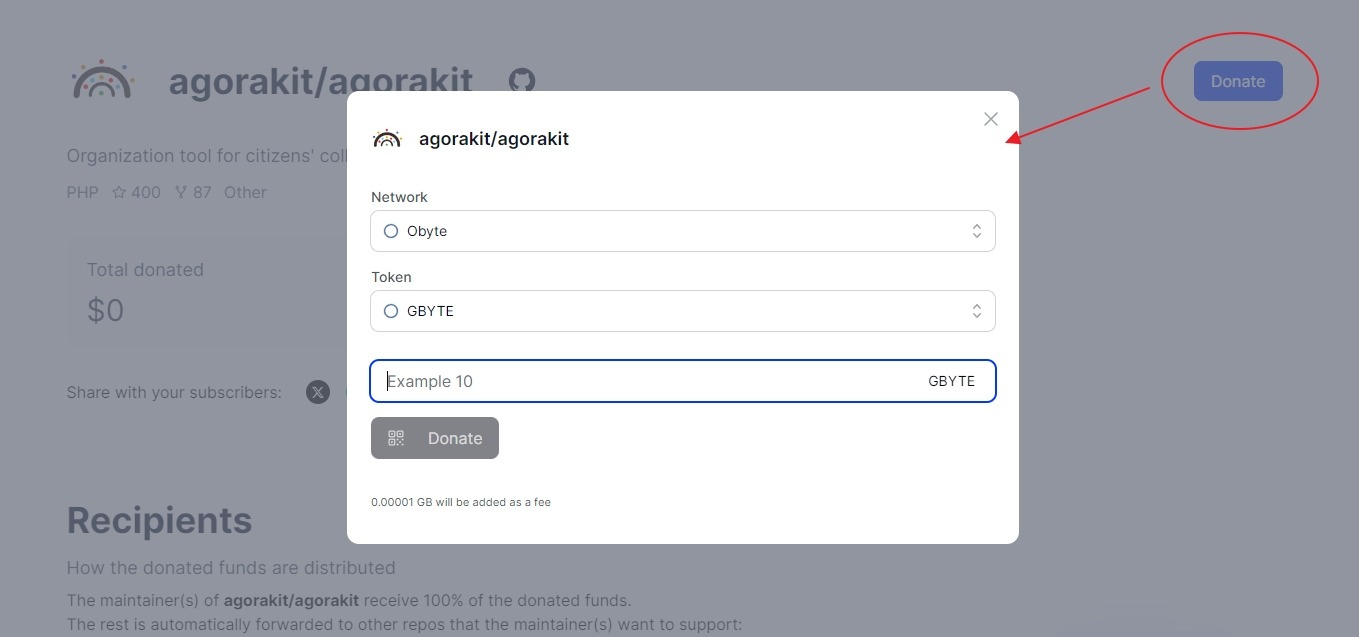
For developers, claiming those funds doesn’t take much effort either. Donations can arrive even before they prove ownership of the repository. To access them, they need to install the Obyte wallet and connect their GitHub account using an Attestation bot. After that, they decide how the funds are used. Teams can keep everything or pass part of it along to other open projects they depend on.
Curious to see more free tools from GitHub? Take a look at our earlier episodes and keep exploring.
- 5 Open-source and Free Operating Systems to Donate via Kivach
- 5 Open-source Blogging and Writing Tools to Donate to via Kivach (Ep V)
- 5 Open-Source, Free Software You Didn’t Know You Needed to Protect Your Data
- 5 Open-Source Crypto Tools You Can Use for Free —and Support with Kivach
- 5 Open-Source Projects to Donate via Kivach, Episode VII: Games to Play for Free!
- 5 Open-Source Software for Global Teams to Donate via Kivach
- Author Your Own Adventure With These 5 Must-Try Free Tools
- 5 Open-source and Green Projects to Donate via Kivach
- 5 Funny and Weird Software You Can Use for Free – and Donate via Kivach
n **
Featured Vector Image by vectorjuice / Freepik
n
n
n
